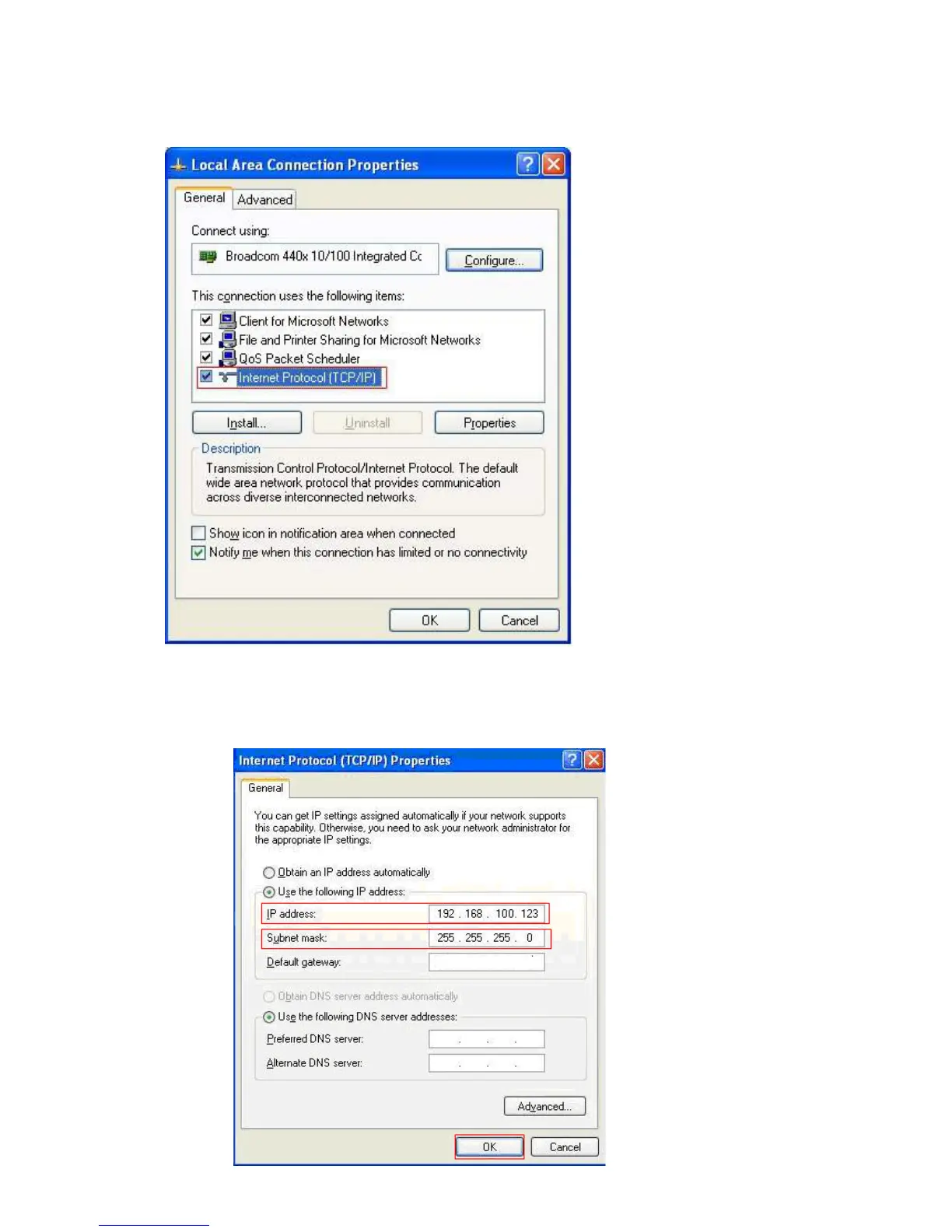
d. Click the Properties button.
e. Click and highlight
Internet Protocol (TCP/IP) and then click the Propertiesbutton.
f. Click to select Use the following IP address. Enter the IP address 192.168.100.X where
X could be any number of 2-99. Click a field of Subnet mask, the subnet address should
be created automatically.


 To Next Page