EasyManua.ls Logo

Ivation 678 - User Manual

Ivation 678
4 pages
Print Icon
To Next Page IconTo Next Page
Loading...
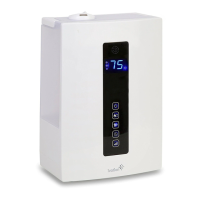
Digital Humidifier
User Manual
Hello!
Welcome to the Ivation™ family. This user manual helps you get to know your new humidifier a little better. For
additional information and technical support, please contact our helpful team at info@myivation.com.
For Your Safety
Use only with correct voltage to avoid malfunction, fire hazard or electric shock.
To prevent electric shock, do not disassemble, repair or modify unit. In case of malfunction, contact authorized
repair center.
Do not forcibly bend power cord. Damaged power cord may cause fire hazard or electric shock.
Never allow children to play with unit.
Do not use acid or alkali solvent to clean unit interior. Solvent residue left in atomizer may produce poisonous gas.
Do not directly inhale mist emitted from misting nozzle.
Do not use near in-use electrical appliances, computers or precision devices.
Do not insert objects or needles into misting nozzle or unit’s hollow space. It may cause electric shock or malfunction.
Keep unit away from water and moisture. Washing unit with water may cause short-circuit, electric shock or fire hazard.
Do not plug in or unplug with wet hands. Risk of electric shock.
If unit malfunctions, suspend usage and unplug power cord immediately to avoid fire hazard or electric shock. Contact
distributor or authorized repair center.
Do not expose unit to direct sunshine or place on top on or near air conditioner.
Do not expose unit to strong magnetic force.
Do not block air inlet at bottom of unit.
Clean water tank and atomizer every 1-2 weeks.
Do do move unit during operation.
During winter seasons, water in tank may be freeze over. Empty water tank after use to avoid damage from frozen water.
Humidifier Highlights
Misting Capabilities Include Cool Ultrasonic & Warm Mists
Onboard Computer Controls Automatic Humidity Sensing
Clear Digital Display Displays Various Operating Conditions
Multiple Operating Mode Choices Are Available to User
Timer Can be Set to Anywhere Between 1 & 12 Hours
Misting Nozzle Rotates 360° for Mist Direction Adjustment
Disposable Ion Exchange Filter Reduces Mineral Buildup
Question and Answer IconNeed help?

Do you have a question about the Ivation 678 and is the answer not in the manual?

Ivation 678 Specifications

General IconGeneral
BrandIvation
Model678
CategoryHumidifier
LanguageEnglish

Summary

Safety Information

General Safety Warnings

Essential safety precautions to prevent electric shock, fire, and unit damage.

Humidifier Features

Key Humidifier Highlights

Highlights key features like misting capabilities, computer controls, and filter.

Product Overview

Whats in the Box

Lists the items included with the digital humidifier.

Parts and Controls Identification

Identifies all physical parts and control buttons of the humidifier unit.

Getting Started

Filling the Water Tank

Step-by-step instructions for filling the water tank with cool, clean tap water.

Operating Modes

Selecting Operating Mode

Guide on how to power on the unit and select desired operating modes.

Auto Mode Explanation

Details on how the unit automatically adjusts humidity based on ambient conditions.

Sleep Mode Explanation

Information about the sleep mode, its humidity level, and duration.

Personal Setup Mode Guide

Steps to manually set mist output, humidity, and timer in personal setup.

Advanced Features & Maintenance

Dual Humidifying Function

Explanation of the dual function for producing warm mist and increasing efficiency.

Replacing the Ion Exchange Filter

Instructions for replacing the filter to reduce mineral buildup.

Maintenance and Troubleshooting

Cleaning Your Humidifier

Detailed steps for cleaning the exterior, interior, and specific parts of the unit.

Troubleshooting Common Issues

Solutions for common problems like no mist, weak mist, or strange smells.

Technical Specifications

Product Specifications

Lists technical details including voltage, power, capacity, dimensions, and weight.