EasyManua.ls Logo

Ivation IVADGOZHEPA - User Manual

Ivation IVADGOZHEPA
9 pages
Print Icon
To Next Page IconTo Next Page
Loading...
DIGITAL
OZONE AIR
PURIFIER
WITH HEPA
FILTER
USER GUIDE
IVADGOZHEP A
Thank you for purchasing the Ivation® Digital Ozone Air Purifier with HEPA Filter. This User Guide is intended to
provide you with guidelines to ensure that operation of this product is safe and does not pose risk to the user.
Any use that does not conform to the guidelines described in this User Guide may void the limited warranty.
Please read all directions before using the product and retain this guide for reference. This product is intended
for household use only. It is not intended for commercial use.
This product is covered by a limited one-year warranty. Coverage is subject to limits and exclusions. See
warranty for details.
TABLE OF CONTENTS
2 SAFETY PRECAUTIONS
2 PACKAGE CONTENTS
3 PRODUCT OVERVIEW
4 HOW DOES IT WORK?
4 USING THE OZONE AIR PURIFIER
5 SETTING THE TIME
5 SETTING THE UNIT TIMER
6 SETTING THE OZONE TIMER
6 RECOMMENDED LOCATIONS TO PURIFY
6 CARE AND MAINTENANCE
8 TROUBLESHOOTING
9 SPECIFICATIONS
Question and Answer IconNeed help?

Do you have a question about the Ivation IVADGOZHEPA and is the answer not in the manual?

Summary

Safety Precautions

General Safety Guidelines

Essential safety instructions for ozone purifier operation, handling, and potential hazards.

Product Overview

Component Identification and Care

Details identification and cleaning instructions for various components of the air purifier.

How Does It Work?

Ozone and Ionization Process Explained

Explains how ozone and negative ions are generated and their function in air purification.

Using the Ozone Air Purifier

Basic Operation and Settings

Guides users through turning on the unit, adjusting fan speed, and setting ozone levels.

UV Light Activation

Instructions for activating the UV lamp and its function with the photo-catalytic filter.

Setting the Time

Setting the Unit Timer

Setting the Ozone Timer

Care and Maintenance

Cleaning Ceramic Plates

Step-by-step guide on how to remove, wash, and replace the ozone plates.

Cleaning Ionizer and Fan Grill

Instructions for cleaning the ionizer points and the fan grill cover.

Cleaning HEPA Filter and Prefilter

Steps to clean HEPA and pre-filters using compressed air or washing.

Troubleshooting

Common Issues and Solutions

Provides a checklist of common issues and their solutions for the air purifier.

Specifications

Overview

The Ivation Digital Ozone Air Purifier with HEPA Filter is designed to improve air quality by reducing dust, particulates, and odors. It utilizes a combination of technologies, including negative ion generation, ozone production, a HEPA filter, a TiO2 photo-catalytic filter, and UV light, to provide comprehensive air purification.

Function Description:

The device's primary function is to purify the air in various indoor environments. It achieves this through several integrated systems:

  • Negative Ion Generation: This feature continuously produces negative ions to reduce dust and other particulates in the air. The ionizer creates a slight charge, which may result in a static electric discharge if contact is made with another person or metal object, similar to static electricity experienced on carpets.
  • Ozone Production: The purifier generates ozone (O₃), a natural air cleaner, through a process that utilizes an electrical current to transform an ordinary O₂ molecule into an O₃ molecule. Ozone is effective in breaking down odors and pollutants. The device allows for adjustable ozone output levels (I, II, III, and IV) to suit different purification needs. It's crucial to use the ozone feature responsibly, as ozone can be harmful to humans and animals in high concentrations. The manual emphasizes that during ozone sterilization, no one should be present in the room, and the room should be ventilated afterward.
  • HEPA Filter & Pre-filter: These filters work together to capture airborne particles, including dust, pollen, pet dander, and other allergens. The HEPA filter is designed to trap very fine particles, while the pre-filter helps to extend the life of the HEPA filter by capturing larger debris.
  • TiO2 Photo-catalytic Filter: This filter, when exposed to UV light, helps to break down volatile organic compounds (VOCs) and other pollutants into harmless substances.
  • UV Light: The UV light (365 µm wavelength) works in conjunction with the TiO2 photo-catalytic filter to enhance the purification process by neutralizing bacteria, viruses, and other microorganisms.

Important Technical Specifications:

  • Rated Voltage: 110V
  • Rated Frequency: 60Hz
  • Rated Wattage: 48W
  • UV Light Wavelength: 365 µm

Usage Features:

The Ivation Digital Ozone Air Purifier offers a range of user-friendly features for control and customization:

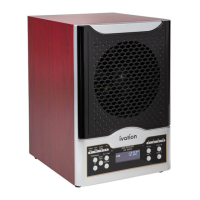
  • LCD Display Panel (A): Displays the unit's working status and settings, with an optional blue backlight.
  • Remote Control (B): Allows for convenient control of the unit's settings from a distance.
  • Manual Buttons (C): Provides direct control over the unit's settings on the device itself.
  • Power/Anion Button: Turns the unit on/off and activates/deactivates the negative ion generation feature. The Anion feature is activated by default when the unit is turned on.
  • Fan Speed Control: Allows users to adjust the fan speed using dedicated Fan ▲ or Fan ▼ buttons.
  • Ozone Output Level Control: Users can select one of four ozone output levels (I, II, III, IV) using Ozone ▲ or Ozone ▼ buttons.
  • UV Light Control: A dedicated UV button activates or deactivates the UV light.
  • Time/Set Button: Used to set the unit's clock, as well as program the Unit Timer and Ozone Timer.
  • Unit Timer: Allows users to program specific times for the air purifier to activate and deactivate, controlling fan speed, ozone output, and UV light.
  • Ozone Timer: Enables users to set a specific duration for the ozone feature to operate within the programmed Unit Timer period. It's crucial to set the unit timer before the ozone timer and ensure the ozone timer's duration falls within the unit timer's active period.
  • Purifying Levels: The device offers four purifying levels, each corresponding to a specific ozone output level and recommended active square footage:
    • Level 1 (Ozone I): 0-600 ft²
    • Level 2 (Ozone II): 601-1200 ft²
    • Level 3 (Ozone III): 1201-1800 ft²
    • Level 4 (Ozone IV): 1801-3500 ft²
  • Recommended Locations: The purifier is suitable for various environments, including homes, water- & fire-damaged areas, newly painted/wallpapered areas, "sick" buildings, designated smoking/vaping areas, high-pollen environments, newly carpeted/furnished rooms, kitchens, attics & basements, laundry rooms, stables & aviaries, and locker rooms.

Maintenance Features:

Regular maintenance is essential to ensure the optimal performance and longevity of the air purifier.

  • Ceramic O₃ Plates (H): These removable plates are responsible for ozone generation. They should be removed and washed with warm water and ammonia (50/50 mixture) using a stiff brush or old toothbrush every 30 days. After cleaning, they must be rinsed thoroughly and allowed to dry completely before reinstallation. The ceramic plates should be replaced every 1-3 years, depending on usage and environment, or when ozone production becomes ineffective.
  • Fan Grill (D): The removable fan grill can be washed with warm water and allowed to dry completely before replacing.
  • TiO2 Photo-catalytic Filter (G): This filter should NOT be washed. It should only be cleaned with compressed air.
  • HEPA Filter (I) & Pre-filter (J): These filters should be cleaned with compressed air every 30 days. The manual also suggests cleaning both filters with warm water and allowing them to dry completely every 90 days.
  • UV Light Bulb (K): The UV light bulb (365 µm wavelength) needs to be replaced as needed when it no longer functions effectively.
  • Needlepoint Ionizer: To clean the ionizer, the fan grill cover must be removed. The needle-point ionizer, consisting of two metallic wires in front of the fan, should be gently cleaned with a Q-tip or cotton swab dipped in isopropyl alcohol to remove accumulated dust.
  • Fan Blade: While the fan grill cover is off, the fan blade can be gently wiped clean with a damp cloth.
  • Troubleshooting: The manual provides guidance for common issues, such as the unit not turning on, power connection problems, ineffective ozone output, and issues with ceramic plate alignment. It also advises checking the spare fuse located in the power cord slot and provides instructions for replacing it if necessary. For more complex issues, customers are advised to contact Ivation customer service.

Ivation IVADGOZHEPA Specifications

General IconGeneral
BrandIvation
ModelIVADGOZHEPA
CategoryAir Cleaner
LanguageEnglish

Related product manuals