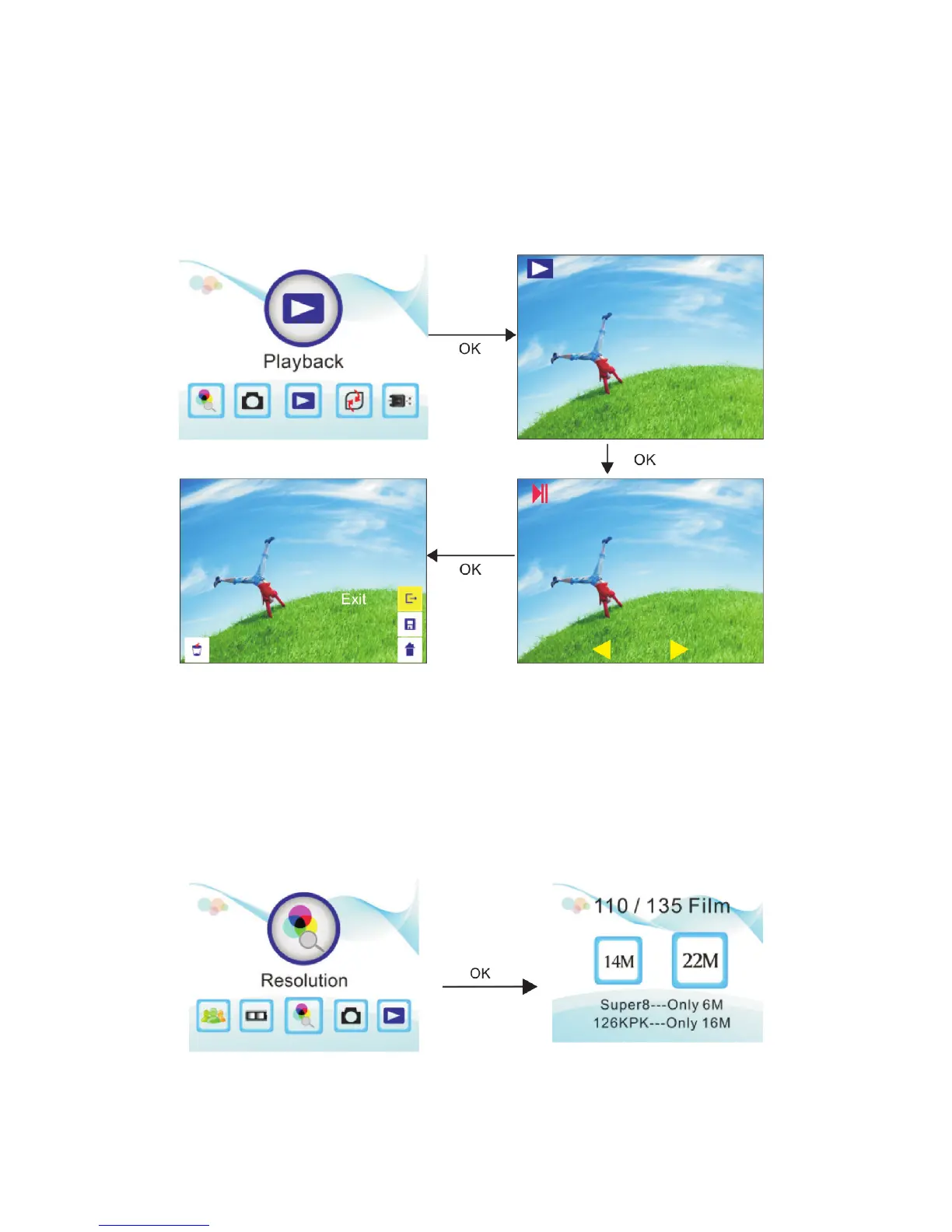
Playing Back an Image
1. In the main menu, select the Playback option. The saved images will automatically play.
2. Press the OK button to pause the automatic playback and use the directional buttons to cycle through
images manually.
3. To return to automatic playback, press the OK button again and select Exit. In this menu you may also
delete the image or return to the main menu.
Selecting the Resolution
1. In the main menu, select the Resolution option.
2. Use the directional buttons to select either 14M or 22M (interpolation). Confirm by pressing the
OK button.


 To Next Page