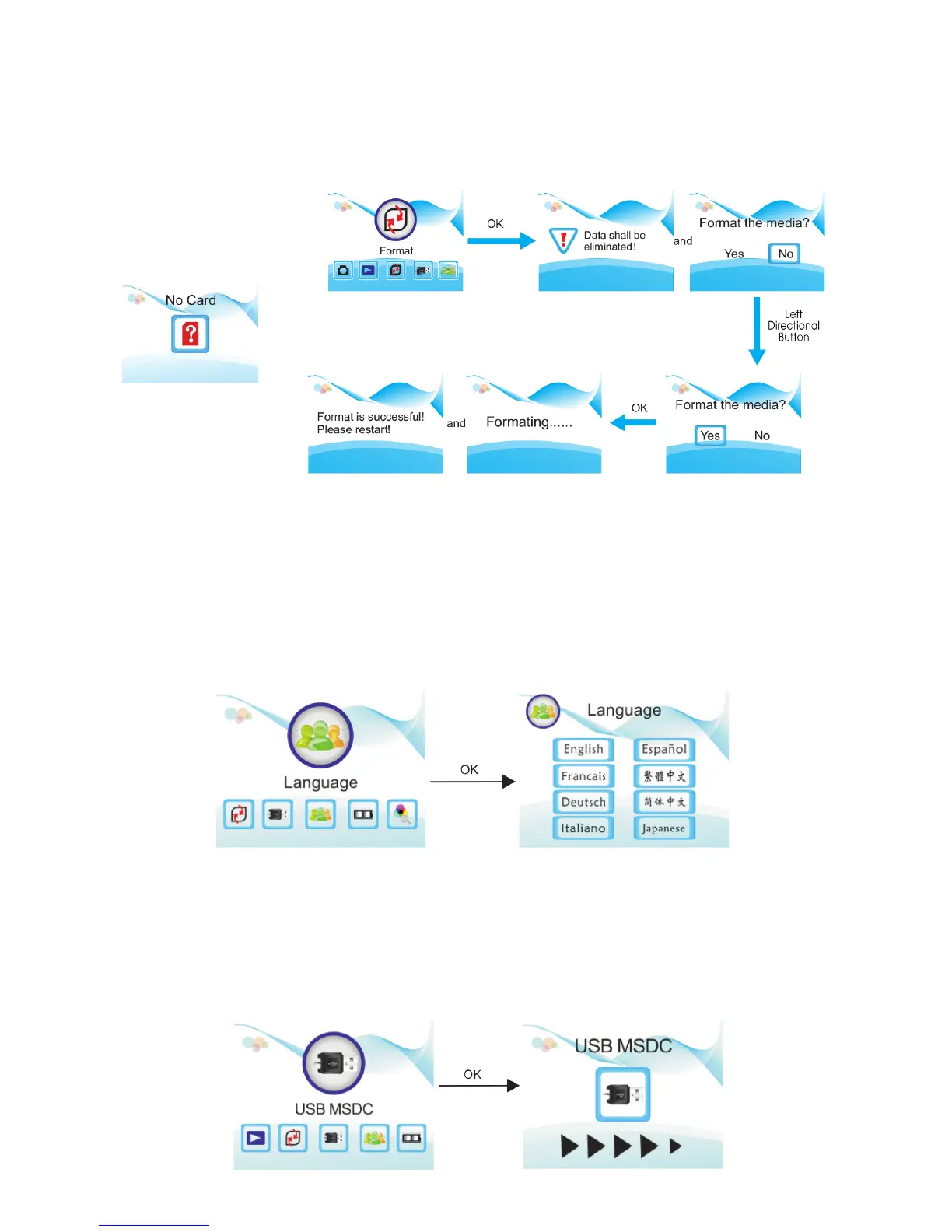
Formatting the SD Card
1. In the main menu, select the Format option.
2. Note that when formatting, all data currently saved will be deleted.
3. Confirm by using the directional buttons to highlight Yes and press the OK button to confirm.
Language Settings
1. To change the language, select the Language option in the main menu.
2. Use the directional buttons to cycle through the language options.
3. Select the desired language by pressing the OK button.
Available languages: English, French, German, Italian, Spanish, Traditional Chinese, Simplified Chinese,
Japanese
Connecting to a Computer
1. Use the included USB cable to connect the scanner to the computer.
2. In the main menu, select the USB MSDC option.
3. After successfully connecting to the computer, you will be able to view and edit the captured images.


 To Next Page