Need help?
Do you have a question about the Ivation WIRELESS BBQ THERMOMETER and is the answer not in the manual?
Details on buttons for mode selection, temperature adjustment, and alarms.
Process to lock in radio frequency signal between devices.
Configure maximum and minimum temperatures for FOOD and BARBECUE.
Enables audible and visual alerts for exceeding set temperature thresholds.
Steps to set FOOD (160°F) and BARBECUE (225°F-250°F) alarms for a Boston Butt.
Warnings about touching hot probes, keeping away from children, and avoiding flames.
The Ivation Wireless BBQ Thermometer is a programmable radio frequency food thermometer designed to remotely monitor the temperature of grilling food and the internal temperature of a grill. It consists of a receiver unit, a transmitter unit, a detachable stainless steel FOOD probe, and a detachable stainless steel BARBECUE probe with a clip. Both the receiver and transmitter are powered by AAA batteries.
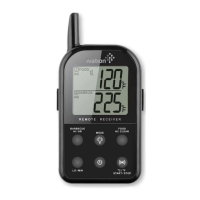
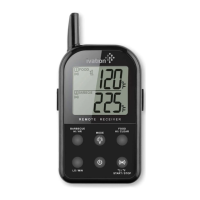
The receiver unit features an LCD (Liquid Crystal Display) that shows all icons, temperature, and time. It has a removable clip for hanging and a swing-out stand for tabletop use. The battery compartment holds two AAA batteries.
The transmitter unit also has an LCD that displays both FOOD and BARBECUE temperatures, automatically switching between them. It includes a wire stand for tabletop use or hanging, and its battery compartment holds two AAA batteries. It has two plug-ins: one for the stainless steel FOOD probe and one for the stainless steel BARBECUE probe.
To install, open the battery compartments of both the receiver and transmitter and insert two AAA batteries into each, ensuring correct polarity. For registration, plug the stainless steel probe sensors into their corresponding plugs on the transmitter. The FOOD probe is 6 inches long with a pointed end, while the BARBECUE probe is 3 inches long with a grill rack clip. Turn on the receiver by pressing its power button for 2 seconds, then turn on the transmitter by pressing its power button for 2 seconds. This must be done within 120 seconds of turning on the receiver. If the unit does not beep within 5-10 seconds and the "---" on the LCD is flashing or solid, turn the transmitter OFF and then ON again, or press and hold the RESYNC button for 2 seconds. Registration is complete when the unit beeps and probe temperatures appear on the LCD.
If the receiver goes out of range, experiences external interference, or the transmitter is shut off, it may lose transmission. After 4 minutes, the unit will beep every 4 seconds. Pressing any button on the receiver stops the beep. To regain the signal, move the receiver closer to the transmitter, turn the receiver OFF and then ON, and press and hold the transmitter's RESYNC button for 2 seconds within 120 seconds.
The RESYNC button can be activated manually once every 12 seconds. If re-synchronization fails the first time, wait 12 seconds before trying again, or turn the transmitter OFF and ON.
In this mode, the LCD shows a "1 FOOD" icon and a "2 BARBECUE" icon.
Press ALERT, °C/°F, START/STOP to activate the alarm for BARBECUE & FOOD. Alarm icons appear. The receiver beeps and probe temperature flashes if: a) FOOD temperature exceeds set maximum (twice per second). b) BARBECUE temperature exceeds set maximum (once per second). c) BARBECUE temperature falls below set minimum (once per second). Note: The minimum BARBECUE temperature alarm activates only after the actual BARBECUE temperature goes above the set minimum. The unit retains Barbecue & Food alert temperature settings even when turned off.
Press and hold ALERT, °C/°F, START/STOP for 2 seconds to switch between °C and °F.
Both modes can be used concurrently. This allows monitoring FOOD and BARBECUE temperatures while tracking another cooking task with the timer.
Example: Cooking a Boston Butt to 160 °F, with BARBECUE temperature alerts for below 225 °F or above 250 °F, and a 2-hour reminder to check the smoker.
If LLL or HHH is displayed, wait for the probe to reach room temperature. If it persists or shows false readings, squeeze probe jacks firmly into the transmitter and twist them. If the problem continues, the internal probe wire may be shorted. Do not immerse probes in water during cleaning. Keep probes and wires away from flames. If the displayed temperature is too high or increases too quickly, ensure the probe tip is not poking through the food to the outside; reposition it to the center of the thickest part.
Changes or modifications not expressly approved by the party responsible for compliance could void the user's authority to operate the equipment. This device complies with Part 15 of FCC Rules, providing reasonable protection against harmful interference in a residential installation. If interference occurs, try reorienting the receiving antenna, increasing separation between equipment and receiver, connecting equipment to a different circuit, or consulting a dealer/experienced radio/TV technician. This device complies with Part 15 of the FCC Rules. Operation is subject to two conditions: (1) this device may not cause harmful interference, and (2) this device must accept any interference received, including interference that may cause undesired operation.
C&A Marketing, Inc. warrants the Ivation Wireless BBQ Thermometer to be free of defects in parts, materials, and workmanship for one year from the date of purchase. For repairs or servicing, contact C&A Marketing Inc. and ship the unit to their service center. C&A Marketing Returns Department 2 Bergen Turnpike. Reidgfiled Park, NJ 07660 Tel: 201-881-1900 Email Info@myivation.com www.myivation.com Do not send parts or products without a Return Authorization Number. This warranty is VOID if instructions are not followed, for accidental damage, commercial use, damage incurred while in transit, or if the unit has been tampered with. This warranty provides specific legal rights, and you may also have other rights that vary by state.
 General
| Brand | Ivation |
|---|---|
| Model | WIRELESS BBQ THERMOMETER |
| Category | Thermometer |
| Language | English |

 To Next Page