2
All view ID:
1. Appearance and Button
4
5
6
7
8
9
1
2
3
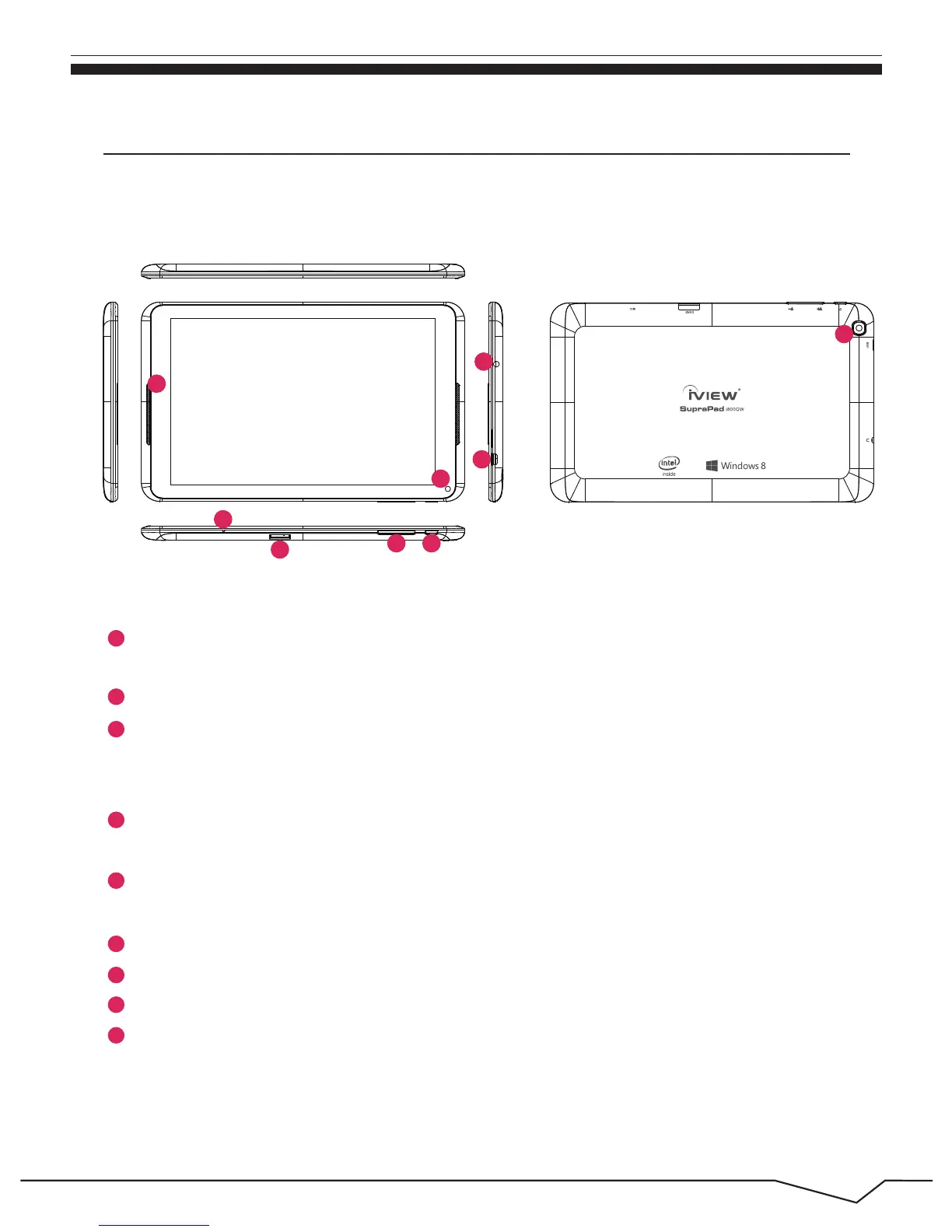
Micro SD Card Slot: The built-in storage card reader slot supports Micro SD and
MicroSDHC format.
MIC:Microphone
Power Button: Press it down to start or close the touch screen panel. You can
also let the computer enter dormancy through this button or wake from the
dormancy mode.
Earphone Jack: 3.5mm standard earphone jack can transmit the audio signals of
Tablet PC to earphone.
Micro USB Jack: You can use it to connect the computer for data transmission,
charging and external USB flash drive.
Volume-/Volume+: Lower/raise volume.
Front Camera: Take photos, and record pictures.
Back Camera: Take photos, and record pictures.
Loudspeaker: The built-in loudspeaker enables you to hear the sound
without having to link additional device.
36
5
4
1
2
7
8
9

 To Next Page
 Loading...