EasyManua.ls Logo

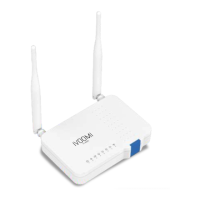
iVOOMi Speed 300 - User Manual

Default Icon
40 pages
Print Icon
To Next Page IconTo Next Page
Loading...
User Manual &
Quick Installation Guide
Speed 600 | Speed 300
Please read the user manual for correct & complete usage of the device
For technical support, replacement services, user guides, and other
information, please visit https://www.ivoomi.co/support, or
simply scan the QR code.
If you have any suggestions or needs on the product guides, you
are welcome to email customercare@ivoomi.co
Maximum wireless signal rates are the physical rates derived from IEEE Standard 802.11 specifications. Actual wireless
data throughput and wireless coverage are not guaranteed and will vary as a result of network conditions, client
limitations and environmental factors, including building materials, obstacles, volume and density of traffic and client
locations
NOTE :
Question and Answer IconNeed help?

Do you have a question about the iVOOMi Speed 300 and is the answer not in the manual?

Summary

Get to Know Your Router

Features

Lists the key technical specifications and advanced capabilities of the wireless router.

Quick Setup

Connecting to Your Router

Guides users on physically connecting the router and its initial setup.

Connecting to Your Router Through WiFi

Provides instructions for wirelessly connecting devices to the router.

Connecting to Your Router Using an Ethernet Cable

Details the process of establishing a wired connection to the router.

Setting up an Internet Connection

Guides users through the steps to establish an internet connection.

Setting up an Internet Connection with PPPoE

Details the configuration steps for a PPPoE internet connection.

Setting up an Internet Connection with a Dynamic IP Address

Explains how to configure a dynamic IP address for the internet connection.

Setting up an Internet Connection with a Static IP Address

Guides on setting up a static IP address for the internet connection.

Configuring the Router

Internet Settings

Configures WAN interface settings like WAN Setup, operating modes, and DDNS.

WAN Setup

Configures the router's operating mode and internet connection type.

Router Mode

Details configuring the router for standard routing functions.

Access Point Mode

Configures the router to function as an Access Point for wireless coverage.

Range Extender Mode

Configures the router to extend existing WiFi signals.

WISP Mode

Configures the router to extend ISP WiFi signals.

Wireless Setup

Configures wireless network settings like SSID, security, and channels.

Firewall

Provides firewall protection against intrusions and hacker attacks.

Security

Restricts connection parameters for intrusion prevention and defense.

Summary

Get to Know Your Router

Features

Lists the key technical specifications and advanced capabilities of the wireless router.

Quick Setup

Connecting to Your Router

Guides users on physically connecting the router and its initial setup.

Connecting to Your Router Through WiFi

Provides instructions for wirelessly connecting devices to the router.

Connecting to Your Router Using an Ethernet Cable

Details the process of establishing a wired connection to the router.

Setting up an Internet Connection

Guides users through the steps to establish an internet connection.

Setting up an Internet Connection with PPPoE

Details the configuration steps for a PPPoE internet connection.

Setting up an Internet Connection with a Dynamic IP Address

Explains how to configure a dynamic IP address for the internet connection.

Setting up an Internet Connection with a Static IP Address

Guides on setting up a static IP address for the internet connection.

Configuring the Router

Internet Settings

Configures WAN interface settings like WAN Setup, operating modes, and DDNS.

WAN Setup

Configures the router's operating mode and internet connection type.

Router Mode

Details configuring the router for standard routing functions.

Access Point Mode

Configures the router to function as an Access Point for wireless coverage.

Range Extender Mode

Configures the router to extend existing WiFi signals.

WISP Mode

Configures the router to extend ISP WiFi signals.

Wireless Setup

Configures wireless network settings like SSID, security, and channels.

Firewall

Provides firewall protection against intrusions and hacker attacks.

Security

Restricts connection parameters for intrusion prevention and defense.

iVOOMi Speed 300 Specifications

General IconGeneral
Frequency Band2.4 GHz
Maximum Speed300 Mbps
Antenna2 x 5 dBi
SecurityWPA, WPA2, WEP
Ports1 x 10/100Mbps WAN port, 3 x 10/100Mbps LAN ports

Related product manuals