
 Need help?
Do you have a question about the iVOOMi Speed 600 and is the answer not in the manual?
Introduces the Wireless Router's features, compatibility, and suitability for SOHO users.
Lists all items included in the Wireless Router package for the user.
Details the necessary hardware and software for operating the router.
Outlines the key technical specifications and capabilities of the iVOOMi router.
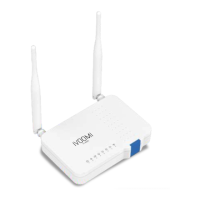
Details the physical design and components of the router.
Explains the function of each LED light on the router for status monitoring.
Identifies and describes the purpose of the router's physical buttons and connection ports.
Provides details found on the router's bottom label, including default access information.
Guides users on establishing initial connections to the router.
Guides users through the steps to connect devices wirelessly to the router.
Provides instructions for establishing a wired connection to the router.
Explains how to configure network settings on a Windows computer for the router.
Introduces the process for configuring the router's internet connection.
Details the configuration steps for a PPPoE internet connection.
Guides on setting up a dynamic IP address for internet connectivity.
Explains how to configure a static IP address for internet access.
Shows how to access the router's status page for connection and system information.
Displays connected devices and monitors real-time network speed statistics.
Provides essential system information about the router's current configuration.
Introduces the interface for configuring internet connection types and modes.
Covers the setup for Wide Area Network connections and operating modes.
Details how to configure the router to function as a primary network router.
Guides on configuring the router to obtain an IP address automatically from the ISP.
Explains how to manually enter static IP address details for internet connection.
Details the steps for setting up an L2TP VPN connection.
Guides on configuring a PPTP VPN connection for internet access.
Explains how to configure the router to function as a wireless access point.
Guides on setting up the router to extend existing WiFi network coverage.
Details how to configure the router to connect to an ISP's WiFi as a client.
Explains and guides on setting up Dynamic DNS for remote access.
Introduces the section for configuring wireless network settings.
Covers fundamental wireless network parameters like SSID and band.
Guides on securing the wireless network using encryption methods.
Explains how to control wireless access based on device MAC addresses.
Details Wireless Distribution System setup for connecting APs.
Explains Wi-Fi Protected Setup for easy and secure client connections.
Allows users to schedule the availability of the wireless network.
Introduces the router's firewall features for network protection.
Guides on configuring port forwarding for specific network services.
Explains how to configure the DMZ host for unrestricted internet access.
Details settings to prevent Denial-of-Service attacks on the network.
Introduces the router's security features for enhanced protection.
Guides on filtering network traffic based on port numbers.
Explains how to block or allow network access based on IP addresses.
Guides on restricting access to specific websites by URL.
Details how to filter network access based on MAC addresses.
Explains Quality of Service settings for prioritizing network traffic.
Introduces the section for managing system-wide router settings.
Guides on configuring the local area network settings of the router.
Explains how to assign static IP addresses to devices via MAC binding.
Displays a list of devices currently assigned IP addresses by DHCP.
Guides on setting the router's time zone and synchronizing with NTP servers.
Details the process for upgrading the router's firmware.
Explains how to backup and restore router settings.
Guides on changing the router's administrative password.
Introduces advanced configuration options.
Shows packet counters for wireless and Ethernet network activity.
Explains how to view and manage system logs for troubleshooting.
Provides instructions on how to log out of the router's interface.
Troubleshooting steps for when the router login window does not appear.
Solutions for not being able to access the internet while in Router mode.
Instructions on how to reset the router to its original factory settings.
Guidance on recovering or resetting the web management password.
Steps to retrieve or reset the wireless network password.
Instructions on how to modify the WiFi network's SSID and password.
Outlines the terms and conditions governing the product's warranty period.
Presents the format for the product's warranty registration card.
 General
| Brand | iVOOMi |
|---|---|
| Model | Speed 600 |
| Category | Network Router |
| Language | English |

 To Next Page
