1. Get to Know Your Router
1.1 Overview
1.2 Packing List
1.3 System Requirement
1.4 Features
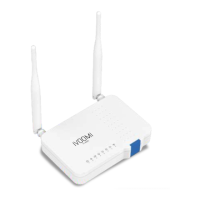
1.5 Appearance
1.5.1 LED Indicators
1.5.2 Button & Ports
1.5.3 Label on the Bottom
2 Quick Setup
2.1 Connecting to Your Router
2.1.1 Connecting to Your Router Through WiFi
2.1.2 Connecting to Your Router Using an Ethernet Cable
2.2 Set the Network Configurations
2.3 Setting up an Internet Connection
2.3.1 Setting up an Internet Connection with PPPoE
2.3.2 Setting up an Internet Connection with a Dynamic IP Address
2.3.3 Setting up an Internet Connection with a Static IP Address
3. Configuring the Router
3.1 Status
3.1.1 Attached Devices and Real-time Statistics
3.1.1 System Info
3.2 Internet Settings
3.2.1 WAN Set up
3.2.2 Router Mode
3.2.3 Access Mode
3.2.4 Range Extender Mode
3.2.5 WISP Mode
3.3 DDNS
3.4 Wireless Setup
3.4.1 Basic
3.4.2 Security
3.4.3 Access
3.4.4 WDS
3.4.5 WPS
3.4.5 Schedule
3.5 Firewall
3.5.1 Forwarding
3.5.2 DMZ
3.5.3 Denial-of-Service
3.6 Security
3.6.1 Port Filtering
3.6.2 IP Filtering
3.6.3 URL Filtering
3.6.4 MAC Filtering
3.7 Qos
1-3
1
1
1
2
2
2
3
3
4-10
4
4
5
5-7
7
8
8-9
9
11-31
11
11
12
12-17
13
13-15
16
16
17
17
18-21
18
18
19
19-20
20
21
21-22
21
22
22
23-25
23
23-24
24
25
25-26
Contents
Subject Page No.


 To Next Page