7
GETTING STARTED
Compressor
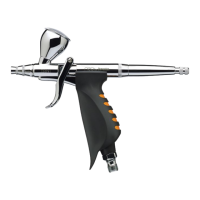
The Custom Micron does not require a high pressure air source
for most applications because lower pressures are best suited for
ultra-ne, slow, high-detail spraying, ideally between 5 and 20
psi. Any Iwata Studio Series compressor will operate the Custom
Micron eciently. But realizing the Custom Micron’s full benets
requires an adjustable or regulated air source with an air storage
tank. Other compressor considerations include the length of use
while spraying and the environment, or amount of space,
you spray in.
These Iwata Studio Series models come equipped with an air
regulator for precise air adjustment.
• Smart Jet Pro: Good for small studios and normal use.
• Power Jet Lite: Good for normal studios and extended use.
• Power Jet: Great for normal studios and great for extended use.
• Power Jet Pro: Great for normal studios and great for extended
use. (Two regulators allow two airbrushes on same unit.)
Assembly
1. Screw the air hose onto the compressor.
2. Screw the air hose onto the airbrush.
3. If using a Smart Jet Pro, Power Jet, Power Jet Lite, or Power Jet Pro
compressor, adjust the pressure to between 10 and 15 psi.
4. Check for any air leaks in the compressor or air hoses.
5. Place a few drops of cleaning solution or water into the
airbrush’s bowl.
6. Point the airbrush away from you.
7. Press down on the main lever (#13) to start airow through
the airbrush.
8. Pull the main lever back opening the airbrush’s nozzle.
9. Spray water through the airbrush to see how it sprays.



 To Next Page
 Loading...