Changing The Air Intake Filter
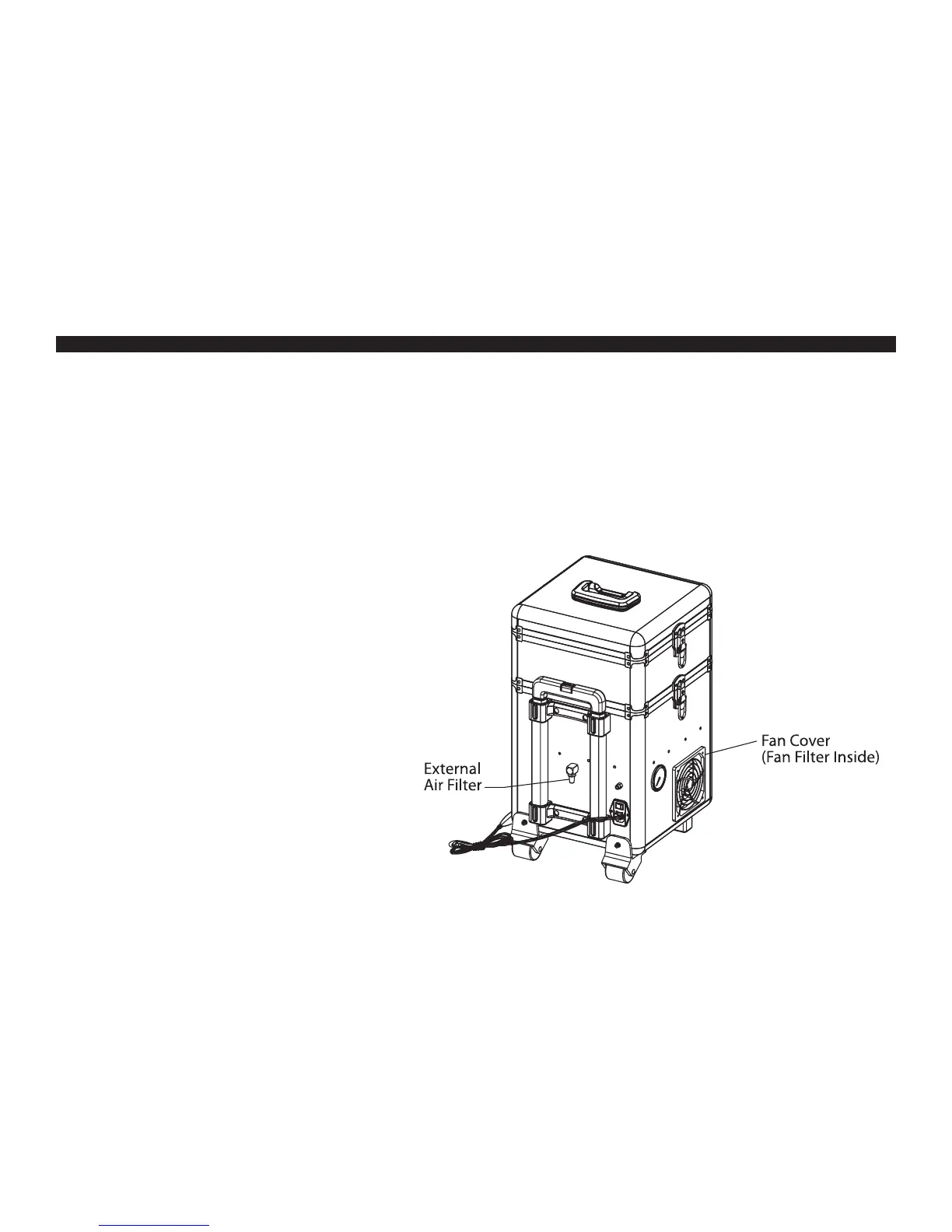
• If the external air intake lter is clogged with debris and cannot be cleaned it will need to be replaced.
• Use a crescent wrench (or 16 mm wrench) adjusted to t the at faces of the external air lter mounted to the back of the case.
• With the wrench tted to air lter unscrew the external air lter by turning the wrench counter-clockwise until it is unthreaded from the case.
• A replacement external air lter is included with the Maxx Jet. Extras can be purchased separately.
• Gently thread new external air lter into place and tighten with a wrench until snug. Be careful not to over tighten as this may strip the threads.
Changing The Fan Filter
• If the external air intake lter is clogged with debris and cannot
be cleaned it will need to be replaced.
• Remove the plastic vent cover by using the at end of a screwdriver
placing it underneath the outside edge and gently pry it o.
• Remove the fan lter, it is only held in place by the fan cover.
• Two replacement fan lters are included with the Maxx Jet.
Extras can be purchased separately.
• Replace with clean fan lter.
• Replace fan cover by snapping it into place.
MAINTENANCE (CONT’D)
11


 To Next Page