| 9ENGLISH
remote control operation
Speed mode selection
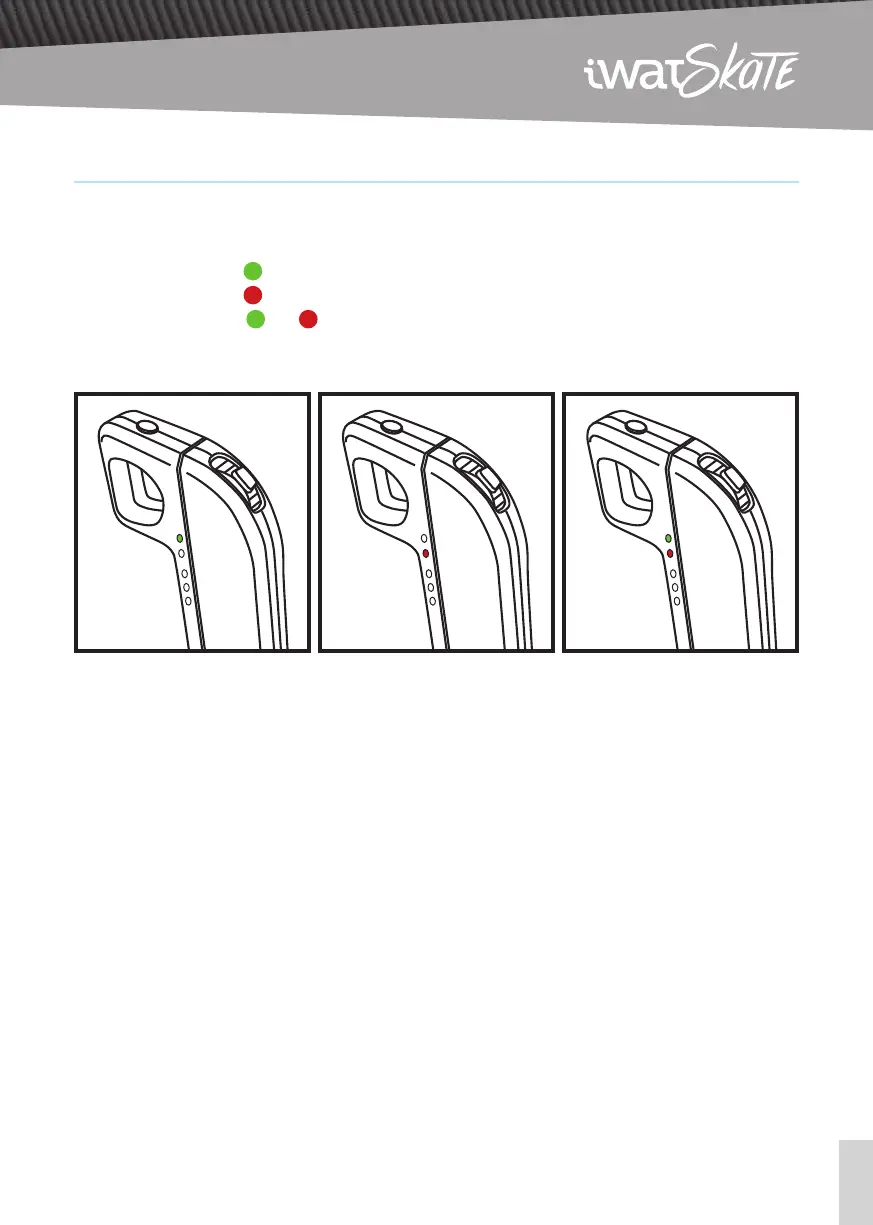
There are three speed modes for the user to select. The first two LED indicate the speed:
ECO Mode Light
1
STREET Mode Light
2
PRO Mode Lights
1
and
2
Selecting a speed mode
Set the throttle on a neutral position, and ride the board without accelerating.
Quickly press the power button TWICE to shift to the next speed mode (ECO/STREET/PRO).
How to switch the direction of the board
Make sure the board isn’t moving, and quickly press the power button ONCE to change the direction.
DO NOT under any circumstance, try to change the direction when the board is moving, it won’t work
and it’s extremely dangerous.
The power button won’t function as long as the board is moving. Please, don’t try to power the remote
OFF when the board is moving.
ECO Mode STREET Mode PRO Mode


 To Next Page