EasyManua.ls Logo

Iwatsu SC7101 - Page 12

Default Icon
30 pages
Print Icon
To Next Page IconTo Next Page
To Previous Page IconTo Previous Page
Loading...
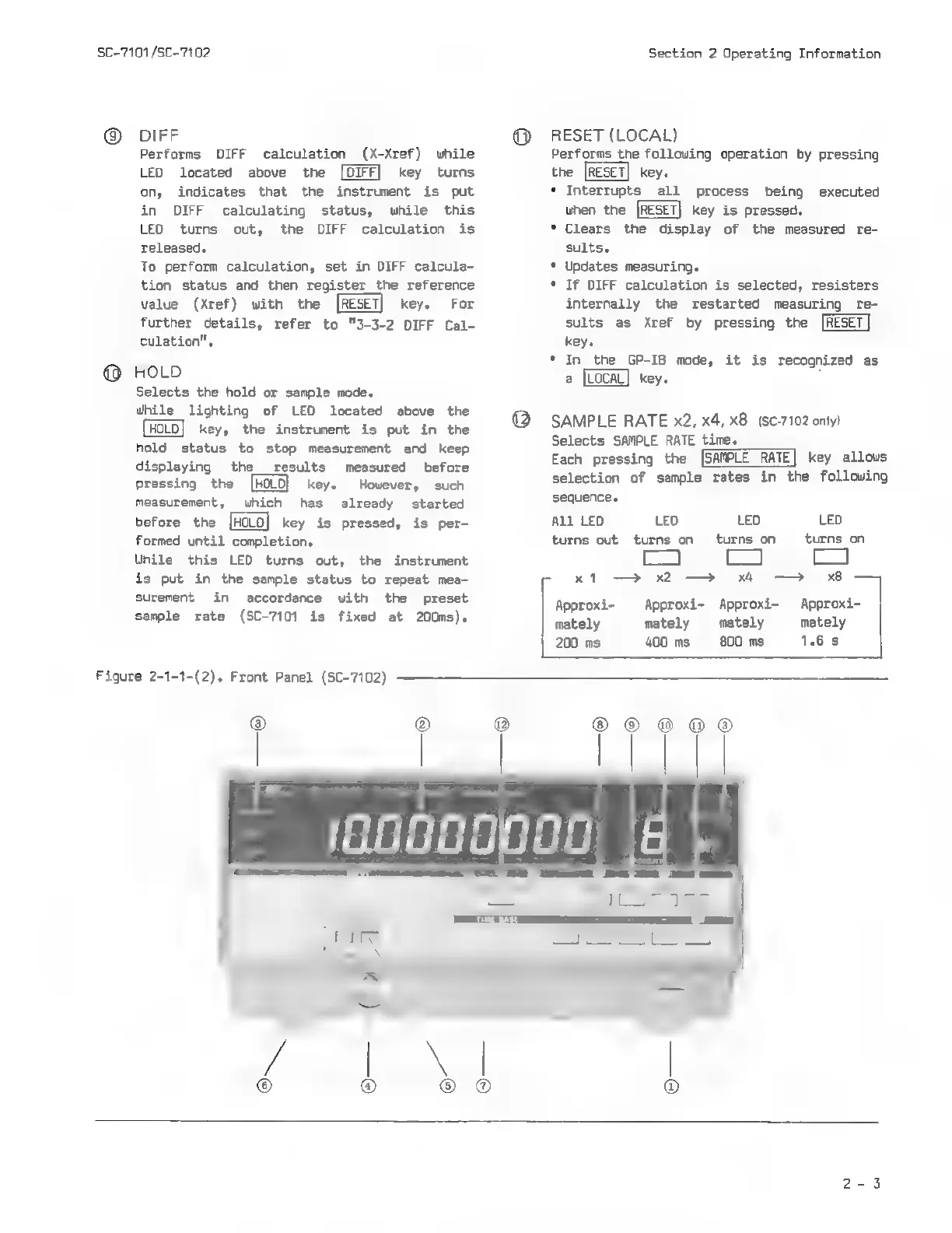
Figure
2-1-1-(2).
Front
Panel
(SC-7102)
SC-7101
/SC-7102
©
DIFF
Performs
DIFF
calculation
(X-Xref)
while
LED
located
above
the
[DIFF]
key
turns
on,
indicates
that
the
instrument
is
put
in
DIFF
calculating
status,
while
this
LED
turns
out,
the
DIFF
calculation
is
released.
To
perform
calculation,
set
in
DIFF
calcula-
tion
status
and
then
register
the
reference
value
(Xref)
with
the
key.
For
further
details,
refer
to
"3-3-2
DIFF
Cal-
culation".
HOLD
Selects
the
hold
or
sample
mode.
Whi
lighting
of
LED
located
above
the
key,
the
instrument
is
put
in
the
hold
status
to
stop
measurement
and
keep
displaying
the_
results
measured
before
pressing
the
[HOLO}
key.
However,
such
measurement,
which
has
already
started
before
the
[HOLD]
key
is
pressed,
is
per-
formed
until
completion.
While
this
LED
turns
out,
the
instrument
is
put
in
the
sample
status
to
repeat
mea-
surement
in
accordance
with
the
preset
sample
rate
(SC-7101
is
fixed
at
200ms).
Section
2
Operating
Information
RESET
(LOCAL)
Performs
the
following
operation
by
pressing
key.
Interrupts
all
process
being
executed
when
the
key
is
pressed.
*
Clears
the
splay
of
the
measured
re-
sults.
*
Updates
measuring.
*
If
DIFF
calculation
is
selected,
resisters
internally
the
restarted
measuring
re-
sults
as
Xref
by
pressing
the
key.
*
In
GP-IB
mode,
it
is
recognized
as
key.
SAMPLE
RATE
x2,
x4,
x8
(sc-7102
only)
Selects
SAMPLE
RATE
time.
Each
pressing
the
[SAMPLE
RATE]
key
allows
selection
of
sample
rates
in
the
following
sequence.
All LED
LED
LED LED
turns
out
turns
on
turns
on
turns
on
ba
be
*
Gd
x1
>
x2
—>
x4
>
x8
Approxi- Approxi- Approxi-
Approxi-
mately
mately
mately
mately
200
ms
400
ms
800
ms
1.6s