EasyManua.ls Logo

Iwatsu SC7101 - REAR PANEL Wesccccccccescccesece

Default Icon
30 pages
Print Icon
To Next Page IconTo Next Page
To Previous Page IconTo Previous Page
Loading...
Section
2
Operating
Information
2-2
REAR
PANEL
Describes
switch
and
connectors
on
the
rear
panel.
Refer
to
Figure
2-2-1.
®
10
MHz
STD
IN-OUT
BNC
connector
Either
provides
10
MHz
of
the
internal
ref-
erence
oscillator
or
apply
external
signals
of
the
reference
frequency
of
high
accuracy.
OUT:
Provides
from
the
10
MHz STD
connector
immediately
when
10
MHz
internal
reference
oscillator
is
internally
connected.
IN:
Disconnects
internal
connection
of 10
MHz
internal
reference
oscillator.
In
this
case,
applies
10
MHz
of
an
external
refer-
ence
oscillator
to
the
10
MHz
STD
connec-
tor.
@
FUSE,
VOLTAGE
SELECTOR
Both
the
fuse
holder
and
the
power
supply
voltage
selector.
To
select
the
power
supply
voltage,
remove
the
fuse
holder
cap
and
then
select
it.
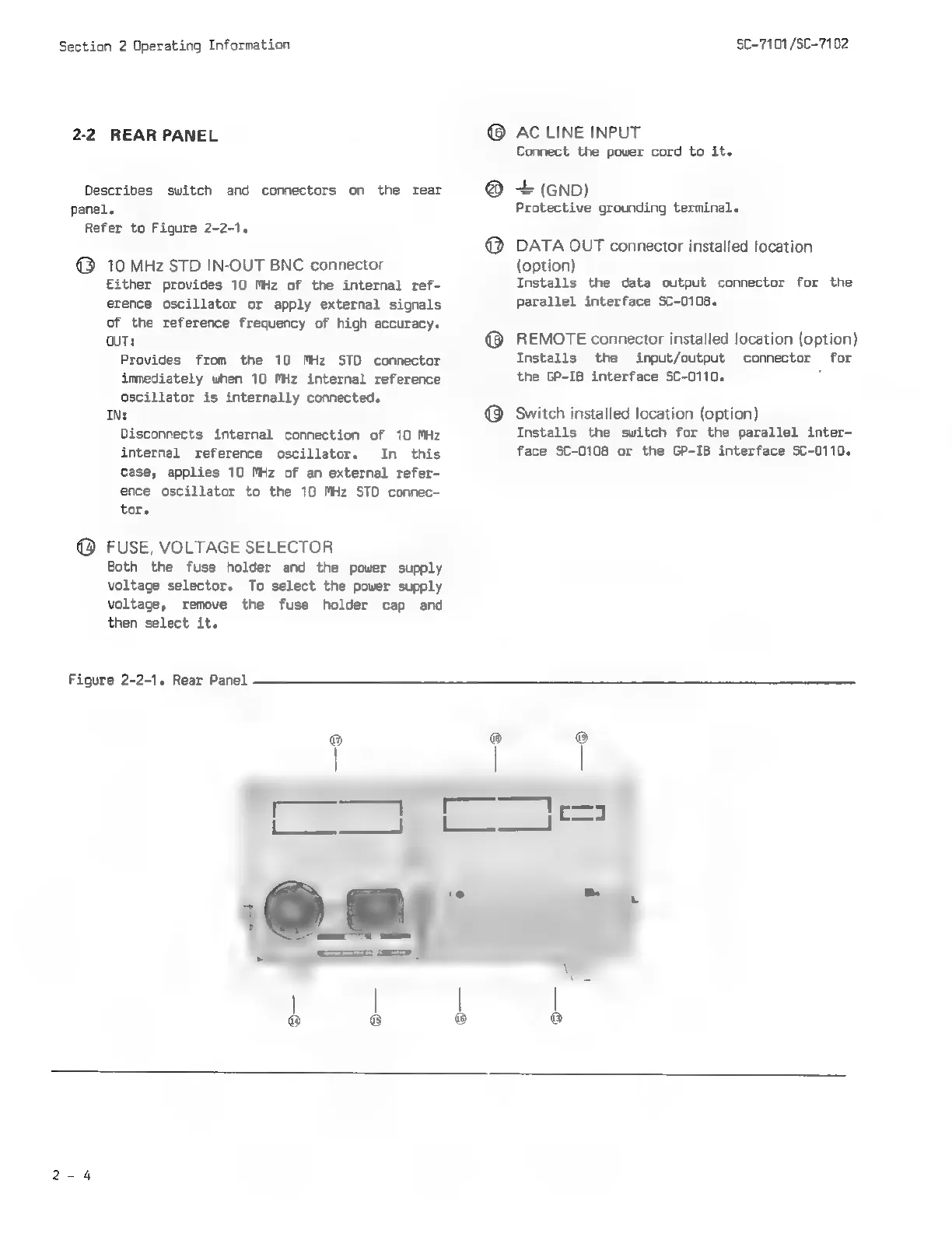
Figure
2-2-1.
Rear
Panel
SC-7101
/SC-7102
©
AC
LINE
INPUT
Connect
the
power
cord
to
it.
+
(GND)
Protective
grounding
terminal.
DATA
OUT
connector
installed
location
(option)
Installs
the
data
output
connector
for
the
Parallel
interface
SC-0108.
REMOTE
connector
installed
location
(option)
Installs
the
input/output
connector
for
the
GP-IB
interface
SC-0110.
:
Switch
installed
location
(option)
Installs
the
switch
for the
parallel
inter-
face
SC-0108
or
the
GP-IB
interface
SC-0110.