99
Chapter 5 On board Audio
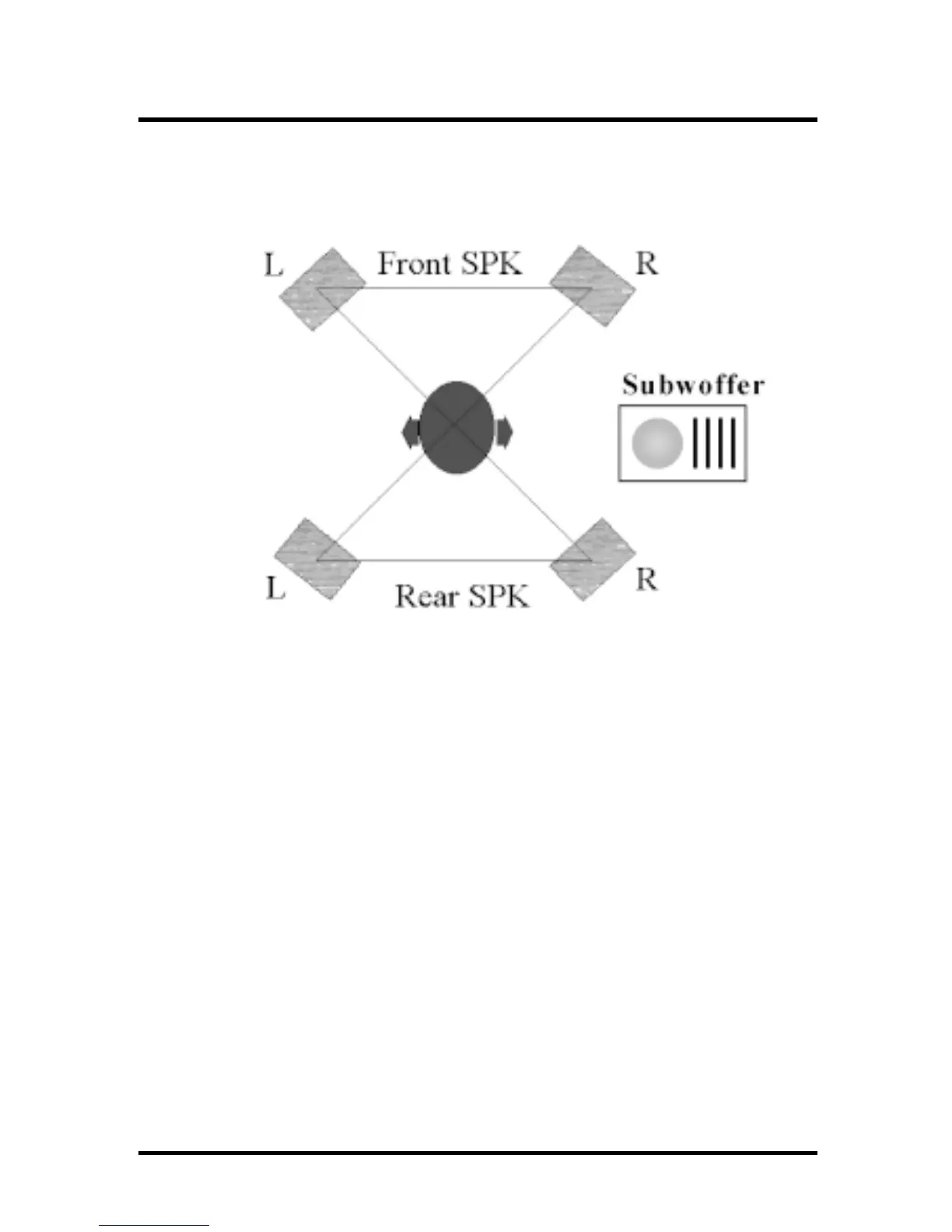
5.3.7.2The positions of the speakers
Put your speakers the way the following picture
suggests, to deliver the best audio result.
5.3.7.3 The mixer setup
There is a 4 speakers option in the volume control of
the mixer, and when you enable this option, it means
the rear speakers are connected to Line-in/Rear jack.
When Line-in/Rear jack is connected to other
external Line-in sources, please DO NOT enable this
option in order to avoid hardware conflicts. Regarding
rear speaker option, you can turn on or turn off the
output of the back speakers, and adjust the volume,
to have the rear/front speakers have the same
volume.
5.3.7.4 The demo
Execute the Helicopter demo within the C3D HRTF
Positional Audio Demos of this audio adapter. When
the helicopter flies behind you, the rear speakers will
work.



 To Next Page