EasyManua.ls Logo

iXsystems TrueNAS - Install the drive trays in the enclosure; Connect the expansion shelves; Prepare for initial configuration; Attach the TrueNAS faceplate

Default Icon
4 pages
Print Icon
To Previous Page IconTo Previous Page
Loading...
TrueNAS Unied Storage Array
Basic Setup & Deployment



For assistance, please contact your TrueNAS
Support Representative:
8x5:

Email:
After Hours (24x7 Gold Level Support Only):


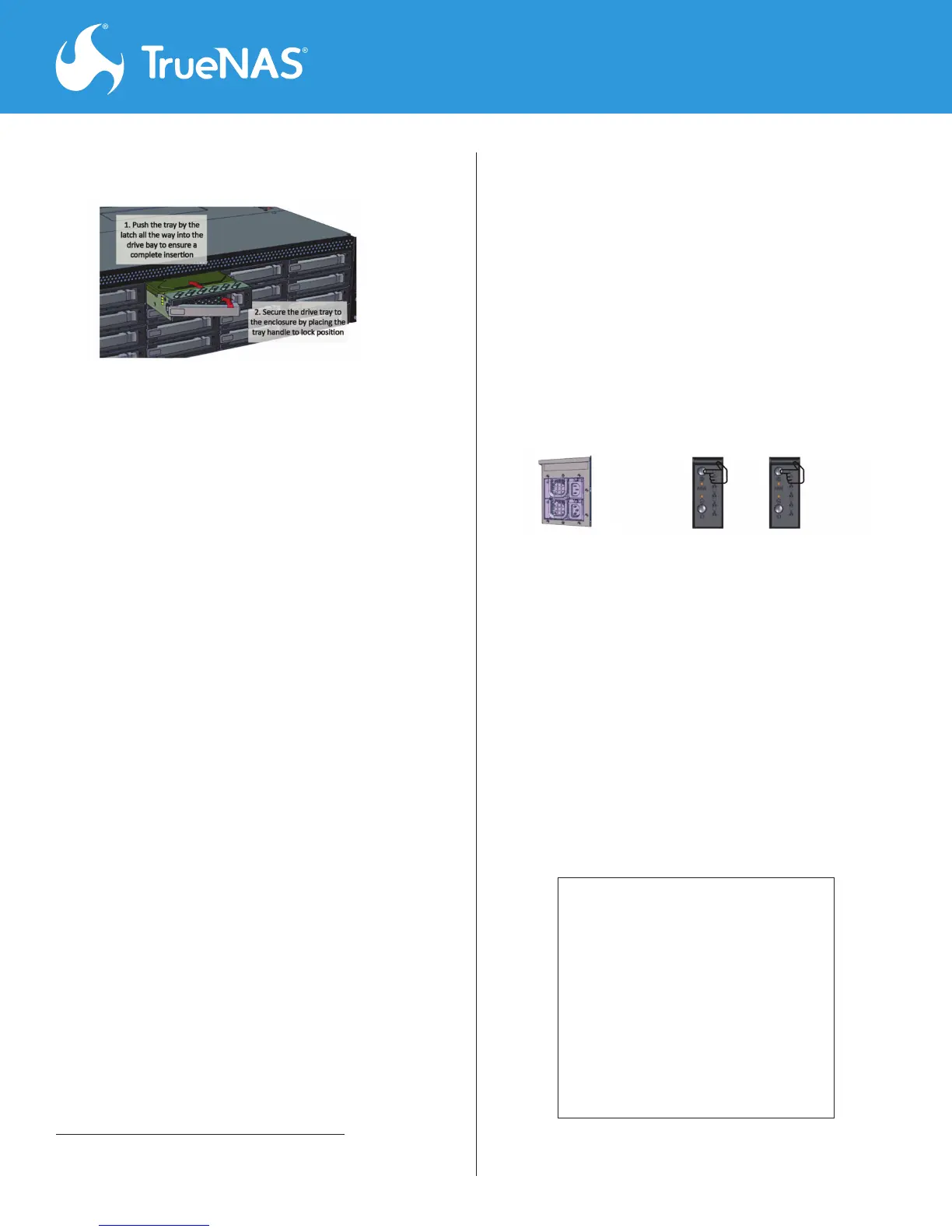
Step 8. Install the drive trays 
Step 9. Connect the expansion shelves. 


Step 10. Prepare for initial conguration. 







1




Do not power on the
TrueNAS until Step 13
Step 11. Attach the TrueNAS faceplate 









Step 12. Power on all expansion shelves 


Step 13. Plug in the power cords. 







Note: 




Step 14. Perform TrueNAS initial software
conguration.









 
1





Related product manuals