P a g e 9 | 15
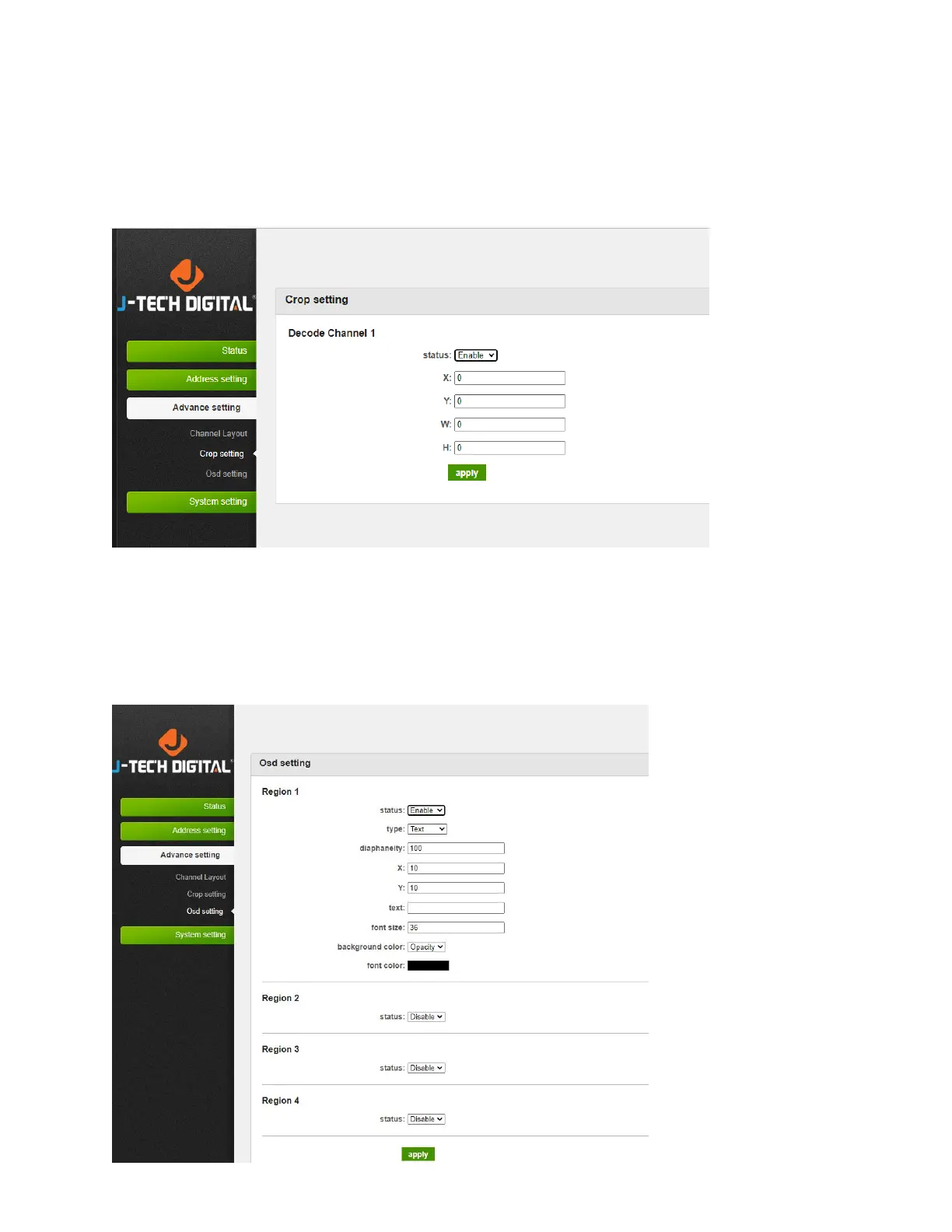
9. Adjust Crop Settings
To adjust the image, go to “Advance setting → Crop setting → Set 'X Y’ fields for video coordinates, and
‘W H’ for cropping width and height”
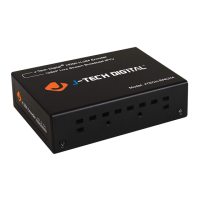
10. OSD Settings
To adjust the On-Screen Display (OSD) settings, go to “Advance setting → OSD setting → Set the display
text, picture and scroll text for 4 areas



 To Next Page