16
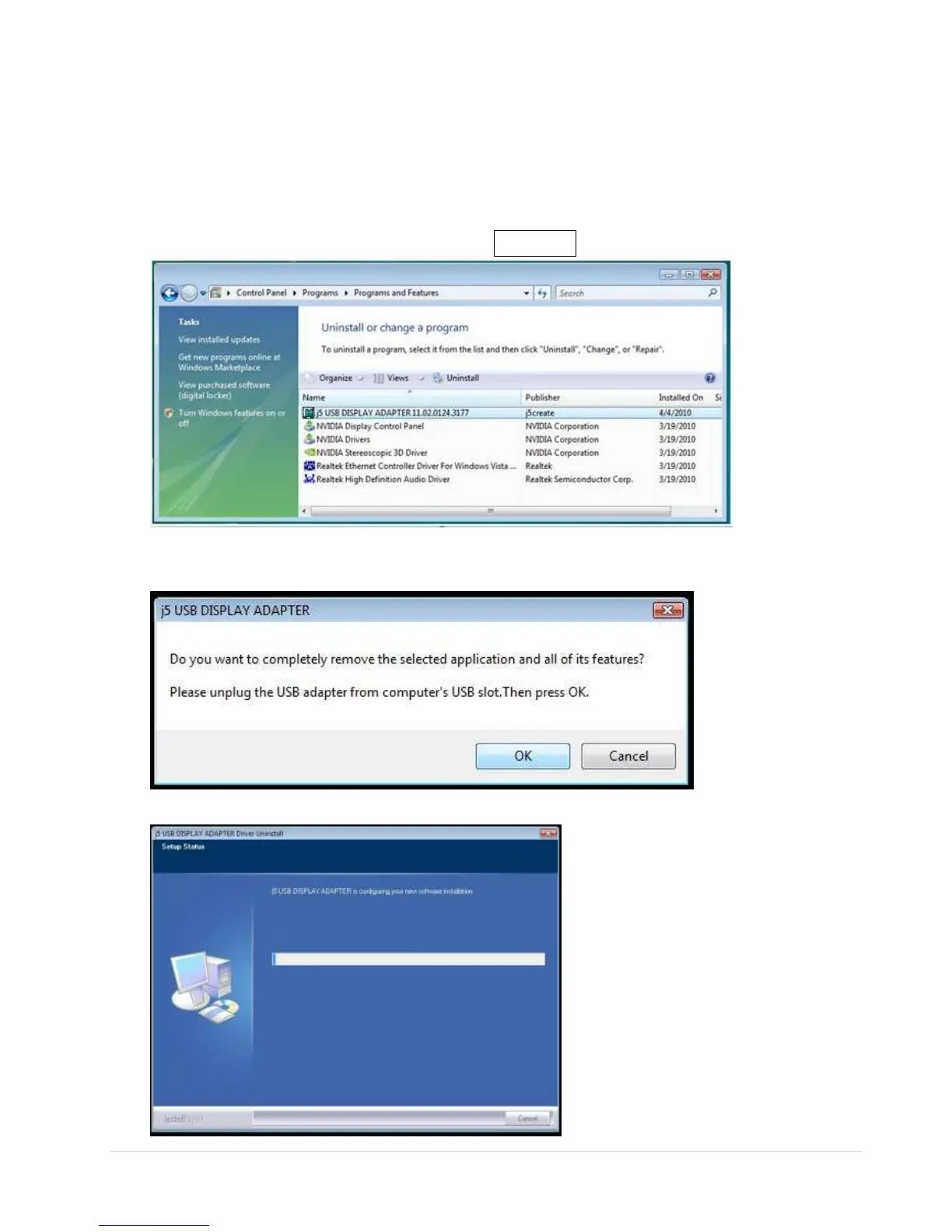
Device Driver Un-installation
※ Unplug the USB Display Adapter before un-installing the driver.
1. Click Start→ Control Panel → Programs and Feature→ Uninstall or
Change a Program
Select j5 DIAPLAY ADAPTER... Click Uninstall
2. A message will appear asking if you want to remove the selected
application. Click ‘ok’ to continue.
3. Driver un-installation proceeding….



 To Next Page