USB DISPLAY ADAPTER USER MANUAL
25
Note:
If your internal graphics card is Dual Display Ports…..
1. When using Single USB Display Adapter
The display device which connected to the 2
nd
VGA port will be
numbered 3
rd
monitor, the display device which connected to the USB
Display Adapter will be numbered 2
nd
monitor.
2. When using two USB Display Adapter
The display device which connect to the 2
nd
VGA port will be numbered
4
th
monitor, the display device which connected to the USB Display
Adapter will be numbered 2
nd
and 3
rd
monitor and so on…
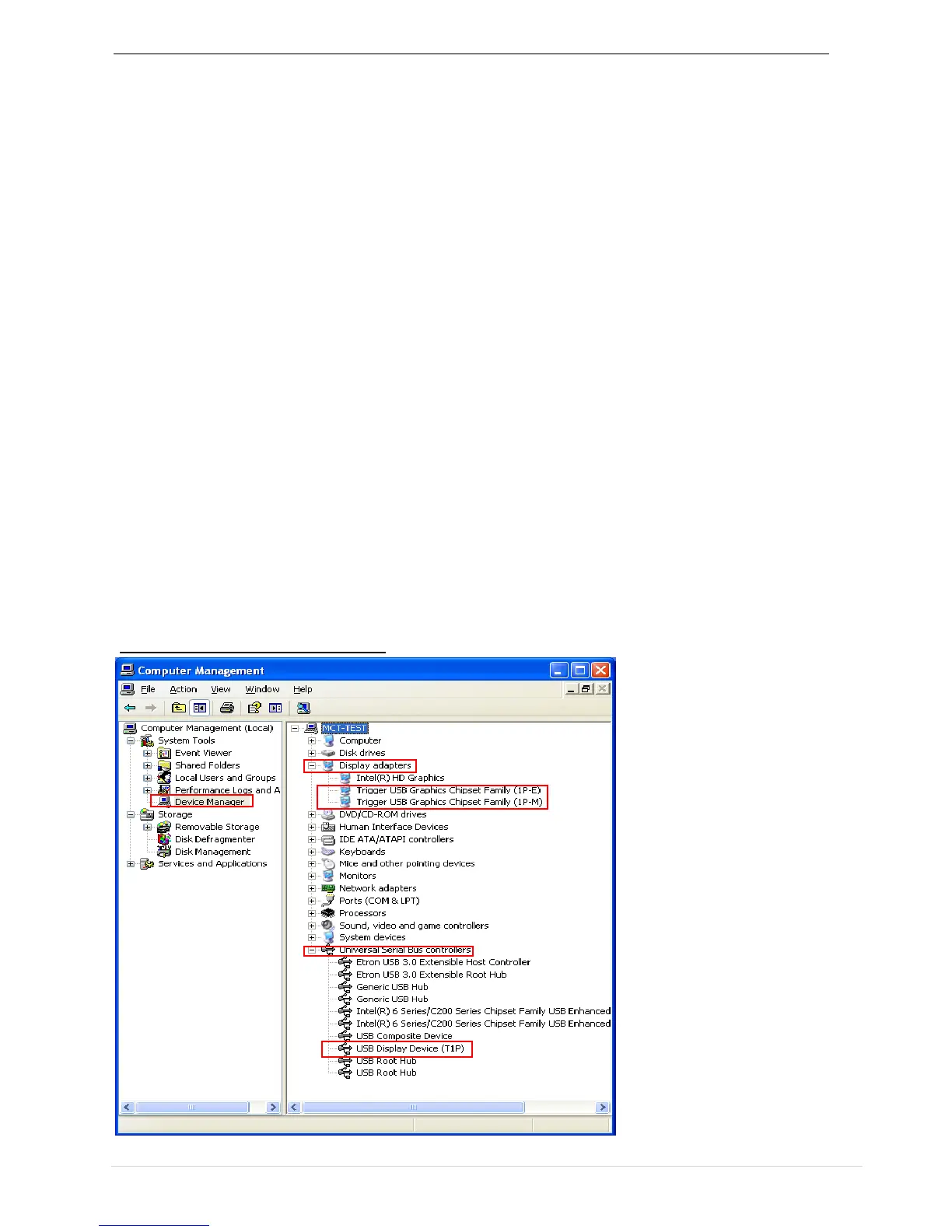
Verify Device Driver Installation
The following procedure helps you to verify the driver installation status of
USB Display Adapter
Right-click “My Computer” “Manager” “Device Manager” click “+”
sign of “Display Adapter” “Universal Serial Bus controllers”
The picture below shows the installation process for a
Single USB Display Adapter



 To Next Page