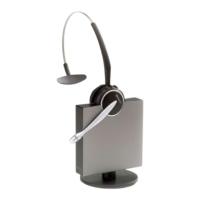
Jabra GN9120 Duo Flex NC Microphone With
EHS
How to connect my Jabra GN9120 EHS / GN9125 EHS with
Siemens OptiPoint 410, 420, 500, 600
Prerequisites:
GN 9120 EHS + acoustic adapter (only available from Siemens)
GN 9125 EHS + acoustic adapter (only available from Siemens)
In combination with one of the following phones:
Opti Point 410 standard / advance
Opti Point 420 standard / advance
Opti Point 500 basic / standard / advance
Opti Point 600
+ Opti Point acoustic adapter:
min. version number for: S30817-K7110-B508 -10
min. version number for: S30817-K7110-N508 -1
+ HiPath phone system:
HiPath 500 from V.5
HiPath 1220 from V2.1 build 032
HiPath 2000 from V1.0
HiPath 3000 from V3 SMR 14
HiPath 3000 from V4 SMR 7
HiPath 4000 from V1
Important: If one of the components is missing the remote call control will
not work.

 Need help?
 General

 To Next Page