Jabra GN9120 Flex NC Microphone With EHS
How do I perform a soft reset of my Jabra GN9120/GN9125
headset?
Resetting your device to the default settings will delete all previous
settings. To perform a reset of your Jabra GN9120 or Jabra GN9125,
follow these steps:
1. Unplug the base power supply from the power outlet.
2. Mono headset: Remove the ear cushion (including the ear plate).
Duo headset: On the side with the boom arm, remove the ear cushion
(including the ear plate).
3. Remove the wearing style accessory (headband or ear hook) from the
headset.
4. Using a suitable screwdriver, unscrew the small plate that holds the
battery in place.
https://www.apac.jabra.com/supportpages/jabra-gn9120/9120-28-11/faq/22befce8-
4cd8-475b-b679-28202f89f140
Page 1 of 2

 Need help?
 General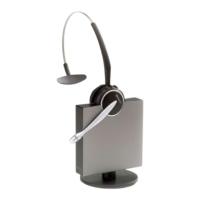

 To Next Page


