2
english
Jabra HaNDSET 450 for CiSCo
Jabra Handset 450 for CisCo
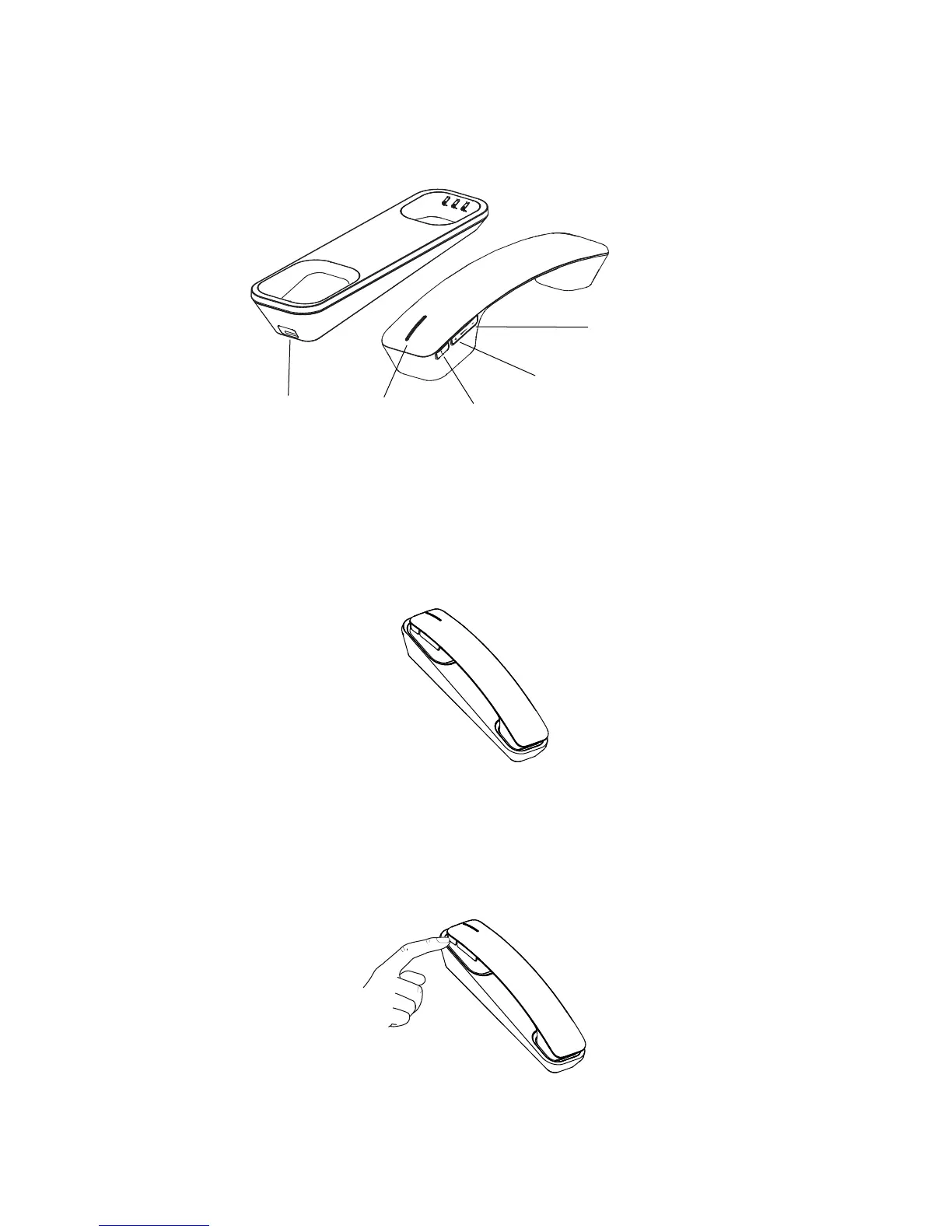
oVerVieW
turning on/off
The Jabra Handset 450 for Cisco will always be powered on when
docked in the handset cradle, and the cradle is plugged into a
USB port.
To turn o the Jabra Handset 450 for Cisco, press and hold (5 secs)
the mute microphone button. Press the mute microphone button
again, to turn back on. The Jabra Handset 450 for Cisco cannot be
turned o if the cradle is plugged into a PC that is turned on.
The Jabra Handset 450 for Cisco will automatically power o when
out of range of the handset cradle for 4 minutes or longer.
Mute microphone
Speaker down
USB port
Speaker up
LED Indicator






 To Next Page