JABRA.COM
DATASHEET_NA_JABRA_STEP_WIRELESS_06/14
QUICK START GUIDE GET STARTED UNDER 5 MINUTES
1 CONNECTING
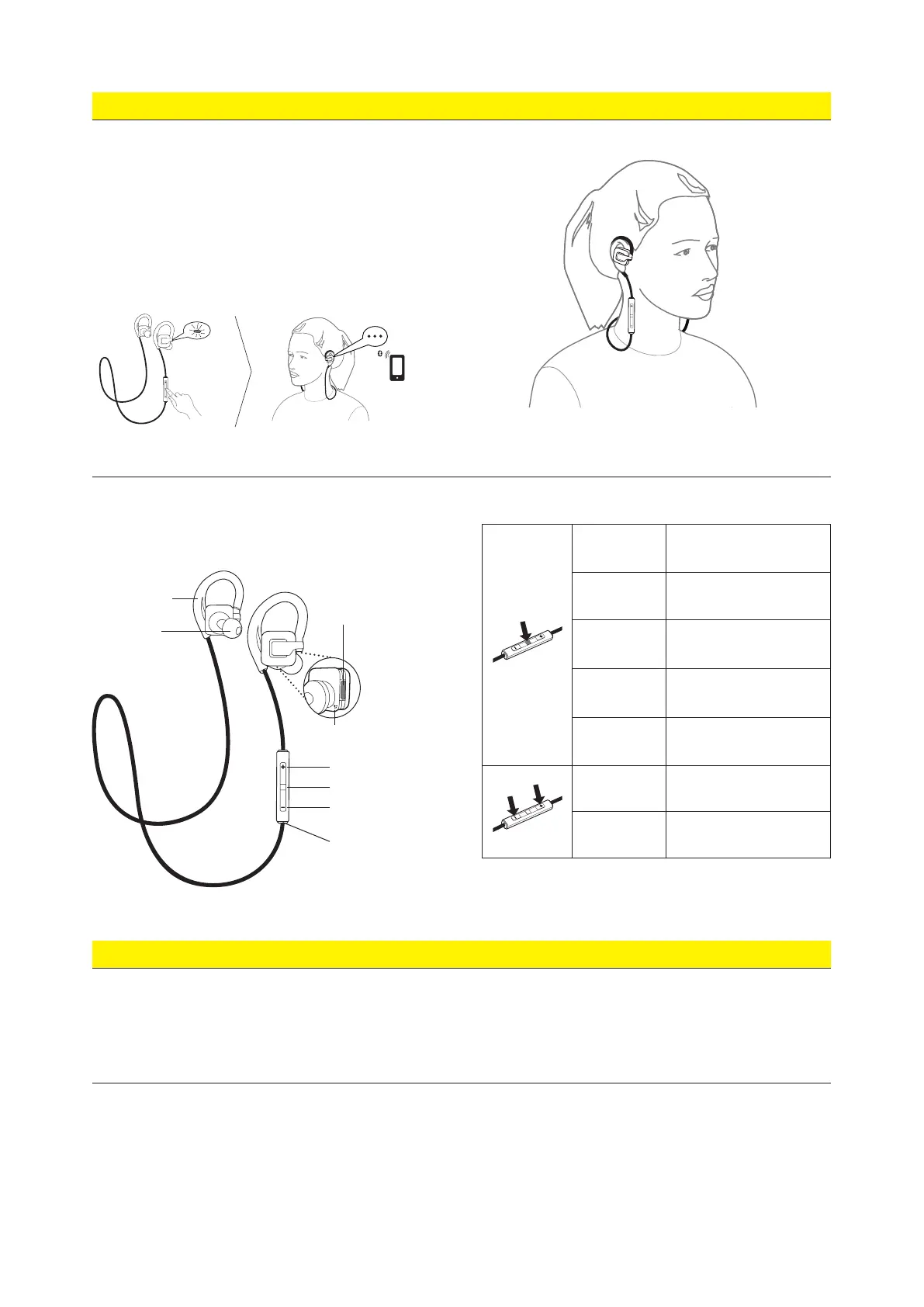
CONNECT TO BLUETOOTH DEVICE
1. Turn the headset off.
2. Press and hold (5 secs) the Multi-function button
until the Bluetooth indicator rapidly flashes blue.
Pairing mode will be announced in the headset.
3. Wear the headset and follow the voice-guided
pairing instructions to pair to your Bluetooth device.
DID YOU KNOW?
You can watch how-to-wear videos on jabra.com/stepwireless
2 WEARING
3 USING
CHARGING
It takes approx. 2.5 hours to fully charge the battery.
On/off
Press and hold (1 sec) the Multi-
function button until the LED flashes
Play/pause music Tap the Multi-function button
Answer/end call Tap the Multi-function button
Reject call Double-tap the Multi-function button
Redial last number
Double-tap the Multi-function button
when not on a call
Adjust volume
Tap the Volume up or Volume down
buttons
Skip track
Press and hold (1 sec) the Volume up
or Volume down button
Micro-USB
charging port
LED indicator
Volume up
Multi-function button
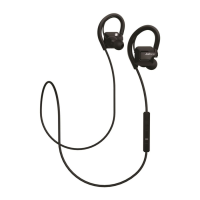
GelHook
EarGel
Volume down
Microphone
FEATURES AND SPECIFICATIONS
§ High quality stereo sound
§ Angled, noise isolating earbuds that lock-in full stereo sound
§ In-line controls for music and calls
§ Premium comfort with soft, flexible GelHooks for a natural fit
§ Customize your fit with 3 sizes of angled EarGels
§ Durable design – IP52 certified - dust and water resistant
§ High quality call performance
§ Up to 4 hrs talk time/music time
§ Up to 6 days standby time
§ H 20 x W 20 x D 16 mm (H 0.8 x W 0.8 x D 0.6 in)
§ In the box – Jabra Step Wireless earbuds, 3 sets of EarGels,
1 set of GelHooks, USB cable, Quick start guide
L
jabra
j
a
b
r
a
j
a
b
r
a
L
jabra







 To Previous Page