EasyManua.ls Logo

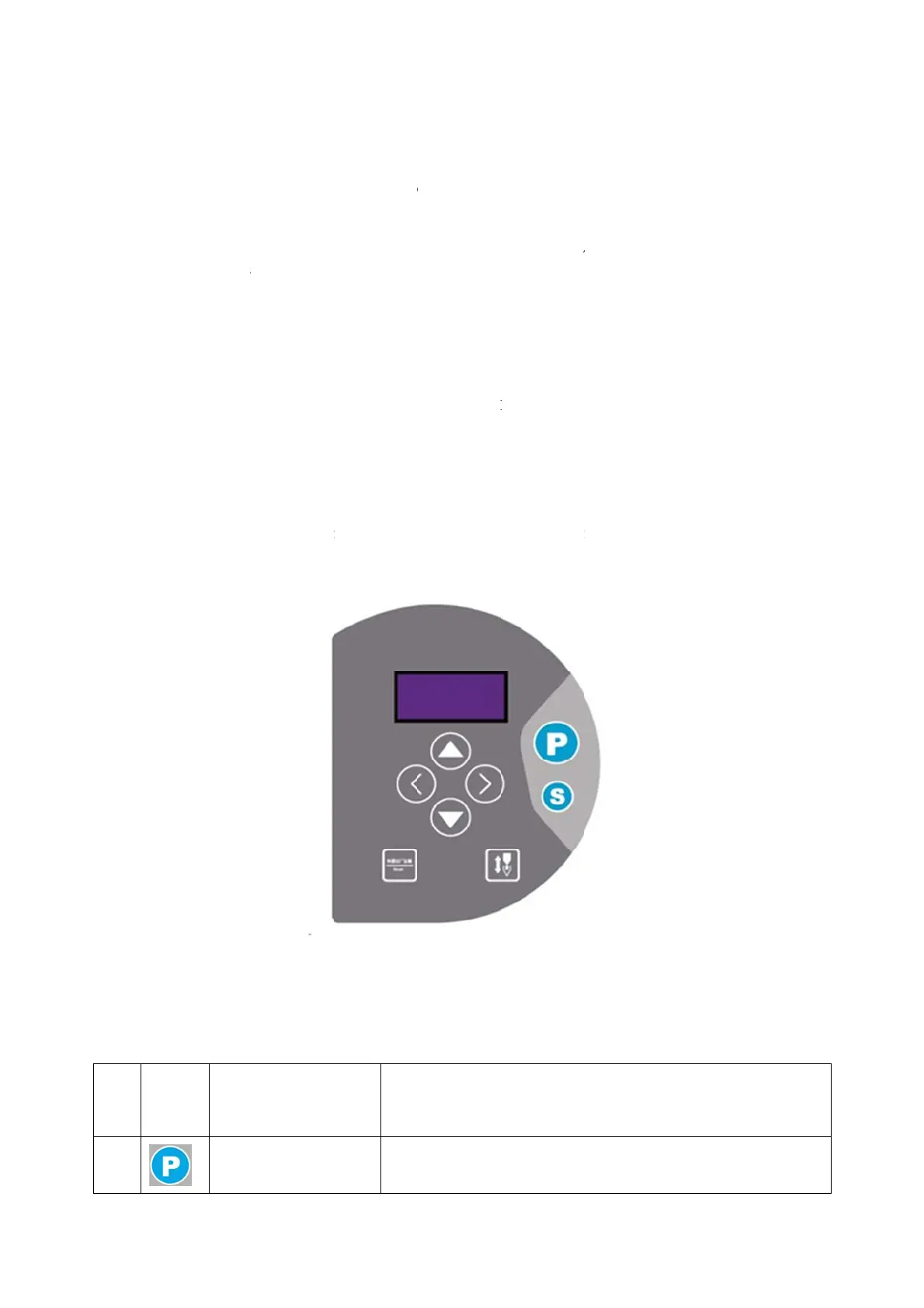
Jack H2 - Operation Panel Usage Instructions; Panel Display Overview; Key Function Description

Jack H2
14 pages
To Next Page IconTo Next Page
To Previous Page IconTo Previous Page
Loading...
and reliable
yellowish-g
r
protection t
o
注:所
Note: a
l
other ob
j
ect
s
2
2.1 操作
根据
如下所示。
Accor
d
current sew
i
2.2 按键
No
ic
o
1
grounding
o
r
een wire. T
h
o
ensure saf
e
电源线、
l
l power line
s
s
to ensure s
a
面板使
板的显
统工作状
d
ing to the o
p
i
ng state (in
c
按键功
on
D
进入
Cus
t
setti
n
o
f the input t
e
h
e ground w
i
e
use and to
p
号线、接地
s
, si
g
nal wire
s
a
fe use.
说明
说明
,操作面
p
erating stat
e
c
luding stop-
n
说明
D
escriptio
n
入参数
t
omer para
m
ng
s
e
rminal of t
h
i
re must be
r
p
revent abno
线
等接线时
s
,
g
round wi
r
Opera
t
Displa
y
i
n
的数码管
e
of the syst
e
n
eedle posit
i
2-1 Di
Ke
y
fun
c
Re
m
能键
m
eter Cu
s
4/14
h
e power out
l
r
eliably con
n
o
rmal conditi
要被其它
r
es, etc., are
n
t
ion pan
nstructio
n
显示当前
e
m,
t
he digit
a
i
on indicati
o
i
splay and op
e
c
tion desc
描述
m
ar
k
s
tomer para
m
l
et AC.The
g
n
ected to the
ons.
体压到或过
n
ot sub
j
ect t
o
el usage
n
s for th
e
缝纫状态
a
l tube of th
e
o
n).The actio
n
e
ration menu
ription
m
eter setti
n
g
round wire
o
grounding o
扭曲,以
o
pressure or
instruc
t
e
operati
o
(包含停针
e
operation p
n
panel loo
k
n
gs
of the syste
m
o
f power gri
d
保使用安
excessive di
s
t
ions
o
ns panel
指示)
p
anel will di
s
k
s like this.
m
is
d
safety
tortion b
y
作面板外
s
play the

Related product manuals