You will be asked to confirm permanent deletion of phone book record. To confirm, push
again and the selected phone book record is deleted and a long beep will be heard.
F.5 TO CHANGE PHONE BOOK MEMORY
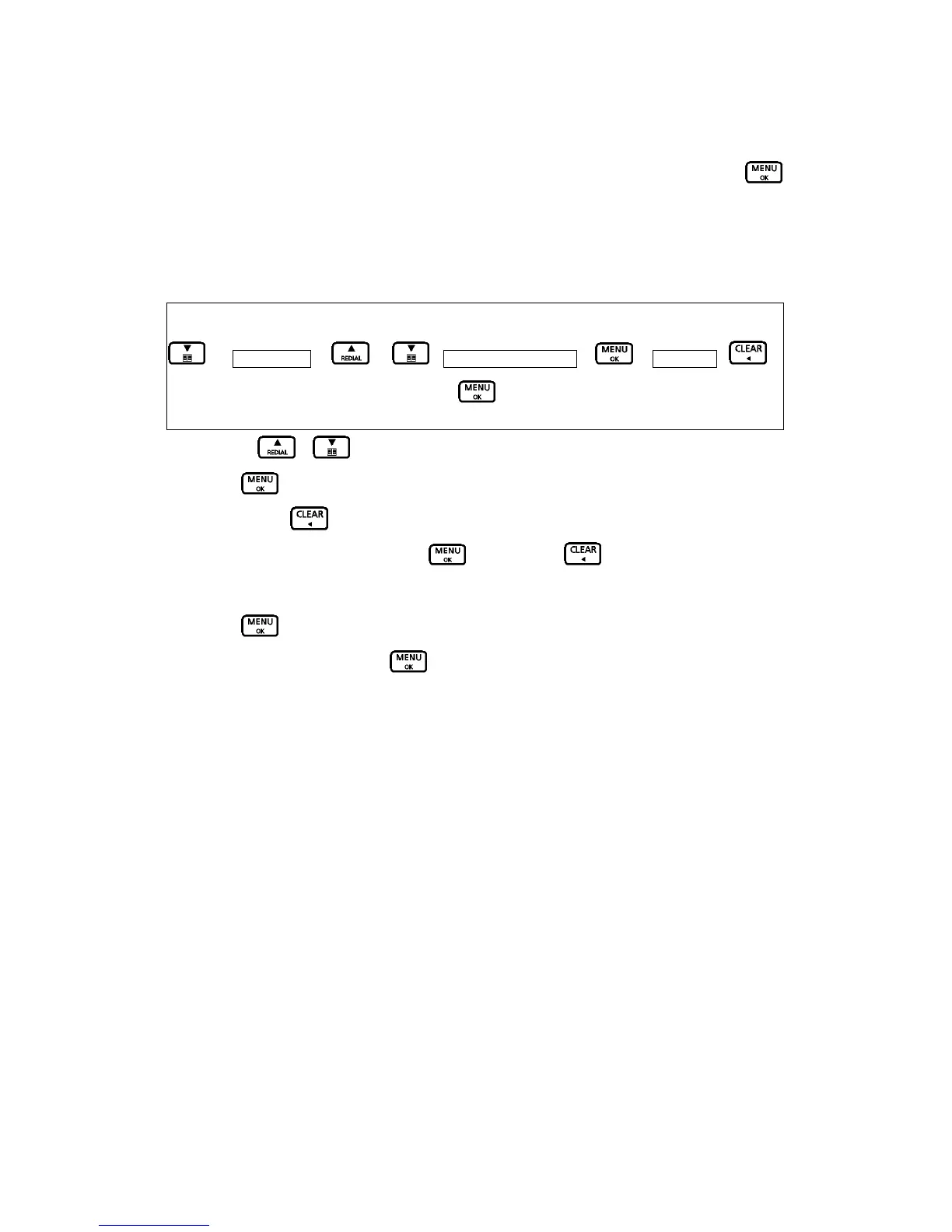
1. Use the / buttons to scroll until desired name is shown on the screen.
2. Push
to confirm.
3. You may use
button to delete letters of the name entry and make correction.
4. When name entry is finished, push
. You may use button to delete numbers of
the phone number entry and make correction.
5. Push
again to save the record.
6. Select a tone type and press
.
Key Map:-
Æ Phonebook Æ / – your desired number Æ Æ Edit Entry – Æ
Numeric keypad to enter the correct lettersÆ

 To Next Page
 Loading...