Operating The Convection Oven
RJGR Series
1. Make sure all thermostat knobs are in the off
position.
2. Before heating the oven, place the oven racks in the
desired position.
Warning: Use extreme caution when moving racks
while the oven is hot. We recommend the use of
oven mittens or potholders to prevent injury.
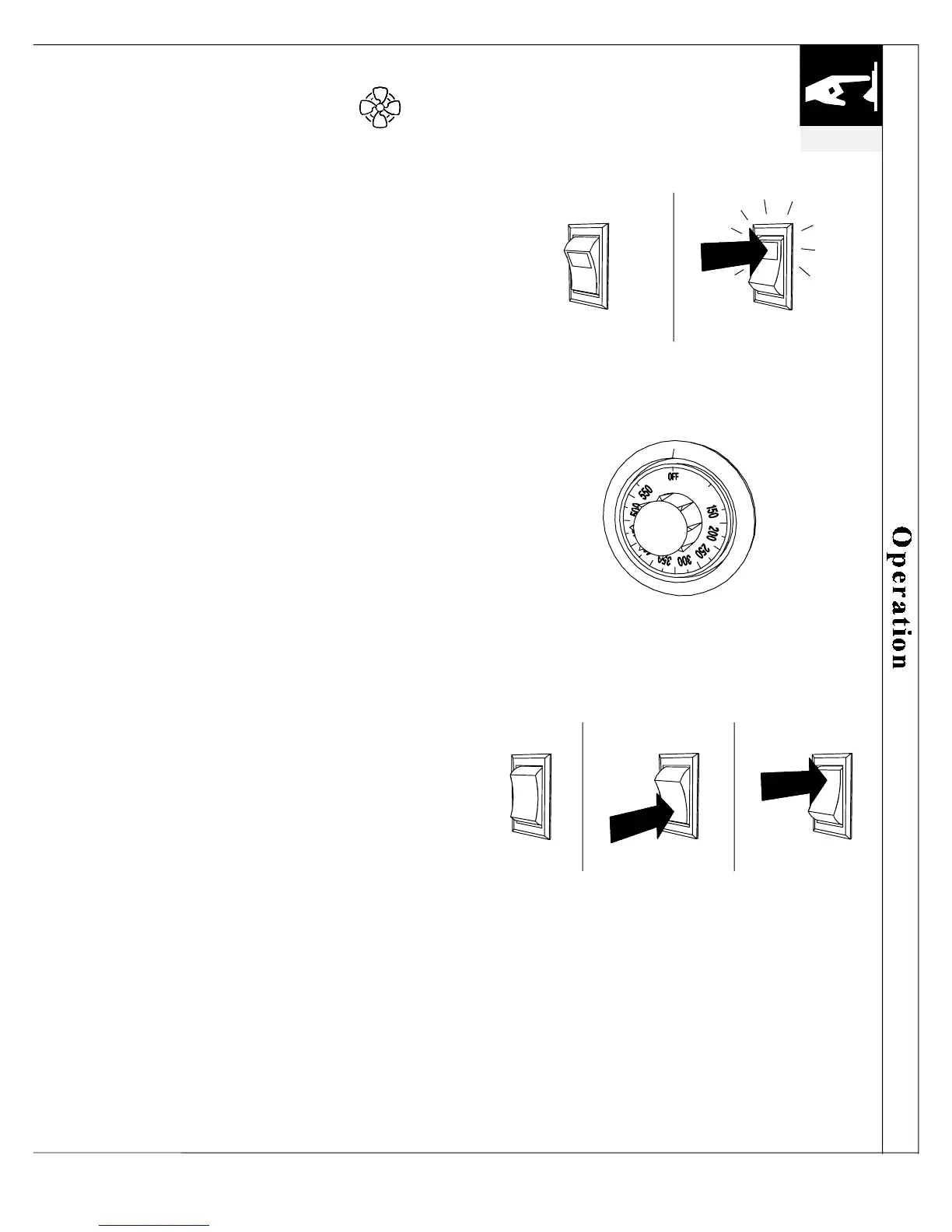
3. Turn the POWER SWITCH ON. The power switch
will activate all the thermostats that are not set in
the OFF position.
4. Push in the oven thermostat and set to a desired
cooking temperature between 150
°
-550
°
F. The
orange bake light will light to indicate the oven is
on. When the desired temperature has been reached,
the orange bake light will go off to indicate the
burner is off. The oven thermostat will cycle on and
off to maintain the desired temperature at a constant
level.
5. NOTICE: Because of the sealed design of the
oven, the blower must be used during cooking.
Set the oven blower switch to AUTO. This will
cause the blower to run while the door is closed. To
prevent hot air or steam from rushing to the front of
the oven and compromising the heat distribution,
the blower will stop when the door is open.
6. Preheat the oven at the desired setting for at least
20-30 minutes, or until the oven cycles on and off.
When the bake light cycles off, the oven is ready.
Avoid opening the oven door during preheating.
7. Place the food in the oven.
8. After cooking, turn the THERMOSTAT OFF.
9. To quickly cool the oven after cooking, set the
blower switch to MANUAL and open the oven
door. This will allow the blower to run continuously
with the door open or closed. When cooling has
been completed, turn BLOWER SWITCH OFF and
close the door.
10. If you are not using the griddle or any other ovens,
turn the POWER SWITCH OFF.
operation
19
OFF ON
POWER SWITCH
OVEN THERMOSTAT
OFF MANUAL
AUTO
BLOWER SWITCH



 To Next Page