JIF-2002 WEIGHING INDICATOR&CONTROLLER
33
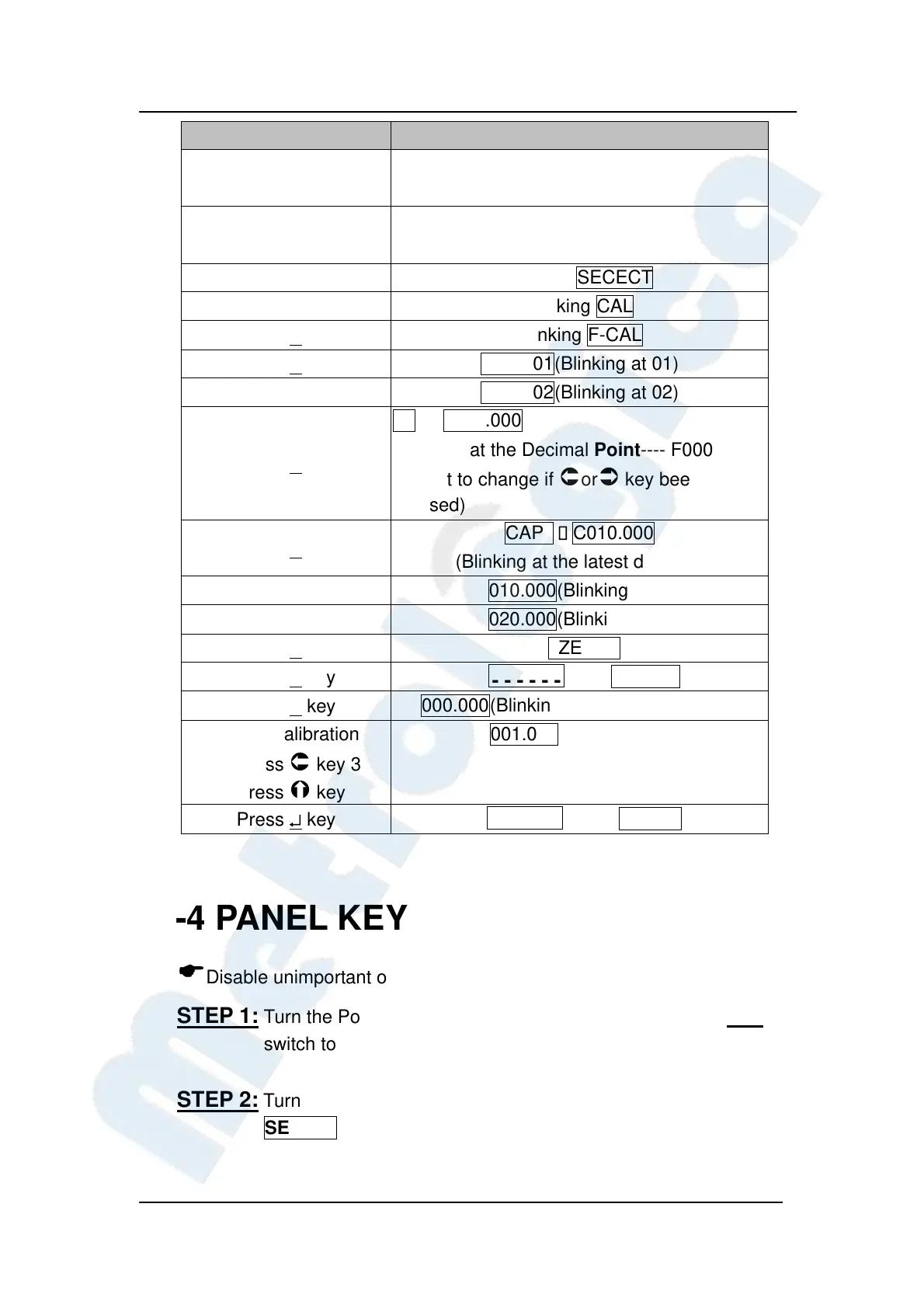
Key Screen will display
Turn the Power Switch
OFF
Slide Set switch to the
set side
Turn the power ON. Blinking SECECT
Press GROSS/NET. Blinking CAL
Press ↵ key
Blinking F-CAL
Press ↵ key
di 01(Blinking at 01)
Press key
di 02(Blinking at 02)
Press ↵ key
dp→ d000.000
(Blinking at the Decimal Point---- F000 will
subject to change if
or key been
pressed)
Press ↵ key
CAP →C010.000
(Blinking at the latest decimal)
Press key 4 times
010.000(Blinking at 1)
Press key
020.000(Blinking at 2)
Press ↵ key
ZERO
Press ↵ key
……
→ SPAN
Press ↵ key
000.000(Blinking at the latest decimal)
Place 1kg Calibration
Mass, press
key 3
times, press key
001.000(Twinkle at 1)
Press ↵ key
……
→
End
4-4 PANEL KEY DISABLE
Disable unimportant or unused keys.
STEP 1: Turn the Power Switch OFF on the rear panel. Slide the SET
switch to the set side.
STEP 2: Turn the power switch ON. The screen will show blinking
SELECT.


 To Next Page
 Loading...