JIF-2002 WEIGHING INDICATOR&CONTROLLER
37
STEP 3: Please press ESC key and a blinking INIT will show on the
screen. Please enter ↵ key.
STEP 4: Use the or key to choose NO or YES . If NO is entered, the
screen will show END. If YES is entered, the screen will
show ……→ END .
STEP 5 : Slide the SET switch to the original side for finishing the step.
◎Calibration Errors
C.Err 1:The resolution exceeds 1:16,000.
Change the minimum division and maximum capacity within
1∕16,000.Resolution ratio= Minimum division∕maximum capacity
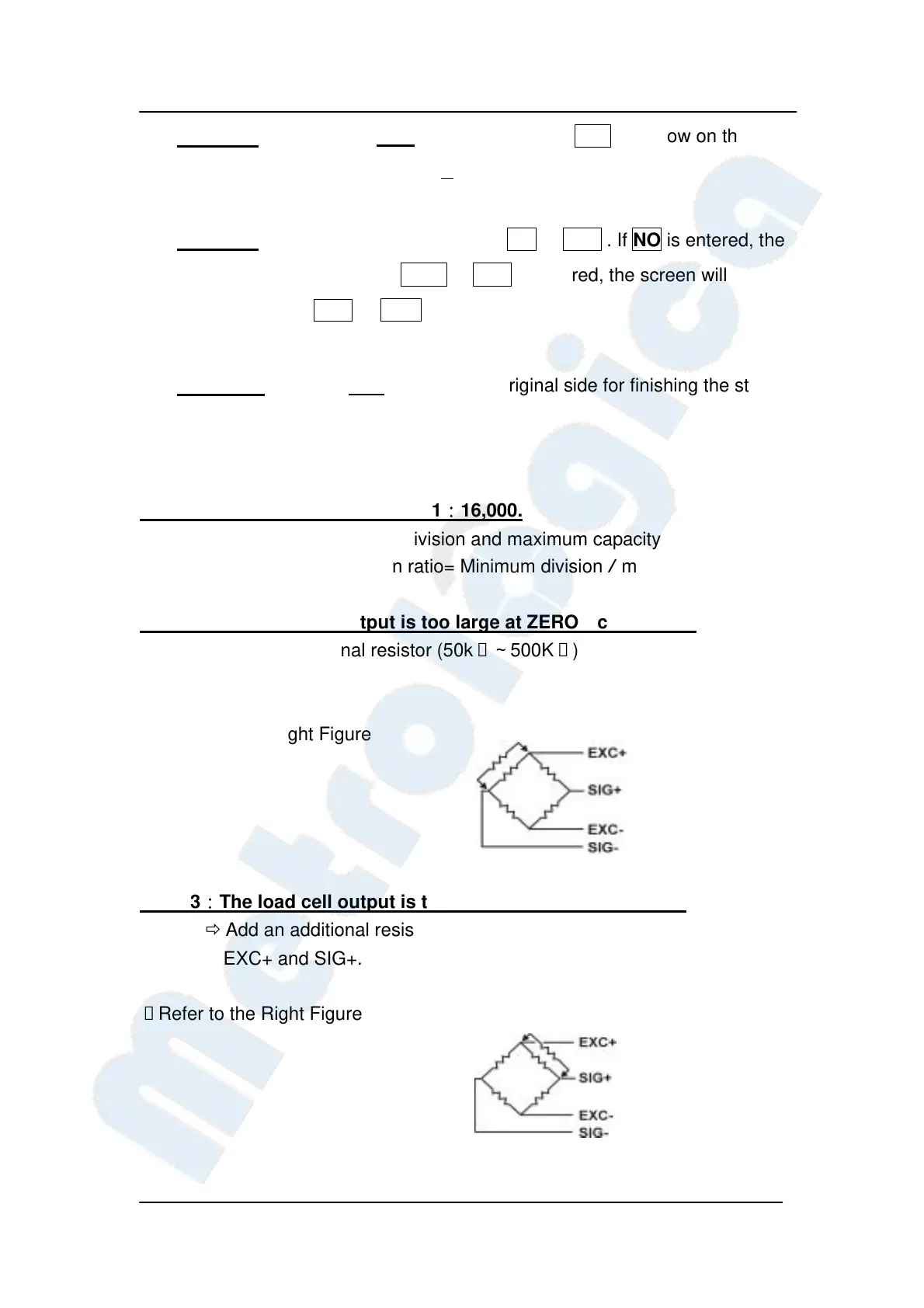
C.Err 2:The load cell output is too large at ZERO calibration.
Add an additional resistor (50kΩ∼500KΩ) between EXC+
and SIG—.
※ Refer to the Right Figure
C.Err 3:The load cell output is too small at ZERO calibration.
Add an additional resistor (50kΩ∼500KΩ) between
EXC+ and SIG+.
※Refer to the Right Figure


 To Next Page
 Loading...