10
FR -
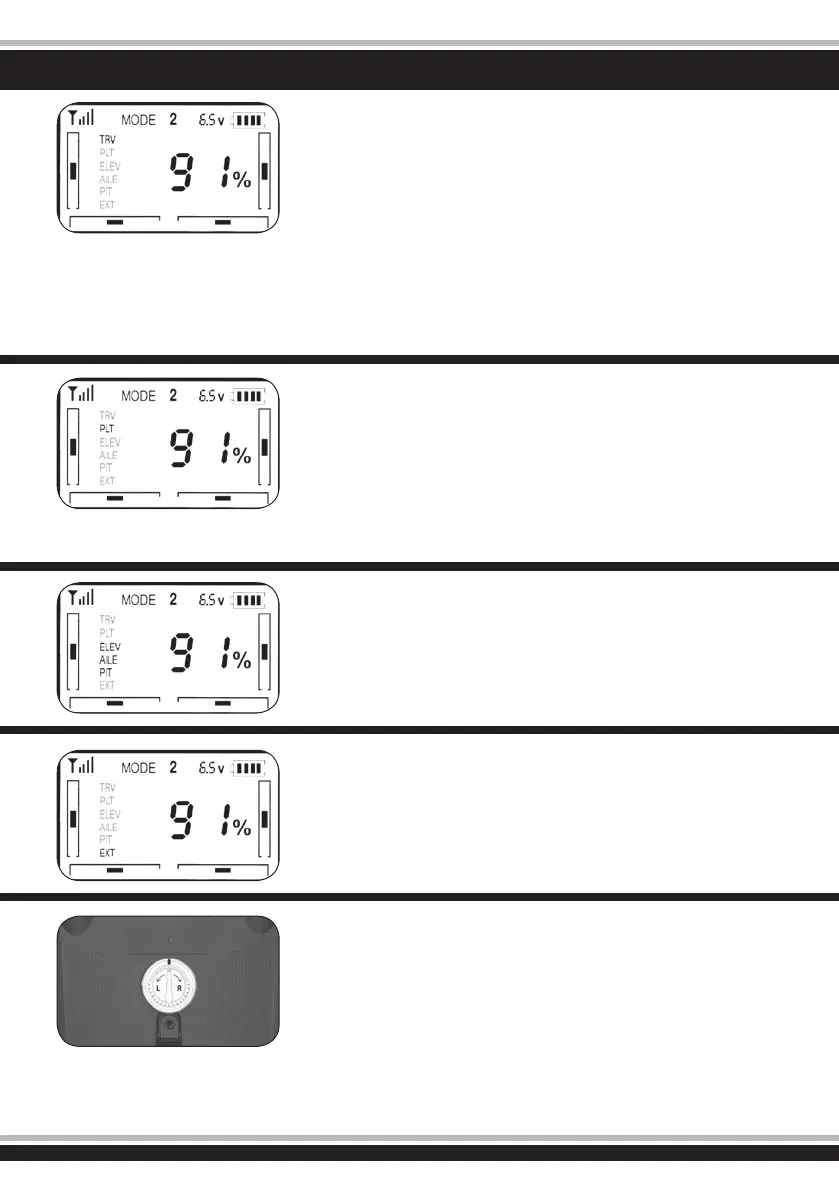
Réglage du neutre de la courbe de gaz
Appuyez sur ENT. L’indication TRV clig-
note. Appuyez sur ENT. Maintenant vous
pouvez programmer toutes les valeurs de
la courbe en pourcentage à l’aide des tou-
ches Haut Bas (UP DN).
An de pouvoir effectuer les réglages pour
le vol 3D il est nécessaire de positionner le
commutateur 3D en position 1. De même,
pour pouvoir effectuer les réglages pour le
vol en mode 3D il est nécessaire de positi-
onner celui-ci en position 0.
Valeur basse = la fonction gaz répond
après un certain délai
Valeur haute = la fonction gaz répond
rapidement
GB - Neutral throttle curve adjustment
Press button „ENT“, TRV will be ashing,
when press button „ENT“ again to make
percentage gure at the right of LED dis-
play and TRV ash. Now you could adjust
the dual rate according your demand.
When 3D switcher at „0“ position, you
could adjust the neutral throttle of normal
mode through Up/Down tuning switch.
When 3D switcher at „1“ position, you
could adjust the neutral throttle of upside
down ight through Up/Down turning
switch.
Throttle value is lower =
the slower speed of neutral position
Throttle value is higher =
the higher speed of neutral position
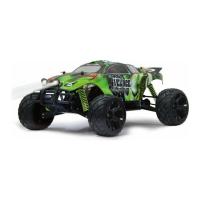
Inversion des canaux
Appuyez sur ENT. Appuyez sur DN jusqu’à
sélectionner ELEV. Appuyez encore une
fois ENT. L’indication NOR/REV clignote.
Maintenant vous pouvez inversez ou non
le canal souhaité.
ELEV est affecté pour la fonction Nick
AILE est affectée pour la fonction Roll
PIT est affecté pour la fonction Pitch
Reverse function
Press button „ENT“, than press button
„DN“ to enter ELEV selection, than press
button „ENT“ again to make „NOR/REV“
ash. Now you could choose NOR or
REV according to the function of rudder.
Use the same settings, you could adjust
the „AILE“ and „PIT“ to control the forward
and reverse.
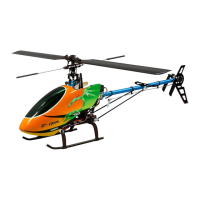
Réglage de la courbe du Pitch
Appuyez sur ENT. Appuyez sur DN jusqu’à
sélectionner PLT. Appuyez encore une fois
ENT. Maintenant vous pouvez renseigner
la valeur souhaitée à l’aide des touches
UP et DN, la valeur étant en pourcentage.
En fonction de la position ‘’0’’ ou ‘’1’’ du
commutateur 3D, la courbe du Pitch sera
automatiquement adaptée pour le vol en
mode 3D ou la valeur minimale de celle-ci
déterminée pour le vol en mode 2D
Pitch curve adjustment
Press button „ENT“, TRV will be ashing,
Then press button „DN“ LED display arise
„PLT“, when press button „ENT“ again the
percentage gure and PLT will be ashing.
Firstly, turn the 3D switcher to „1“ position
than you could adjust the total distance of
pitch by button „UP/DN“. At the same time,
the above settings limit the pitch highest
point of throttle. But when 3D switcher at
„0“ position, you can could adjust the pitch
lowest point of throttle in normal mode.
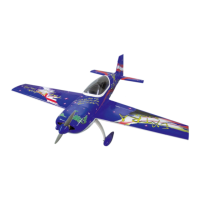
Valeur minimale pour l’anti-couple
Appuyez sur ENT puis, à l’aide des tou-
ches UP, DN et ENT sélectionnez et acti-
vez la fonction EXT. Appuyez encore une
fois ENT. La valeur en pourcentage cligno-
te et peut être changé à volonté.
Valeur haute = Anti-couple répond
rapidement
Valeur basse = Anti-couple répond
lentement
The minimum output of rudder
Press button „ENT“, then press button
„DN“ to enter EXT selection, than press
button „ENT“ again to make percentage
gure and ENT ash. Simultaneously, you
could choose the most tting output. The
number is higher, the faster reaction of
helicopter. Conversely, the slower reaction
of helicopter.
Permutation entre la fonction gaz à
gauche (L) et la fonction gaz à droite
(R)
Avant d’effectuer la modication il est
nécessaire d’éteindre votre émetteur. Le
commutateur permute la fonction gaz de
gauche à droite (Mode 2 vers Mode 1) ou
inversement.
Left/right hand mode switch
1. Made sure the remote controller is
OFF before you choose the left/right
hand mode (Power-on, enter the
predetermined pattern).
2. Knob rotates to the direction of „L“ to
choose left hand throttle mode, when
it rotates to the direction of „R“ to
choose right hand throttle mode.


 To Next Page