Edit transponder: Press Green to edit the focused transponder. It can't save an
existing TP under the same satellite.
Delete transponder: Press Yellow to delete the focused transponder. Press OK
to confirm.
Single Transponder Scan: Press Blue to pop the menu of scanning setting. After
configuring the settings, Press OK to start scanning.
Multi-Transponder Scan: Press OK to select transponders with the mark" ",
then press blue to pop the menu of scanning setting. After Configuring
the settings, press OK to start multi-transponder scanning.
-11-
4 T
i
me S
e
tt
i
ng
M t
h
e
n
M
T
o a
c
c
e
s
s t
h
e
e
n
u
, p
r
e
s
s M
E
N
U
s
e
l
e
c
t [
T
i
m
e
]
.
T
h
e
e
n
u p
r
o
v
i
d
e
s
P
r
e
s
s U
P
/
D
O
W
N t
o s
s
o
p
t
i
o
n
s t
o a
d
j
u
s
t t
h
e t
i
m
e s
e
t
t
i
n
g
s
.
e
l
e
c
t a
n o
p
t
i
o
n a
n
d
pr
es
s RIG
HT/
LEF
T t
o adj
ust t
he se
tti
ng
.
P
r
e
s
s E
X
I
T
t
o e
x
i
t t
h
e m
e
n
u
.
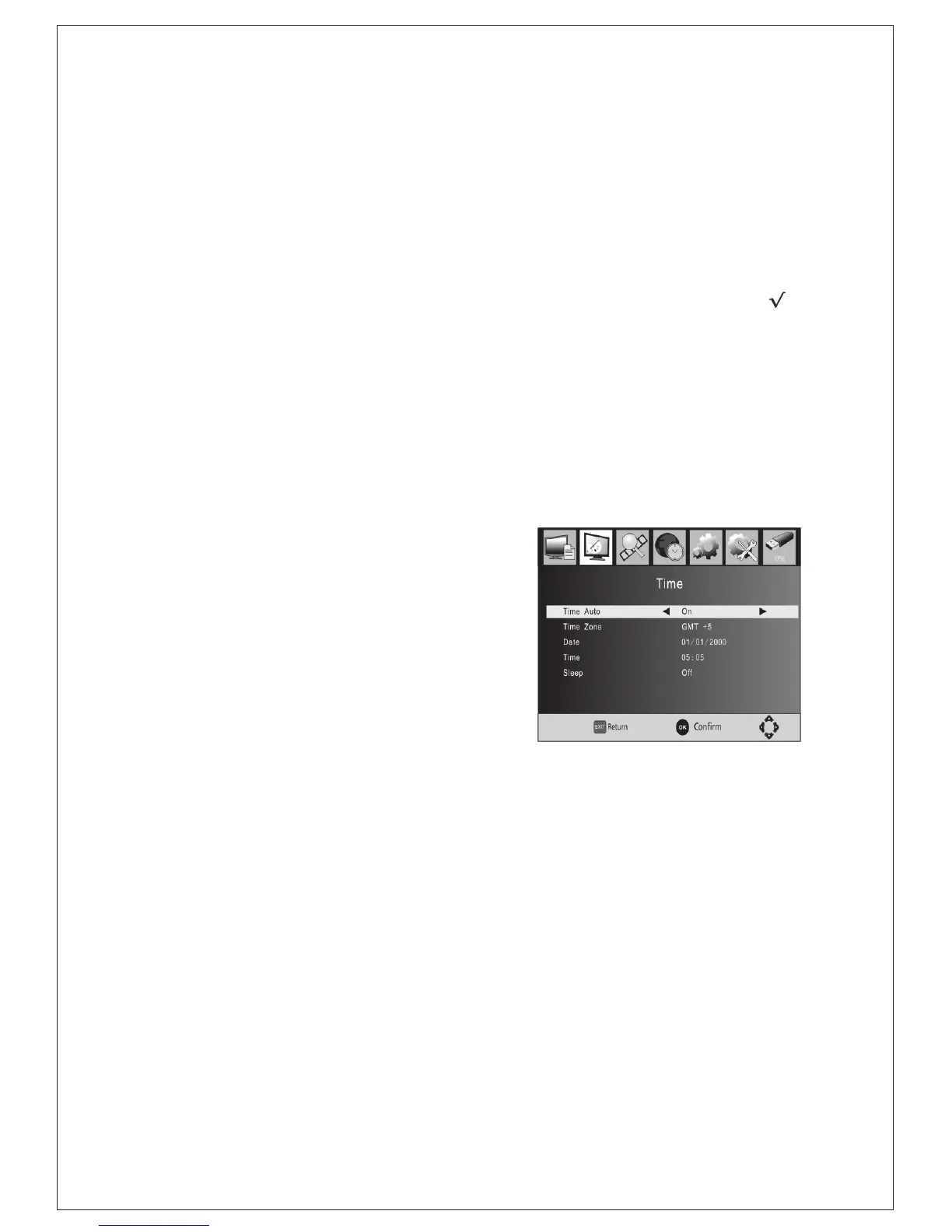
(1)Time Auto: update time with the stream
time, or NOT.
/
(2)Time Zone: Select the Time Zone Offset.
(3)Date: show and set the system date.
(4)Time:show and set the system time.
:
(5)Sleep If this setting is off, this function
does not work. If this setting is not off,
a message will pop up after your preferred
time to inform you, that the device will go in
to sleep mode. This message will appear
under no any operation. Auto-off function
can be set in a time period at 0-12 hours.
Standard setting is off. Press STANDBY
button to exit sleep auto-off mode.
(Figure: Time)


 To Next Page