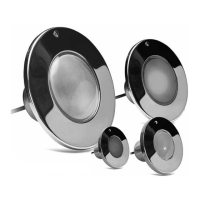
Color Splash LED light xtures are pre-programmed and synchronous with each other
while offering a wide array of lighting effects and options. They offer ve different
light shows to choose from, as well as a Color Lock feature which allows you to “lock”
the light on any solid color.
Color Splash LED light xture features are selectable by turning the existing pool
light switch off and on, known as power cycling. The amount of time the light is off
during the power cycling determines the light feature activated.
1. Parisian Blue
2. Brazilian Red
3. Tahitian Blue
4. Miami Pink
5. Tuscan Orange
6. Arctic White
7. New Zealand Green
1. Northern Lights
2. Super Nova
3. Desert Bloom
4. Patriot Dream
5. Tidal Wash
SOLID COLORS
Your Color Splash LED light xture has seven colors available for you to experience.
Available colors are:
LIGHT SHOWS
Your Color Splash LED light xture has ve light shows from which you can choose.
The rst three light shows display all seven solid colors, while the last two display
selected colors.
SELECT SOLID COLORS
You can select a solid color at anytime by activating the “Color Lock” feature. The Color
Lock feature allows you to stop a light show and “lock” Color Splash on a solid color.
CHANGE LIGHT SHOW
Changing light shows: Turn the pool light power off for 3 seconds and then back on
again. Color Splash LED light xture will advance from the show that is was previously
on, to the next show. Repeat the “change light shows” procedure until the desired light
show is reached.
LIGHTING OPERATION:
CHOOSING COLORS AND LIGHT SHOWS
LIGHTING OPERATION:
HOW TO CHANGE LIGHT SHOW AND SELECT SOLID COLORS
pg 8


 To Next Page