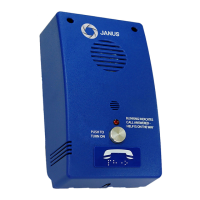
Problem: Phone dials out but has broken communication
Possible Cause:
• Check if voice prompt message is being stopped
• Check if there is loud background noise in cab
• Check location of microphone
• Check mounting of unit
• Hold unit in hand and test
• Try adjusting the speaker and microphone volumes
• Check to see if person answering call is using a headset as they
could cause problems
Problem: Phone rings busy
Possible Cause:
• Check if other devices are on the line
• Check where phone line is properly connected to the unit
• Check voltage on phone line
• Check polarity on phone line
• Make sure unit is off
• Remove unit from the line to see if line is still busy
Problem: Phone does not auto answer
Possible Cause:
• Check phone line connection
• Check ring voltage (min. 30VRMS)
• Check phone line ringing with a touch-tone phone (use the black
jack on P.C. board)
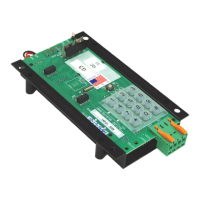
• Make sure phone line is connected to the green connector at TEL or
the P1 (TELCO) modular phone jack if available (see P. C. Board
Diagram)
Problem: Phone cannot be programmed
Possible Cause:
• Try holding down keys slowly and deliberately
• Try disconnecting the speaker (see P.C. Board Diagram)
• Make sure you are using a touch tone phone
• If you are using a cell phone do not stand in the car
• Check to see if phone is hearing tones (a red LED ickers when a
DTMF tone is received)
• Check if twisted shielded pair was used
• Check if shield was connected to ground at the controller end only
• Measure AC voltage on line, it should be zero voltage
• The phone will only work on an Analog phone system and not Digital
13


 To Next Page