43094 PRODUCT SPECIFICATIONS
Specications
Power: 120VAC, 60Hz Signal Frequency: 2.4Ghz
Maximum load for the Zigbee-controlled outlets:
600W (5A) incandescent/1/2HP motor or 1800W (15A) resistive
Zigbee controlled outlet is fused @ 5A. This fuse is not user
serviceable
Range: Up to 150ft. from controller or closest Zigbee device
Operating Temperature: 32-104° F (0-40° C)
Warranty: 5-year limited product warranty
For indoor use only
www.byjasco.com
1
Design Features
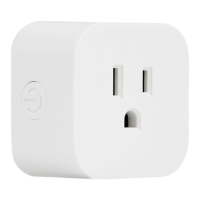
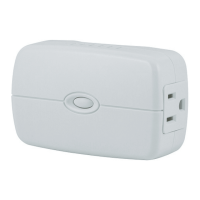
· Remote ON/OFF control
via the Zigbee controller
· Manual ON/OFF control
with the top push button
· Works with Google and Alexa
(requires compatible hub*)
· Can be included in multiple
groups and scenes
· Two Zigbee-controlled
AC outlets
· Both outlets controlled
together (cannot be
controlled independently)
· Space-efcient design
· Does not block the lower
outlet when plugged in to
the upper outlet of a duplex
wall receptacle – assumes
that the duplex receptacle is
mounted with the ground
pin down.
· Plugs and cords route
to the side allowing close
placement of furniture
· Over-the-air updates –
once joined to your Zigbee
network, the smart switch
can automatically receive
updates through your
Zigbee gateway
· Zigbee 3.0 certied for simple
pairing and integrated home
automation
· Visit ezzigbee.com/hubs for hub
compatibility
· Trilingual instruction manual –
English, French, Spanish
Zigbee Features
· Effortless device pairing to
Zigbee certied gateways
· Backward compatible with all
generations of Zigbee devices
· Supports wireless upgrades
to future-proof your home
* Requires Zigbee hub or controller –
functions may vary depending on brand.
Enbrighten Zigbee
Plug-in Dual-Outlet Smart Switch

 Need help?
 General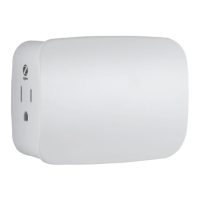

 To Next Page