Need help?
Do you have a question about the Jasco ZigBee ZB4001 and is the answer not in the manual?
Overview of Jasco's ZigBee lighting controls and their benefits for home automation.
Details risks of fire, electrical shock, burns, and cautions against use with life support equipment.
Lists primary functionalities like manual/remote control and multi-location wiring compatibility.
Instructions for replacing the switch cover to change its color.
Guidance on using the switch for 2-way, 3-way, and 4-way control setups.
Emphasizes turning off power before any wiring to prevent injury or device damage.
Diagram for single switch wiring setup.
Diagram for one primary and one auxiliary switch setup.
Diagram for one primary and two auxiliary switches setup.
Instructions for breaking off tabs when installing in multi-gang boxes.
Notes on copper wire usage, terminal attachment, and recommended wire strip lengths.
Step-by-step instructions for wiring the switch in a single-pole configuration.
Details for wiring auxiliary switches for multi-location control.
Explains manual control via rocker and remote control via ZigBee.
Steps to join the switch to a ZigBee network and controller.
Methods for manually or controller-based resetting and removing the device.
Information on LED behavior for location/pairing and how to control it.
Information on the product's two-year limited warranty and customer support.
Statements regarding compliance with FCC and Industry Canada radio frequency regulations.
Summary of compliance with IC rules and provision of model details.
Lists electrical ratings, frequency, load limits, temperature range, and usage conditions.
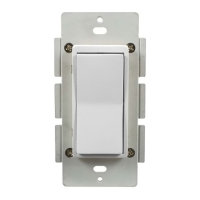
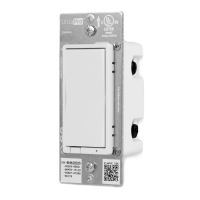
The Jasco ZigBee In-Wall On/Off Switch (model ZB4001, 45856) is a lighting control device designed to integrate into a ZigBee home automation network. It allows users to automate and remotely control lighting and other connected devices within their home. The switch is compliant with the ZigBee Home Automation Standard Version 1.2, ensuring compatibility with a wide range of ZigBee gateways and controllers.
The primary function of this device is to turn connected loads On or Off. It can be operated in two main ways: manually from the front panel of the in-wall switch or remotely via a ZigBee controller. When operated manually, the front panel rocker switch allows the user to turn the connected lighting ON by tapping the top of the rocker and OFF by tapping the bottom. For remote control, the switch must first be paired with a ZigBee controller. Once paired, it can be controlled directly by the ZigBee controller or, if the controller functions as a gateway connected to an internet router, remotely via a PC or mobile phone app.
The switch supports various wiring configurations, making it versatile for different home setups. It can be used in a single-pole installation for 2-way control (one switch controlling one load). For more complex setups, it can be integrated with up to three Jasco auxiliary switches for 3-way (two switches controlling one load) or 4-way (three switches controlling one load) wiring configurations. This flexibility allows for control of a single lighting fixture from multiple locations within a room or house.
A notable feature of this device is its energy monitoring capability. The switch can report wattage (W) and kilowatt-hours (kWh) of the connected load, allowing users to track energy usage through their ZigBee Controller Interface. This provides valuable insight into energy consumption, aiding in energy management efforts.
The device also supports Over the Air (OTA) updates. Once joined to a ZigBee network, the switch can transparently receive firmware updates through the ZigBee gateway, ensuring it stays current with the latest features and improvements without requiring manual intervention.
The Jasco ZigBee In-Wall On/Off Switch is designed for ease of use and integration into a smart home environment. It features an interchangeable paddle switch, with both white and light almond paddles included in the package, allowing users to match the switch to their existing decor. It uses a standard, decora-size wall plate (not included) for single gang installations.
For user convenience, the switch includes a blue LED that indicates its location in a dark room when the light switch is turned OFF. This LED can be manually enabled or disabled according to user preference. Additionally, an LED Status Indicator blinks during the pairing process, providing visual feedback on the device's status.
Pairing the switch with a ZigBee network involves a straightforward process. From the ZigBee Controller's interface, the user selects to add a lighting device and enters Locating/Pairing mode. After applying power to the In-Wall switch, it automatically enters auto-scan mode, searching for a compatible controller. The LED Status Indicator blinks three times every 10 seconds during this scan. If the device times out before joining the network, pressing any button on the switch resumes scanning. Once located and paired, the LED Status Indicator stops blinking, and the switch appears in the controller's menu, ready to be configured and titled for easy identification.
The switch can be included in multiple Groups and Scenes within the ZigBee network. This allows for advanced automation scenarios, where multiple devices can be controlled simultaneously or triggered by specific events. However, a critical warning is issued regarding the control of appliances: ZigBee devices should not be included in Groups or Scenes if they control appliances, especially electric heaters or any other appliances that could pose a hazardous condition due to unattended, unintentional, or automatic power-on control. Exercise extreme caution when using ZigBee devices to control appliances, as unintended activation could occur if the wrong button is pressed on the controller or due to timed event programming.
While the device itself has no user-serviceable parts, certain aspects of its design facilitate installation and minor adjustments. The ability to change the color of the switch paddle is a simple maintenance feature. To do this, the user lifts the Air Gap tab at the base of the cover, pushes in the side tabs to release the cover, and then places the new cover onto the switch, ensuring the air gap and side tabs snap securely into place.
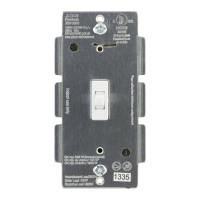
Installation involves screw terminal connections, requiring wiring for Line (Hot), Load, Neutral, and Ground. A Traveler wire is required for multi-pole installations. Important wiring information is provided, emphasizing the use of copper wire, specific wire gauge requirements (14 AWG or larger, suitable for at least 80°C), and recommended wire strip lengths for secure connections. UL specifies a tightening torque of 14 Kgf-cm (12 lbf-in) for the screws.
For installations in multiple gang boxes, the front yoke of the In-Wall On/Off switch has scored tabs that can be broken off if necessary. This does not affect the electrical rating of the switch.
Resetting the device (removing it from the ZigBee network) can be done either from the ZigBee controller interface or manually. To manually reset, the user quickly taps the top of the rocker (ON Switch) 10 times. This action removes the device from the ZigBee network and resets all configuration parameters.
The LED indicator, which glows blue when the switch is OFF, can also be managed. To turn the LED off, the user taps the top rocker (ON Switch) three times quickly, then taps the bottom rocker (OFF Switch) once. The same sequence of button presses can be used to restore the LED functionality.
The device is designed for indoor use only and complies with FCC and Industry Canada regulations. It is crucial to turn OFF power to the branch circuit at the service panel before any wiring connections to avoid personal injury or damage to the switch. ZigBee enabled devices should never be used to supply power to or control the On/Off status of medical and/or life support equipment due to the inherent risks.
 Power
Power| power | 120VAC, 60Hz |
|---|
 Signal
| signal frequency | 2.4 Ghz IEEE 802.15.4 |
|---|
Maximum Load| maximum load incandescent | 900W |
|---|---|
| maximum load motor | ½ HP |
| maximum load resistive | 12 Amp, 1440W |
Operating Environment| operating temperature range | 32‐104° F (0‐40° C) |
|---|---|
| indoor use only | true |

 To Next Page