EasyManua.ls Logo

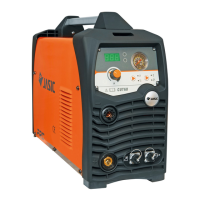
Jasic CUT100 (L201) - User Manual

Jasic CUT100 (L201)
25 pages
Print Icon
To Next Page IconTo Next Page
Loading...
MODEL: CUT40(L131) /CUT60(L204)/CUT8 0(L205)
INVERTER CUTTER
OPERATORS MANUAL
CUT100( L201) /CUT60( L211)
L20 4 0 A S C -A4
You Can buy this product at our E-shop:
Šią prekę galite įsigyti mūsų el. parduotuvėje:
BUY NOW

Questions and Answers

  • S
    sandra15Aug 9, 2025
    Why can't I ignite the arc on my Jasic Cutter?
    • C
      Christopher YoungAug 9, 2025
      The Jasic Cutter arc may fail to ignite due to several reasons. First, check if the input voltage is too low. Second, verify that the air pressure isn't overly high or low.
  • H
    Harold LeeAug 17, 2025
    What to do if there is no HF discharge rustling and the red LED inside the Jasic Cutter is off?
    • P
      Peter MccoyAug 17, 2025
      If your Jasic Cutter's solenoid valve works but there's no HF discharge and the red LED is off, the arc ignition part may be failing. This could be due to: * Electrode sticking inside the discharge nozzle, or the interelectrode distance being too long. * A short circuit or bad contact in the primary coil of the arc ignition transformer. * Leakage of the HF capacitor 102/10KV. * Damage to the relay.
  • C
    Carol ArmstrongAug 25, 2025
    How to fix a Jasic Cutter when the fan doesn't work and the control button is not functioning?
    • P
      Patrick ChoiAug 26, 2025
      If the power indicator illuminates but the fan doesn't work and the control button is unresponsive on your Jasic Cutter, it may be due to overvoltage protection. Shut down the machine and restart it after a few minutes.
  • H
    Harold JonesSep 1, 2025
    What to do if there is no HF discharge rustling and the red LED inside the Jasic Cutter is on?
    • B
      Bradley BrownSep 1, 2025
      If the solenoid valve functions, but there is no HF discharge and the red LED is on, it could be due to: 1) Damaged MOSFET (or IGBT) on the top PCB (damaged drive module). 2) A damaged step-up transformer on the bottom PCB. 3) A damaged control module.

Summary

Safety

Precautions for Installation

Essential safety measures to follow during the installation process.

Precautions for Operation

Crucial safety advice for safe and effective operation of the machine.

1. General Description

1.2 Technical Parameters

Detailed technical specifications and performance data for each model.

2. Installation and Connection

2.1 Installation Requirements

Procedures and conditions for the proper installation of the cutting machine.

3. Operation

3.4 Operation Method

Step-by-step guide for starting and performing cutting operations.

3.6 Cutting Parameters Table

Recommended settings for cutting speed based on material and thickness.

4. Maintenance

5. Troubleshooting

Jasic CUT100 (L201) Specifications

General IconGeneral
Duty Cycle @ 40°C60%
Cutting Thickness (Clean Cut)25mm
Cutting Thickness (Severance Cut)35mm
Protection ClassIP21S
Insulation ClassF
Output Current100A
Gas Pressure0.4-0.6MPa

Related product manuals