4.3 Setting the charger into service
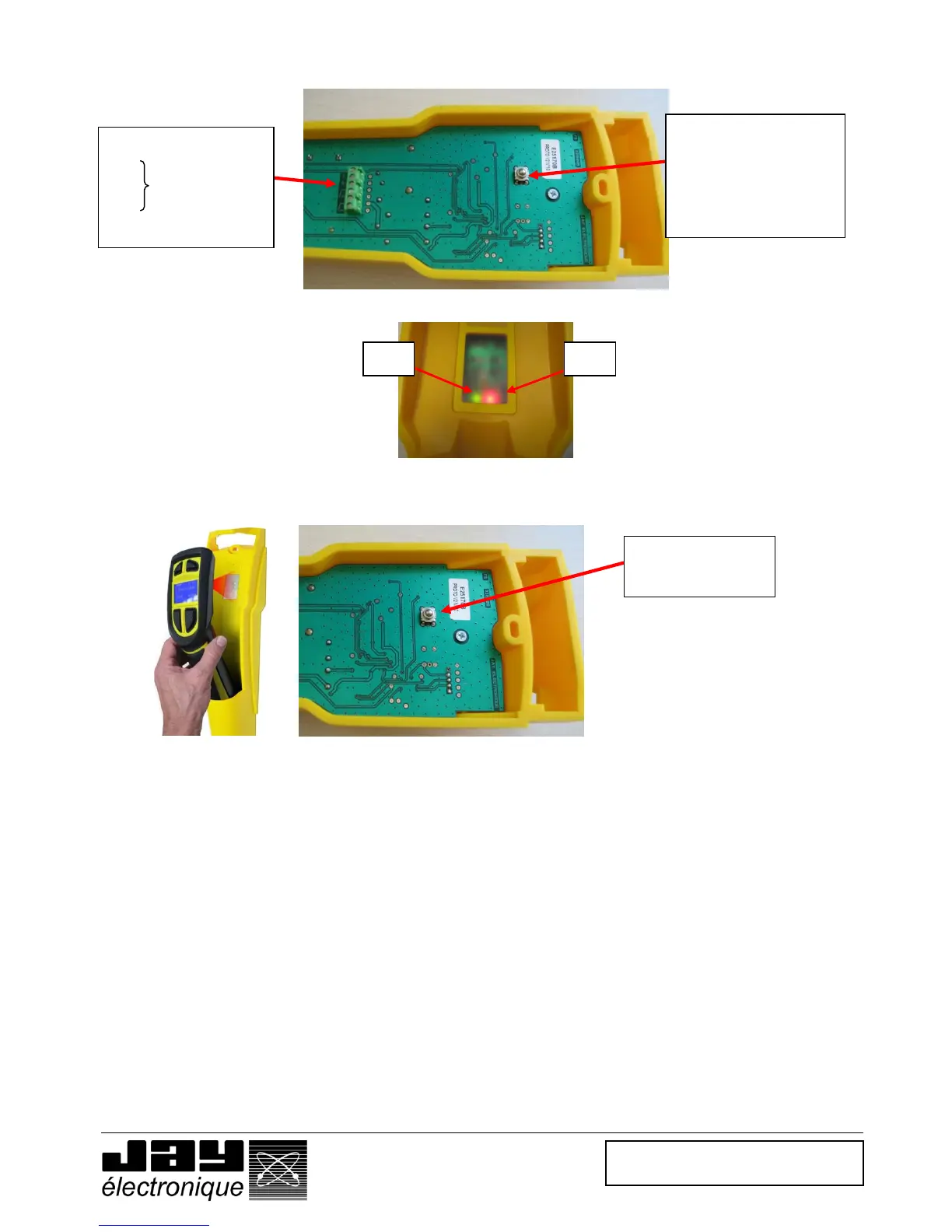
• Step 1 Connect a 24VDC (+/- 5 %) stabilised power supply to the – (ground) and + (+24Vdc) terminals.
• Step 2 Supply the charger
The red indicator light V2 should come on.
• Step 3 Pair the handle with its charger by placing it in front of its charger and pressing the association button
at the rear of the charger.
The green indicator light V1 (handle present) on the charger should come on.
• Step 4 Release the pairing button
The green indicator light V1 should stay on. The handle is now paired with the charger.
• Notes
When the handle is located at a distance greater than 30cm from the charger, the green indicator light
V1 goes off. It comes back on when the handle is brought nearer to the charger.
The 2 outputs, S1 and S2, are active when the handle is present on the charger.
The handle is charged contact-free (inductive charge). The charger is equipped with a « handle
presence » detection function. This detection function inhibits the enabling handle and keeps the
receiver safety relays active.
The "handle on charger" condition is monitored by an infrared link.


 To Next Page