25
DTV MODE
Press SOURCE button on the TV or remote control to select DTV input source.
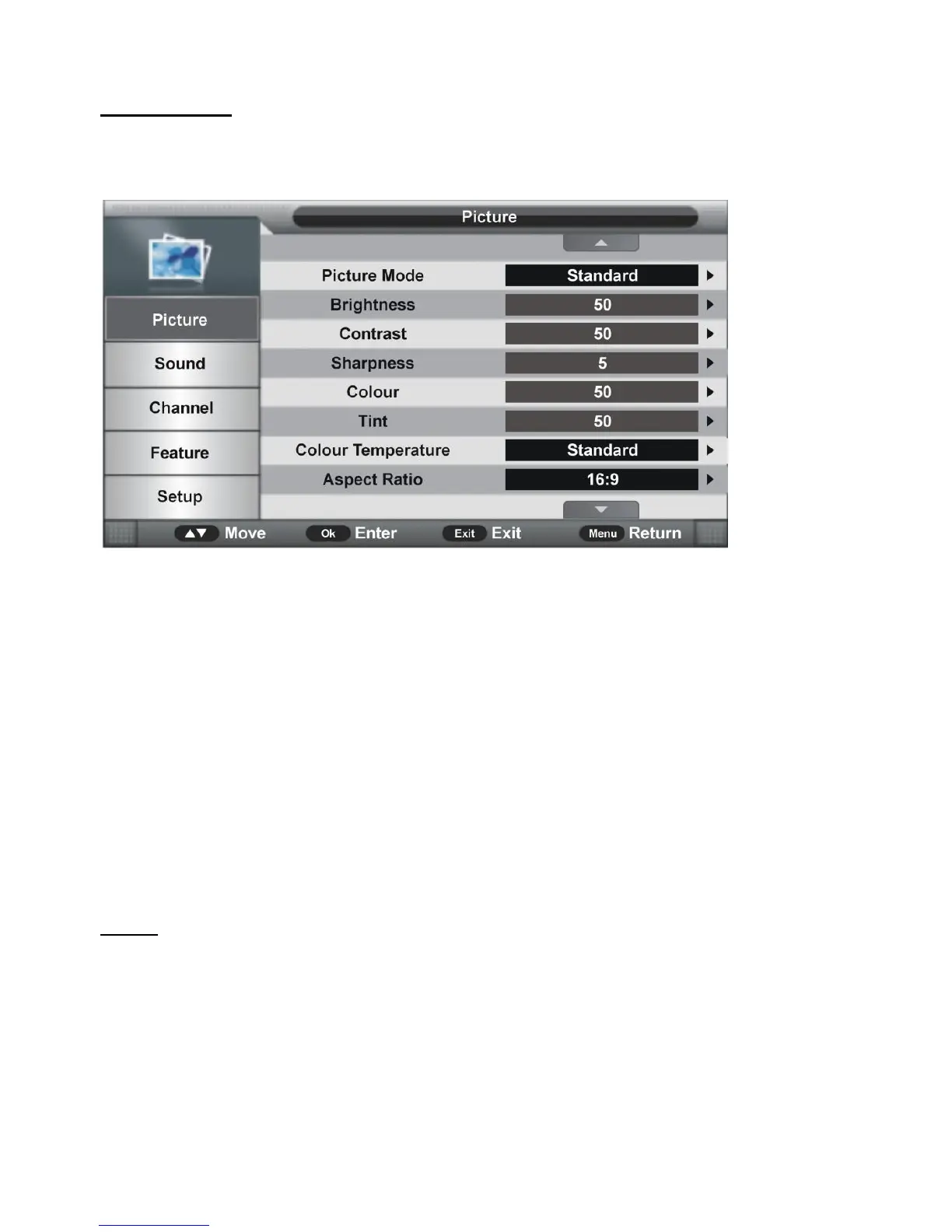
1. Picture
1.1 Picture Mode
Available options: Standard, Mild, User, Dynamic.
1.2 Brightness
The brightness value of picture can be adjusted from 0-100.
1.3 Contrast
The contrast value of picture can be adjusted from 0-100.
1.4 Sharpness
The sharpness value of picture can be adjusted from 0-10.
1.5 Colour
The color saturation value of picture can be adjusted from 0-100.
NOTE: The value of Brightness, Contrast, Sharpness, and Color is adjustable only in User
picture mode.
1.6 Tint
This item is used to adjust the tone of color in NTSC system from 0-100.
1.7 Colour Temperature
This item is used to adjust the optimum color temperature for suitable viewing.
Available options: Standard, Cold, Warm.


 To Next Page