21
TROUBLESHOOTING
If your buds are not responding, connect the charge clip and USB cable to a power source.
This will turn your buds off and perform a soft reset.
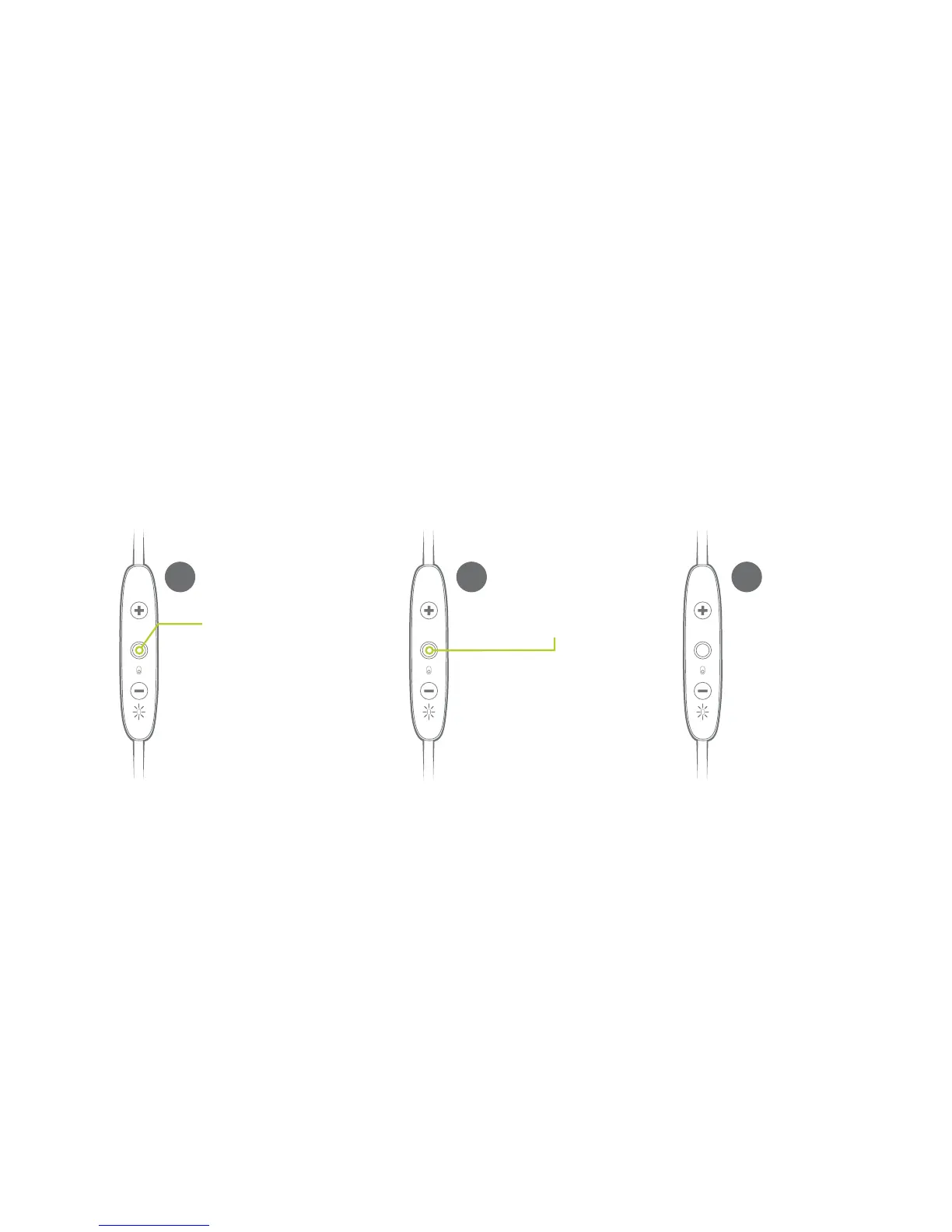
If this does not resolve your problem we recommend to reset your buds to their original factory Settings.
NOTE: Once your buds have been reset you will have to pair it again to your devices. Select “FORGET” or
“REMOVE” Jaybird FREEDOM 2 from your device’s Bluetooth menu. Follow the pairing instructions on page
5-6 to repair your devices.
Put your buds in pairing
mode. Turn the buds off,
then press and hold the
Power Button for more
than 4 sec until you see
alternating red/green LED.
1
While the LED is
flashing red / green
double press the
Power Button.
2
The LED will
turn orange
and your buds
will turn off.
3


 To Next Page