8
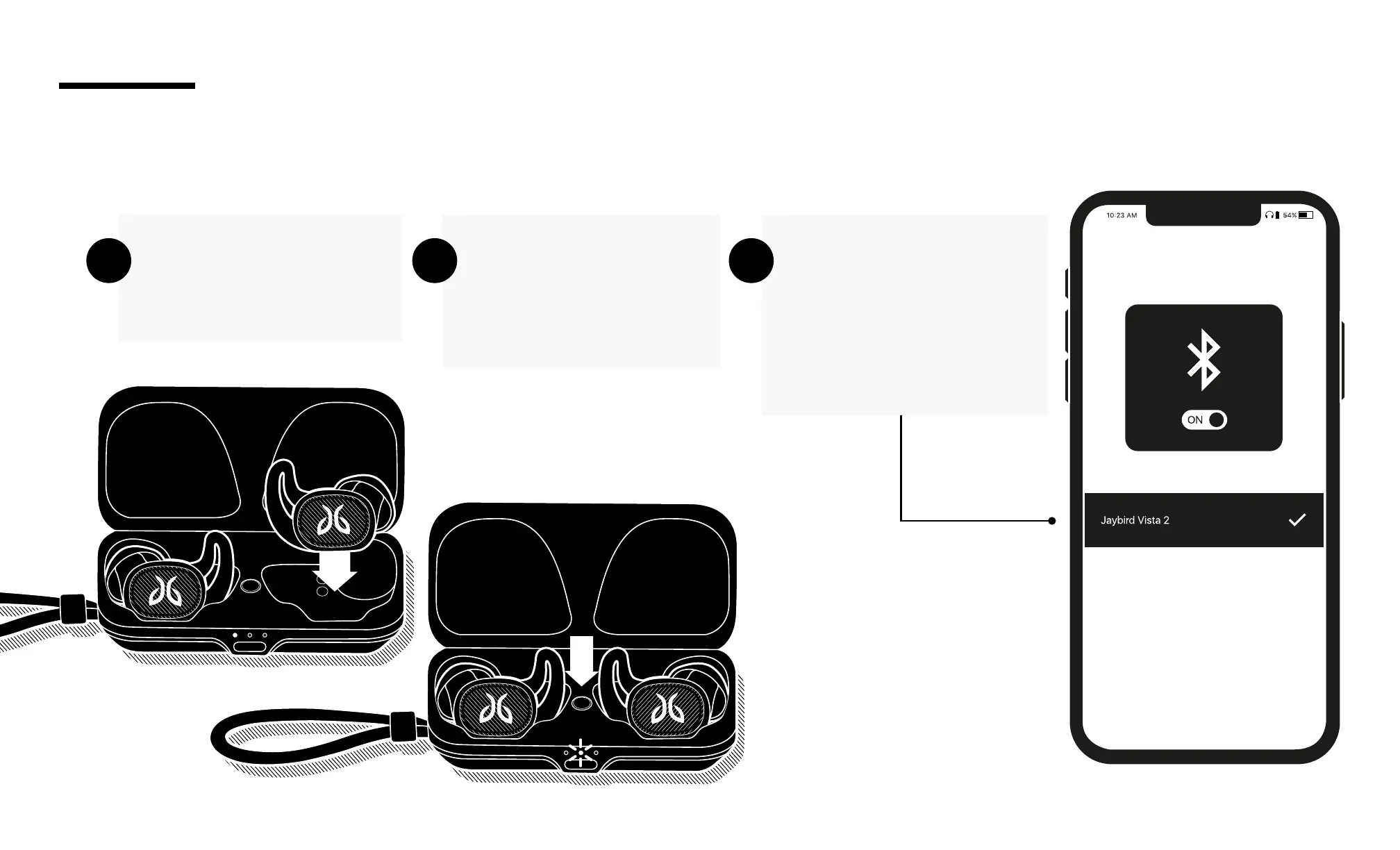
Place both earbuds into
the charging case and
close the lid.
Open the charging case
and press and hold the
case button until the case
LED starts blinking white.
On your Bluetooth audio
device, go to Bluetooth
settings and select ‘Jaybird
Vista 2’. Once connected,
the charging case LED will
turn o.
A B C
To pair to a Bluetooth audio device follow the steps below
PAIRING



 To Next Page