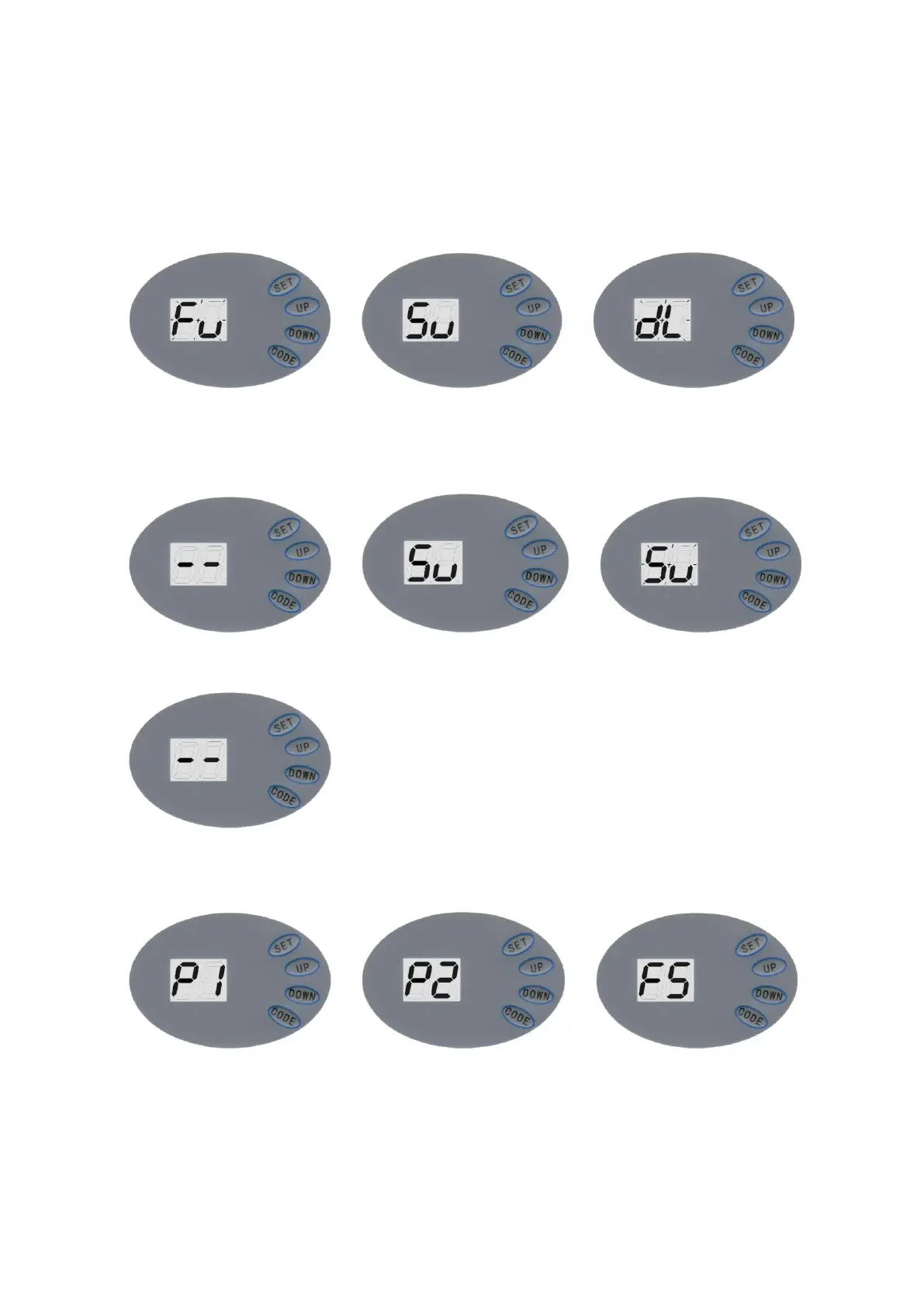
It displays “- - ” to show setting is complete.
6.3 Self Learning Transmitter
6.3.1 when the unit has stored 20 codes, The LED flashes “Fu”, or preventing coding
mistakes, it is necessary to cancel all the stored codes.
>> >>
When it displays “Fu”, press and hold CODE more than 8 seconds until it flashes “dL” , all the
codes will be cancelled.
6.3.2 Adding or Changing Transmitters
>> >>
Press CODE, it displays “Su” , press a button on the transmitter, then release and press the same
button again, “Su” flashes, then it displays “- - ” to show setting is complete.
Repeat up steps to code a maximum of 20 different transmitters’ and/or buttons.
6.4 Force Adjustments
>> >>
Press and hold SET, it displays ”P1”, press UP once, it displays”P2”, press SET once again, it will
show the current situation. Press UP to increase the force one degree and press DOWN to
decrease one degree. Maximum degree is “F9” and minimum is “F1”. Press SET to confirm. The
default setting is “F5”.
6.5 Photo Beam


 To Next Page