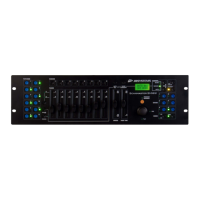
ENGLISH OPERATION MANUAL
JB SYSTEMS® 3/82 SCANMASTER 1612 (SM-1612)
5. OVERRIDE BUTTON: When a chase is running, you can select 1 or more fixtures
and control them independently from the chase running at that moment.
6. SPEED SLIDER: Used to select the chase speed within a range of 0.1seconds to
10minutes.
7. FADE TIME SLIDER: Used to adjust the fade time within a range of 0 to 30sec.
8. LCD DISPLAY: Shows the current activity or programming state. The LCD Display
contains 2 lines of 8 characters each. Below is a list of abbreviations used:
LCD DISPLAY FULL MESSAGE
• SN1 scene1 is active
• BK1 bank1 is active
• CHASE1 chase1 is active
• STEP 009 step 9 of a chase
• DATA 184 DMX-value the last fader used = 184 (0
Æ
255)
• SP:1m34s Speed is set to 1minute and 34 seconds.
• FT:3.31s Fade time is set to 3,31seconds
• ASS04 05 Joystick is assigned to channels 4 & 5 (PAN=4 * TILT=5)
• RES10 13 DMX channels 10 & 13 are reversed
9. JOYSTICK PAN: Used to control the panning (horizontal movements) of the
selected fixture(s)
10. JOYSTICK TILT: Used to control the tilt (up/down movements) of the selected
fixture(s)
11. PROGRAM BUTTON: Used to enter or leave the program mode.
12. MIDI/RECORD BUTTON: Used to record actions in memory or to set a MIDI
channel.
13. AUTO/DELETE BUTTON:
• Running mode:
Used to switch between manual and automatic chase mode.
• Program mode:
Used to delete scenes or chases.
14. MUSIC/BANK COPY BUTTON:
• Running mode:
Used to switch between manual and music chase mode.
• Program mode:
Used to copy banks.
15. BANK UP/DOWN BUTTON: Used to select one of the 30 banks or to select one of
the steps in a chase.
16. TAP/DISPLAY BUTTON: Used to select different display modes.
Used to change the readout of the channel DMX-values: you can change between
real DMX-values (0 Æ 255) or values in percentage (0 Æ 100%)
Also used as TAP-function in auto chase mode to set the chase speed: tap the
button twice with a certain time interval. (alternative to the speed fader)
17. BLACKOUT BUTTON: Used to stop all DMX output.
18. CHASE BUTTON: Used to activate one or more chases.
19. FINE BUTTON: Used to control the PAN/TILT functions of a fixture with the
smallest increment. This gives you the possibility to position the fixtures with high
precision. (sometimes using the channel faders can give you even better results)
20. MODE: Pushing Mode and Fine buttons together activates joystick assign and
channel reverse modes.
ENGLISH OPERATION MANUAL
JB SYSTEMS® 4/82 SCANMASTER 1612 (SM-1612)
FUNCTIONS (rear)
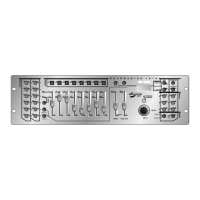
1. MIDI INPUT: Can be used to receive MIDI data.
2. DMX POLARITY SWITCH: A DMX-signal normally has the following connections:
1=ground * 2=Data- * 3=Data+
In some cases it happens that a cable is inversed, as a result of this the DMX-
connection doesn’t work. This can be solved by using this switch. If your DMX
connection doesn’t work and all your DMX-receivers are properly addressed, you
can check this switch. In normal conditions always put this switch in the left
position.
3. DMX OUTPUT: Sends DMX-signals to the connected fixtures
4. FILE DUMP INPUT: Used to connect to a second SM-1612 and copy its chases
and scenes. Don’t use this connector to daisy chain the DMX-signal of two
controllers!
5. DC INPUT: connect the supplied AC/DC adapter to this input. If you should use
another adapter, please make sure that it has 9 ~ 12Vdc and minimum 300mA with
+ in the center.
6. POWER SWITCH: Used to switch the unit ON/OFF
7. AUDIO input: receives audio from any line or record output on audio equipment. If
this input is not used, the internal microphone of SM-1612 takes over.


 To Next Page