6
JB INDUSTRIES • SH-35N Quick Start Guide • 630.851.9444 • sales@jbind.com
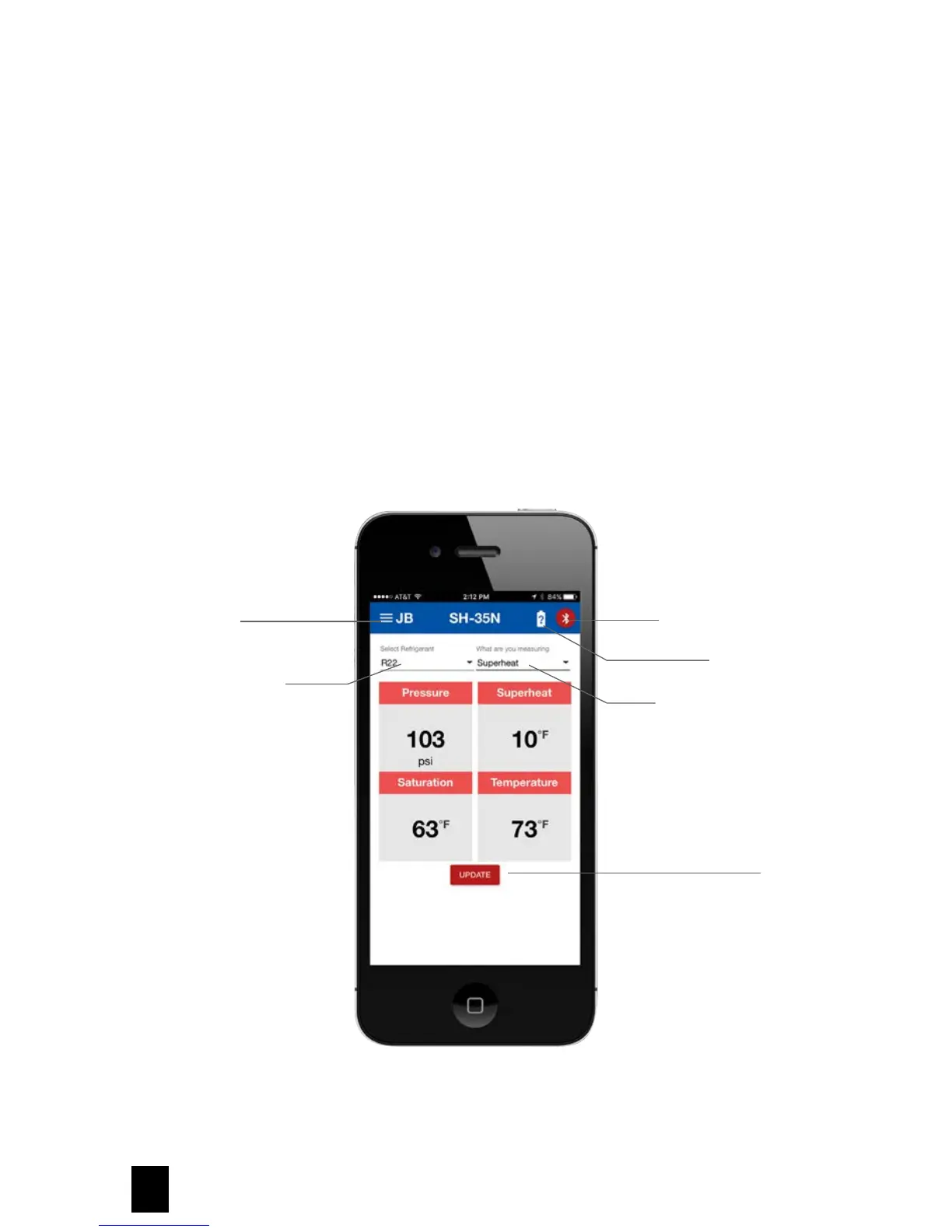
Selecting Refrigerant
1. From the main display screen, press the down arrow under Select Refrigerant at the upper left to access
saved refrigerant options.
2. Select refrigerant.
3. Once refrigerant is selected, the SH-35N unit display will also update.
Selecting Superheat or Subcooling
1. From the main display screen, press the down arrow under What Are You Measuring at the upper right to
access superheat or subcooling options.
2. Once superheat or subcooling is selected, the SH-35N unit display will also update.
JB Main Menu
Refrigerant Selection
Bluetooth Connection
Battery Status
Superheat/Subcooling
Selection
Update



 To Next Page