4
JB INDUSTRIES • SH-35N Quick Start Guide • 630.851.9444 • sales@jbind.com
CONNECTING TO SH-35N APP
1. Download the SH-35N app to your smart device from the Apple
®
Store or Google™ Play.
2. Open the SH-35N app and power on the SH-35N unit.
3. Enable Bluetooth
®
in your smart device settings and search for available units broadcasting. Select the
SH-35N unit you would like to pair with.
4. The SH-35N is now connected and ready for use—readings from the device will display on the app.
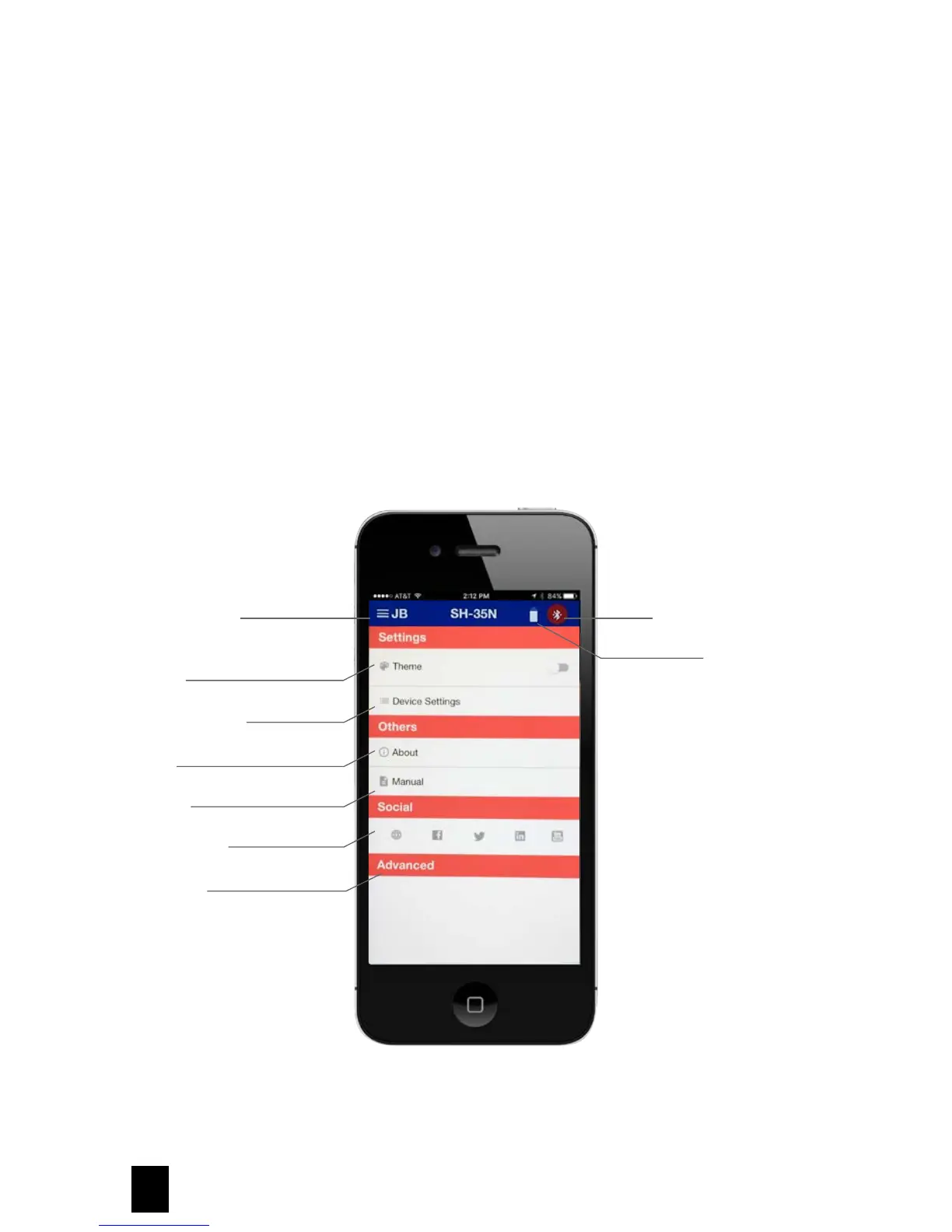
MAIN MENU OPTIONS
Apple and Apple Store are registered trademarks of Apple. Google and the Google Logo are registered trademarks of Google Inc.
JB Main Menu
Theme
Device Settings
About
Manual
Social Media
Advanced
Bluetooth Connection
Battery Status



 To Next Page