B
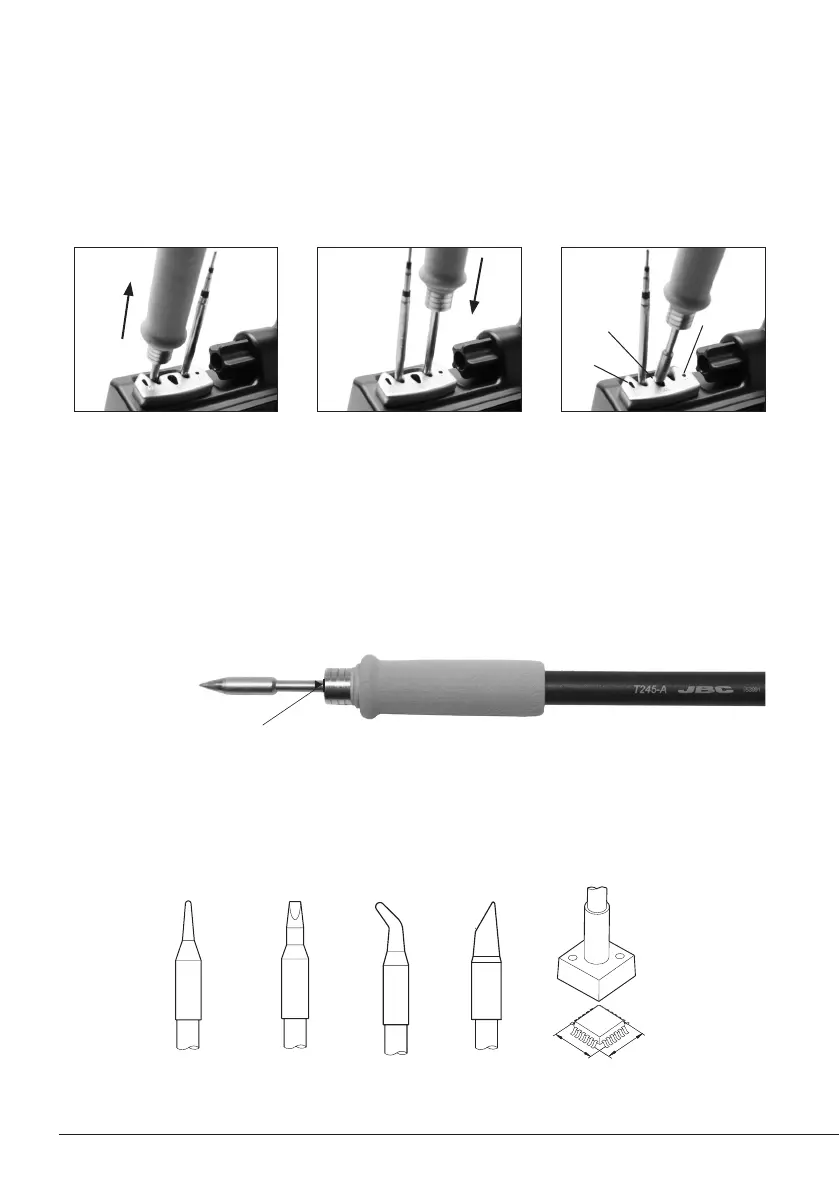
Quick Tip Changer
Round Chisel Round
bent
Bevel Special models
Compatible cartridges
The CD stations work with C245 cartridges and T245/T470 handpieces or C210 cartridges with
T210 handpieces. Find the model that best suits your soldering needs in www.jbctools.com
Save time and change cartridges safely without switching the station off.
1. Removing 2. Inserting 3. Fixing
Place the handpiece in the
extractor and pull to
remove the cartridge.
Place the handpiece on top
of the new cartridge and
press down slightly.
Use the holes for fixing the
cartridge* as follows:
A. For straight C210.
B. For curved C210.
C. For C245.
*Important
It is essential to insert the cartridges as far as the mark for a proper connection.
B
C
A
Mark
26


 To Next Page