Need help?
Do you have a question about the jbc CD and is the answer not in the manual?
Provides contact numbers and website for JBC sales and support.
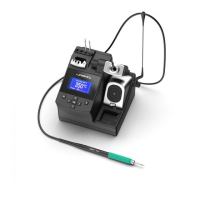
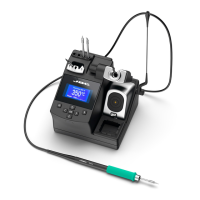
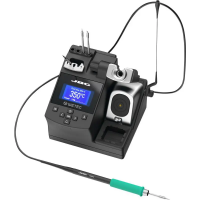
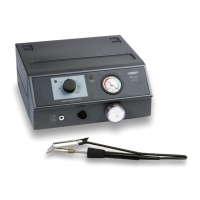
Details the main control unit and the T210-A/T245-A soldering iron models.
Describes accessories such as brass wool, sponges, and replacement cartridges.
Instructions for USB connection to PC for software updates and process monitoring.
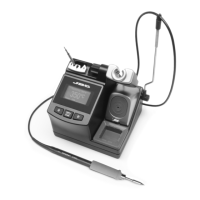
Visual guide to the main parts of the soldering station and iron.
Explains the operation and benefits of the adjustable stand.
Details the function and use of the cable collector.
Guide to using sponges for effective soldering tip cleaning.
Information on using metal wool and brushes for tip maintenance.
Instructions on using the station's built-in features for tip wiping.
Step-by-step guide for safely changing soldering tips.
Explanation of Work, Sleep, and Hibernation modes for tip longevity.
Overview of the main display, temperature, and power indicators.
Guide to accessing and modifying station settings like temperature and delay.
Details temperature range, power output, input voltage, and fuse ratings.
Information on CE compliance, ESD protection, and RoHS status.
This document describes the JBC CD Soldering Station, a professional tool designed for precise and efficient soldering tasks. The station is engineered to provide a reliable and user-friendly experience, incorporating features that enhance both performance and tip life.
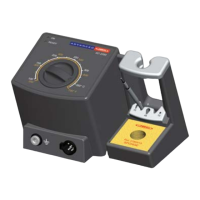
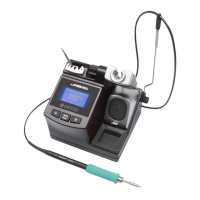
The JBC CD Soldering Station serves as a central unit for controlling and powering soldering irons. Its primary function is to maintain a stable and accurate tip temperature, crucial for high-quality soldering. The station features a control unit with a friendly display for easy interaction and monitoring. Users can select and adjust the desired temperature, and the station provides instant power feedback, indicating the percentage of power supplied to the tool. This real-time information helps users understand the station's performance during operation.
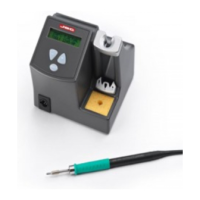
The station is designed to work with various soldering irons, including the T210-A and T245-A models, which are connected to the control unit. These irons are equipped with cartridges that can be easily changed, allowing for quick adaptation to different soldering needs. The station's intelligent heat management system is a core feature, designed to extend the life of soldering tips and reduce overall ownership costs. This system dynamically adjusts the power supplied to the tip based on its activity, ensuring optimal performance while minimizing wear.
Beyond basic temperature control, the station offers advanced functionalities through its USB connector, allowing it to be connected to a PC. This connectivity enables users to update the station's software, create graphs of the soldering process, and manage and monitor various parameters. This feature is particularly useful for quality control, process optimization, and data logging in professional environments.
The JBC CD Soldering Station is designed for intuitive and efficient operation. The control unit features a clear display that shows the selected temperature and the actual tip temperature, along with the power percentage. Navigation through the menu is straightforward, with dedicated buttons for decreasing and moving down, accessing the menu and confirming selections, and increasing and moving up.
Tip Temperature Control: Users can easily set the desired tip temperature, and the station will quickly reach and maintain it. The real-time power indicator helps in understanding the station's responsiveness.
Quick Tip Changer: A key feature for productivity is the quick tip changer. This mechanism allows users to effortlessly remove and replace soldering cartridges. To remove a cartridge, users simply pull it slightly. To install a new one, they gently push it into place. This rapid exchange minimizes downtime and allows for seamless transitions between different tip types or when a tip needs replacement.
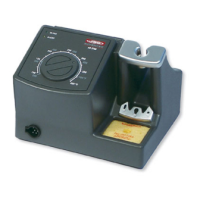
Adjustable Stand: The station includes an adjustable stand for the soldering iron, providing ergonomic flexibility and convenience during use. This stand ensures the iron is securely held when not in active use, preventing accidental damage and maintaining a tidy workspace.
Cable Collector: To manage the soldering iron's cable and prevent tangling or interference with the workspace, the station incorporates a cable collector. This feature helps in maintaining an organized and safe work area.
Friendly Display Control: The station's display is designed for clarity and ease of use, providing all necessary information at a glance. This user-friendly interface simplifies temperature adjustment and monitoring.
The JBC CD Soldering Station incorporates several features aimed at maintaining the soldering tip and ensuring the longevity of the equipment. Proper tip maintenance is crucial for consistent soldering quality and to extend the life of the consumables.
Cleaning Options: The station offers multiple cleaning methods for soldering tips:
Tip Cleaning System: The station includes a dedicated tip cleaning system. Users can tap the cartridge smoothly on the wiper profile to remove excess solder. Additionally, the system features slots designed to wipe any possible particles stuck on the tip, ensuring it remains clean and ready for use.
Heat Management System: The station's intelligent heat management system is a proactive maintenance feature. It optimizes the power supplied to the tip, which significantly extends tip life. This system operates in different modes:
Equipotential Connection: The station includes an equipotential connector, and the tool tip is connected to the station's mains ground supply for ESD protection. This feature is vital for preventing electrostatic discharge damage to sensitive electronic components, ensuring both the safety of the components and the longevity of the soldering station.
Software Updates: The USB connector allows for software updates, ensuring the station's firmware remains current with the latest features and performance enhancements, contributing to its long-term usability and efficiency.
 General
| input voltage | 230V 50/60Hz |
|---|---|
| output voltage | 24V |
General| input voltage | 120V 50/60Hz |
|---|---|
| output voltage | 24V |
General| input voltage | 100V 50/60Hz |
|---|---|
| output voltage | 24V |
General| temperature range | 90 to 450°C |
|---|---|
| power | 75W |
 Weight and Dimensions
| total weight | 2.6 Kg |
|---|

 To Next Page