EasyManua.ls Logo

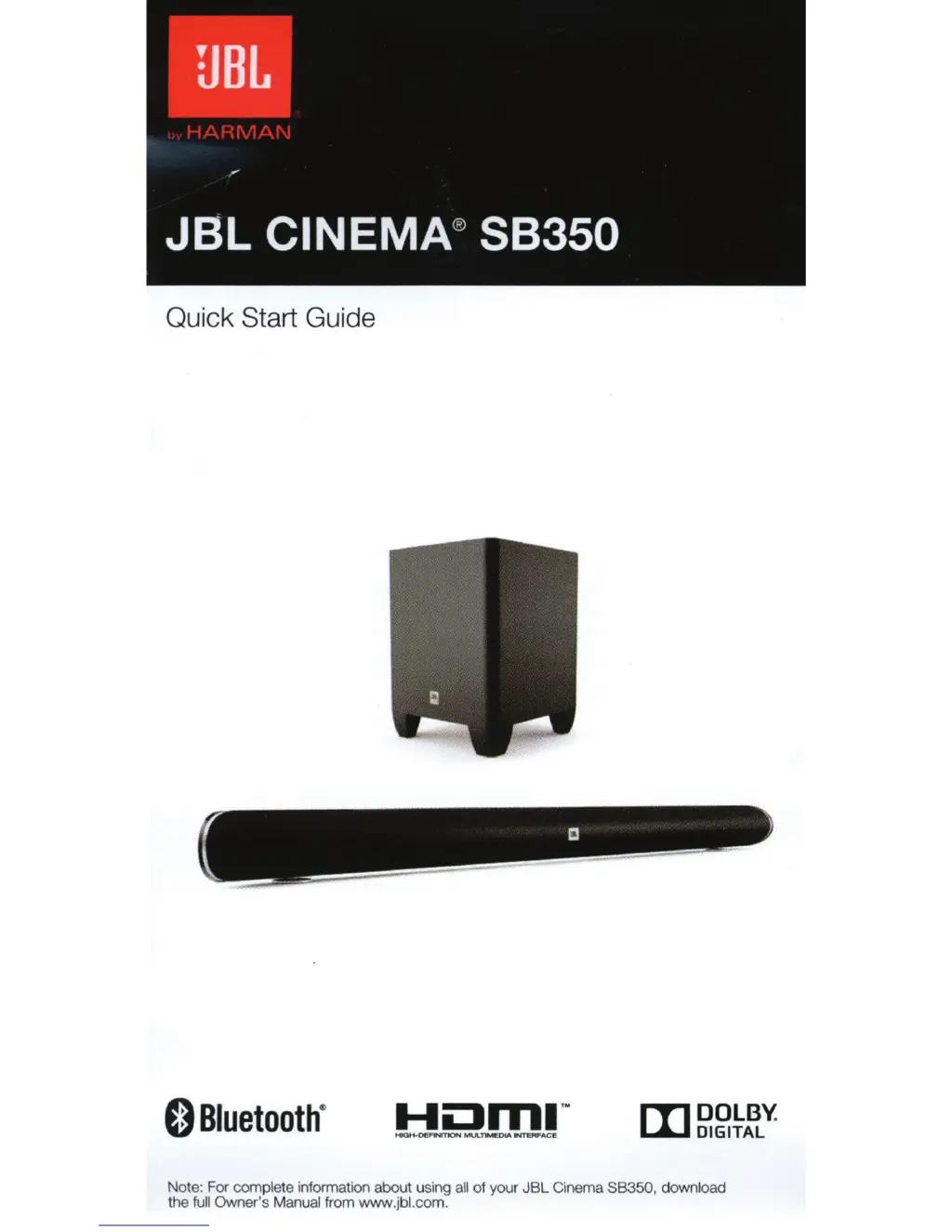
JBL Cinema SB350 - User Manual

JBL Cinema SB350
15 pages
Print Icon
To Next Page IconTo Next Page
Loading...
Quick
Start Guide
0
Bluetooth
·
[I]
DOLBY.
DIGITAL
Note: For
complete
information about using all
of
your
JBL
Cinema
88350,
down
l
oad
the
full Owner's Manual
from
www.jbl.com.

Other manuals for JBL Cinema SB350

Questions and Answers

  • M
    Megan TurnerJul 26, 2025
    What to do if there is no sound coming from JBL Cinema SB350 Speakers?
    • C
      Carrie BrownJul 26, 2025
      If there's no sound from both the soundbar and subwoofer, first ensure the soundbar is powered ON (the Power Indicator should be white). Then, check the cable connecting your TV or source to the soundbar, making sure it's properly connected at both ends. Next, confirm the soundbar’s Source Selector is set to the correct source and that the source is actually playing audio. Also, verify that the system isn't muted by pressing the volume buttons. Lastly, make sure the soundbar’s volume isn't turned all the way down, as the lowest setting of the Volume Down button will mute the system.
  • L
    lancehaleyJul 31, 2025
    What to do if there is no sound from JBL Speakers subwoofer?
    • H
      Heather OlsonJul 31, 2025
      If there's no sound coming only from the subwoofer, check if the Subwoofer Volume Control is not turned all the way down using the remote control. Also, check if the wireless connection is still active (a Blue LED should be constant on the back of the subwoofer); if the LED is flashing blue, restart the pairing process. Finally, move the subwoofer closer to the soundbar, keeping in mind that the maximum wireless operation distance is 50 feet (15.3 m).
  • S
    Sharon RangelAug 3, 2025
    How to increase the bass on JBL Speakers?
    • B
      Brad MillerAug 4, 2025
      If the bass output isn't loud enough, you can try the following: * Turn up the subwoofer’s volume using the remote control. * Move the subwoofer to a corner of the room. * Move the subwoofer closer to your seating location.
  • D
    David MathewsAug 8, 2025
    Why does the volume reset on my JBL Cinema SB350 soundbar?
    • A
      aaron18Aug 8, 2025
      The volume resetting when you turn on the soundbar is an intended feature. If the soundbar was playing at more than 50 percent of its maximum volume before being turned off, the volume automatically resets to 50 percent of the maximum when the system is turned ON.
  • C
    Cassandra WeeksAug 13, 2025
    What to do if JBL Speakers volume is too low?
    • M
      Michael ValenzuelaAug 13, 2025
      If there's still sound from the system even when the soundbar’s volume is turned all the way up, and if your TV or source component is connected via a variable output, check its instructions to ensure the output isn't set too low.
  • S
    Stacey WilliamsAug 17, 2025
    Why is JBL Cinema SB350 soundbar sound distorted?
    • A
      Angela ClarkAug 17, 2025
      If the soundbar’s sound is distorted, check the source component to see if the distortion is coming from it, and not from the soundbar itself.
  • B
    Barbara BridgesAug 20, 2025
    Why does my JBL Speakers turn on when I turn off my TV?
    • L
      Larry BrooksAug 21, 2025
      This issue is related to some televisions having an incorrect Hot Plug Detection (HPD) protocol. You can try activating or deactivating the HPD protocol by pressing the Surround and Volume buttons simultaneously.

Summary

Whats in the Box

Buttons and Controls

Remote Control Overview

Details the function of each button on the remote control.

Soundbar Top Panel Controls

Describes buttons, indicators, and LED behavior on the soundbar's top surface.

Soundbar Rear Panel Connections and Controls

Identifies ports and controls located on the rear of the soundbar.

Subwoofer Controls and Indicators

System Connections

Placement Options

Wall Mounting Instructions

Provides guidance and notes for securely mounting the soundbar on a wall.

Tabletop Placement Guide

Illustrates the recommended placement for the soundbar and subwoofer on a flat surface.

Wireless Subwoofer Pairing

Bluetooth Device Pairing

Sound Modes and Surround Settings

Remote Learning Feature

Technical Specifications

Important Safety Instructions

FCC and IC Compliance Information

Radiation Exposure and Hearing Safety

Environmental and Battery Disposal

JBL Cinema SB350 Specifications

Sound Specifications IconSound Specifications
frequency response45Hz – 20kHz
maximum SPL100dB
Speaker Specifications IconSpeaker Specifications
speaker modulestwo-way, dual driver
full range drivers2 x 55mm (2.25")
dome tweeter32mm (1.25")
Subwoofer Specifications IconSubwoofer Specifications
subwoofer driver size165mm (6.5")
subwoofer weight10.6lb (4.8kg)
subwoofer dimensions9.5" x 9.5" x 12.6" (242 x 242 x 320mm)
Power IconPower
total amplifier power320W max
Connectivity and Ports IconConnectivity and Ports
HDMI output1 with Audio Return Channel (ARC)
Bluetooth connectivityYes
stereo analog-audio input1
Dimensions and Weight IconDimensions and Weight
soundbar dimensions39.4" x 2.4" x 3.1" (1000 x 62 x 78mm)
soundbar weight7.3lb (3.3kg)
USB port1 for software update

Related product manuals