EasyManua.ls Logo

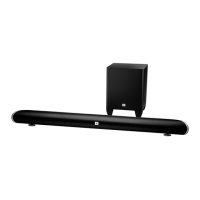
JBL Cinema SB350 - Buttons and Controls; Remote Control Overview; Soundbar Top Panel Controls; Soundbar Rear Panel Connections and Controls

JBL Cinema SB350
15 pages
Print Icon
To Next Page IconTo Next Page
To Previous Page IconTo Previous Page
Loading...
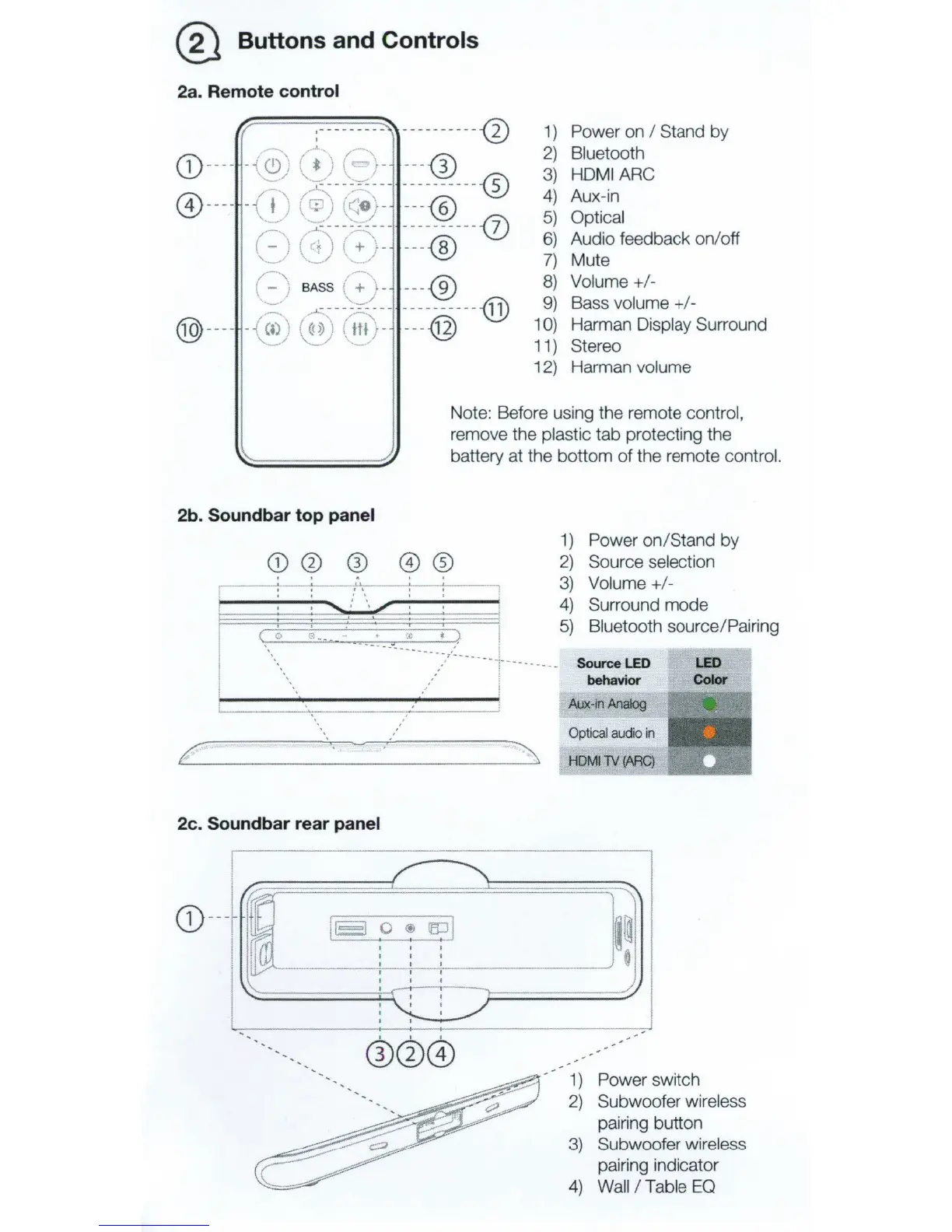
@ Buttons and Controls
2a. Remote control
:·--------
----
---
---
-0
~(''
~
CD
----
-
{~;
"
~
)
(~
-
---
®
-~
/~
--
5
--
----------
-®
@ --
--
-( f ·
(~
(<
e;-
---
@
J
....
----
~-=-_!
___
----------
(!)
(~
(c;)
\~
-
---
@
'..._/
.,
__/
(-
-,
.....,
-
.I
BASS . + >-
---
-®
':::..
f
.....
----
~<
-
-
-------
-
--
@
®-
---
-
~)
~)
~
·-
---
@
1)
Power on I Stand by
2)
Bluetooth
3)
HDMI
ARC
4)
Aux-in
5)
Optical
6)
Audio feedback on/off
7)
Mute
8)
Volume+/-
9)
Bass volume+/-
1
0)
Harman Display Surround
11) Stereo
12) Harman volume
Note: Before using the remote control,
remove the plastic tab protecting the
battery at the bottom
of
the remote control.
2b
. Sound
bar
top
panel
CD0
®
.---~-
~
----!,-';-,
----7-~-
1
( 0
..
. .
.c t
~
I
1)
Power
on
/Stand by
2)
Source selection
3)
Volume+/-
4)
5)
Surround mode
Bluetooth source/ Pairing
--
-._
...
_
__
___
___ 7
,:_
___ 1
:
__
_ ,
__
__
__
--
--
Source
LED
LED
Color
l behavior
~--------------~----~
.___
__
..
..,....,_--
-:------_j
:
2c. Soundbar rear panel
~
~
I
I~
18
0
®
~I
'
'
~~m
' ' '
' '
'
'
'
I
CD
---
/
I I I
I I I
'
I
I
I
I
'
I
I I
I
'
-
Aux-in
Analog
Optical
audio
in
HOMilY
(ARC)
~
~~
0
_/
-
· 1 ) Power switch
2)
Subwoofer wireless
pairing button
3)
Subwoofer wireless
pairing indicator
4)
Wall
I Table
EO