EasyManua.ls Logo

JBL Harman Tune 130NC TWS - User Manual

JBL Harman Tune 130NC TWS
15 pages
Print Icon
To Next Page IconTo Next Page
Loading...
quick
start
guide
130NC
TUNE
quick
start
guide
Question and Answer IconNeed help?

Do you have a question about the JBL Harman Tune 130NC TWS and is the answer not in the manual?

Summary

Quick Start Guide

Whats in the Box

Lists all components included in the JBL TUNE130NC TWS package.

JBL Headphones App

Guidance on using the JBL Headphones app for enhanced control and personalization.

How to Wear

Instructions for proper fitting of earbuds for optimal comfort and audio performance.

First Time Use

Steps for initial setup and preparation of the JBL TUNE130NC TWS for first-time use.

Power On and Connect

Instructions for powering on the earbuds and establishing a Bluetooth connection.

Dual Connect and Sync

Explains stereo and mono modes for using the JBL TUNE130NC TWS earbuds.

Controls

Details on touch controls for playback, ANC modes, and voice assistant activation.

Power Off

Procedure for properly turning off the JBL TUNE130NC TWS headphones.

Manual Setup

Procedures for manual Bluetooth pairing and factory resetting the earbuds.

Do More with the App

Explore advanced features and customization options available via the JBL Headphones app.

Charging

Instructions on how to charge the JBL TUNE130NC TWS earbuds and their charging case.

LED Behaviors

Explanation of LED indicator lights and their meanings for device status.

Technical Specifications

Detailed technical information and specifications for the JBL TUNE130NC TWS.

Summary

Quick Start Guide

Whats in the Box

Lists all components included in the JBL TUNE130NC TWS package.

JBL Headphones App

Guidance on using the JBL Headphones app for enhanced control and personalization.

How to Wear

Instructions for proper fitting of earbuds for optimal comfort and audio performance.

First Time Use

Steps for initial setup and preparation of the JBL TUNE130NC TWS for first-time use.

Power On and Connect

Instructions for powering on the earbuds and establishing a Bluetooth connection.

Dual Connect and Sync

Explains stereo and mono modes for using the JBL TUNE130NC TWS earbuds.

Controls

Details on touch controls for playback, ANC modes, and voice assistant activation.

Power Off

Procedure for properly turning off the JBL TUNE130NC TWS headphones.

Manual Setup

Procedures for manual Bluetooth pairing and factory resetting the earbuds.

Do More with the App

Explore advanced features and customization options available via the JBL Headphones app.

Charging

Instructions on how to charge the JBL TUNE130NC TWS earbuds and their charging case.

LED Behaviors

Explanation of LED indicator lights and their meanings for device status.

Technical Specifications

Detailed technical information and specifications for the JBL TUNE130NC TWS.

Overview

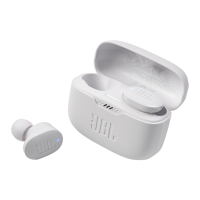
The JBL Tune 130NC TWS are true wireless stereo earbuds designed for an immersive audio experience with active noise cancellation and smart ambient features. These earbuds offer a range of functionalities for music playback, call management, and voice assistant interaction, all controllable through intuitive touch gestures or a dedicated mobile application.

Function Description

The JBL Tune 130NC TWS earbuds provide high-quality audio playback and hands-free calling. They feature Active Noise Cancelling (ANC) to minimize external distractions, allowing users to focus on their audio. For situations where environmental awareness is crucial, the earbuds offer Ambient Aware and TalkThru modes. Ambient Aware lets you hear your surroundings without removing the earbuds, while TalkThru lowers music volume and amplifies speech, making conversations easier.

The earbuds support Bluetooth connectivity, enabling wireless audio streaming from compatible devices. They incorporate Dual Connect + Sync technology, allowing either earbud to be used independently in mono mode or both together for a stereo experience. This feature also facilitates seamless switching between earbuds.

For enhanced control and personalization, the JBL Headphones app is available. This free application unlocks advanced features, including custom equalizer settings, gesture customization, and voice assistant selection.

Usage Features

Getting Started:

  1. What's in the Box: The package includes the JBL Tune 130NC TWS earbuds, a charging case, ear tips in S/M/L sizes, a USB-C charging cable, and documentation (Quick Start Guide, Safety Sheet, Warranty Card).
  2. App Installation: Download the JBL Headphones app from Google Play Store or Apple App Store to access advanced controls and personalization options.
  3. How to Wear:
    • Choose the correct ear tip size (S, M, or L) for a perfect fit and optimal audio performance.
    • Insert the earbuds into your ears and rotate them gently to ensure a secure and comfortable fit.
  4. First Time Use: Place the earbuds into the charging case for the initial setup.

Power On & Connect:

  1. Automatic Power On: The earbuds power on automatically when removed from the charging case.
  2. Bluetooth Pairing:
    • Android 6.0+ (Fast Pair): When the earbuds are in pairing mode, an Android 6.0+ device will display a "Fast Pair now" notification for "JBL TUNE130NC TWS." Tap to pair, and the device will be tied to your Google Account.
    • Other Devices: Open the Bluetooth settings on your device and select "JBL TUNE130NC TWS" from the list of available devices to connect.
  3. Dual Connect + Sync:
    • Stereo Mode: Use both earbuds (L and R) for a full stereo audio experience.
    • Mono Mode: Use either the left (L) or right (R) earbud independently for mono audio.

Controls (Default Gestures):

The earbuds feature touch controls on both the left and right earbuds. The following are the default controls, which can be customized via the JBL Headphones app:

  • Left Earbud:

    • Tap × 1: Toggles between ANC (Active Noise Cancelling), Ambient Aware, and Off modes. (Note: ANC and Ambient Aware are advanced controls that may require connecting to the JBL Headphones app.)
    • Tap × 2: Activates the Voice Assistant (Bixby/Siri/Others). (Note: Voice Assistant activation needs to be enabled and assigned via the JBL Headphones app.)
    • Hold (2s): Toggles TalkThru mode. (Note: TalkThru is an advanced control that may require connecting to the JBL Headphones app.)
  • Right Earbud:

    • Tap × 1: Play/Pause music, Answer/End call.
    • Tap × 2: Next track, Reject call.
    • Tap × 3: Previous track.
    • Hold (2s): Activates the Voice Assistant (Ok Google, Alexa built-in, or others). (Note: Voice Assistant activation needs to be enabled and assigned via the JBL Headphones app.)

Power Off:

Place the earbuds back into the charging case, and they will automatically power off.

Manual Setup:

  1. Connect to a New Bluetooth Device:
    • With the earbuds out of the case, press and hold the touch control on either the L or R earbud for 5 seconds until the Bluetooth pairing indicator flashes.
    • Then, select "JBL TUNE130NC TWS" on your new Bluetooth device.
  2. Factory Reset:
    • With the earbuds out of the case, press and hold the touch control on either the L or R earbud for 5 seconds.
    • Place both earbuds back into the charging case.
    • The earbuds will reset to their factory settings.

Do More with the App:

The JBL Headphones app provides extensive customization and control:

  • Noise Cancelling/Ambient Sound Control: Adjust ANC, Ambient Aware, or TalkThru modes.
  • Smart Audio & Video: Optimize audio for different content types.
  • Voice Assistant: Select and configure your preferred voice assistant (Google Assistant, Amazon Alexa, or others).
  • Gestures: Customize the touch controls for each earbud (Left and Right) to assign different functions for single tap, double tap, and tap & hold actions.
  • EQ (Equalizer): Access presets (e.g., Jazz, Vocal, Bass) or create custom equalizer settings to tailor the sound to your preference.

Maintenance Features

Charging:

  1. Charging the Case: Connect the USB-C charging cable to the charging case and a power source. A full charge takes approximately 2 hours.
  2. Charging the Earbuds: Place the earbuds into the charging case. The earbuds will charge automatically.
  3. Quick Charge: A 10-minute charge of the earbuds can provide up to 2 hours of music playtime.

LED Behaviors:

The LED indicators on the earbuds and charging case provide information about their status:

  • Earbud LED:
    • Blue flashing: Bluetooth connecting.
    • Solid blue: Bluetooth connected.
    • Red flashing: Bluetooth not connected.
    • White flashing: Factory reset in progress.
  • Charging Case LED:
    • Red flashing: Low battery.
    • Solid white: Charging.
    • Solid green: Fully charged.

JBL Harman Tune 130NC TWS Specifications

General IconGeneral
Driver size10 mm
Frequency response20 Hz - 20 kHz
Battery life (earbuds)Up to 10 hours
Charging time2 hours
Bluetooth version5.2
Water resistanceIPX4
Bluetooth transmitter power< 12 dBm
Bluetooth transmitter modulationGFSK, π/4 DQPSK, 8DPSK
Music playtime with BT onUp to 10 hours
Music playtime with BT and ANC onUp to 8 hours
Weight per earbud5.7 g
Weight charging case40.4 g
Ambient AwareYes
TalkThruYes
Voice Assistant SupportYes
Battery life (without ANC)10 hours
Noise cancellationActive Noise Cancelling
Impedance32 ohms
Bluetooth profilesA2DP, AVRCP, HFP
Bluetooth transmitter frequency range2.4 GHz - 2.4835 GHz
Battery life (charging case)30 hours
Battery life (with ANC)Up to 8 hours
Microphone Sensitivity-38 dBV/Pa@1 kHz

Related product manuals