ンを選択します。これ以降も、Alexaアプリの指示に従って設定を完了します。
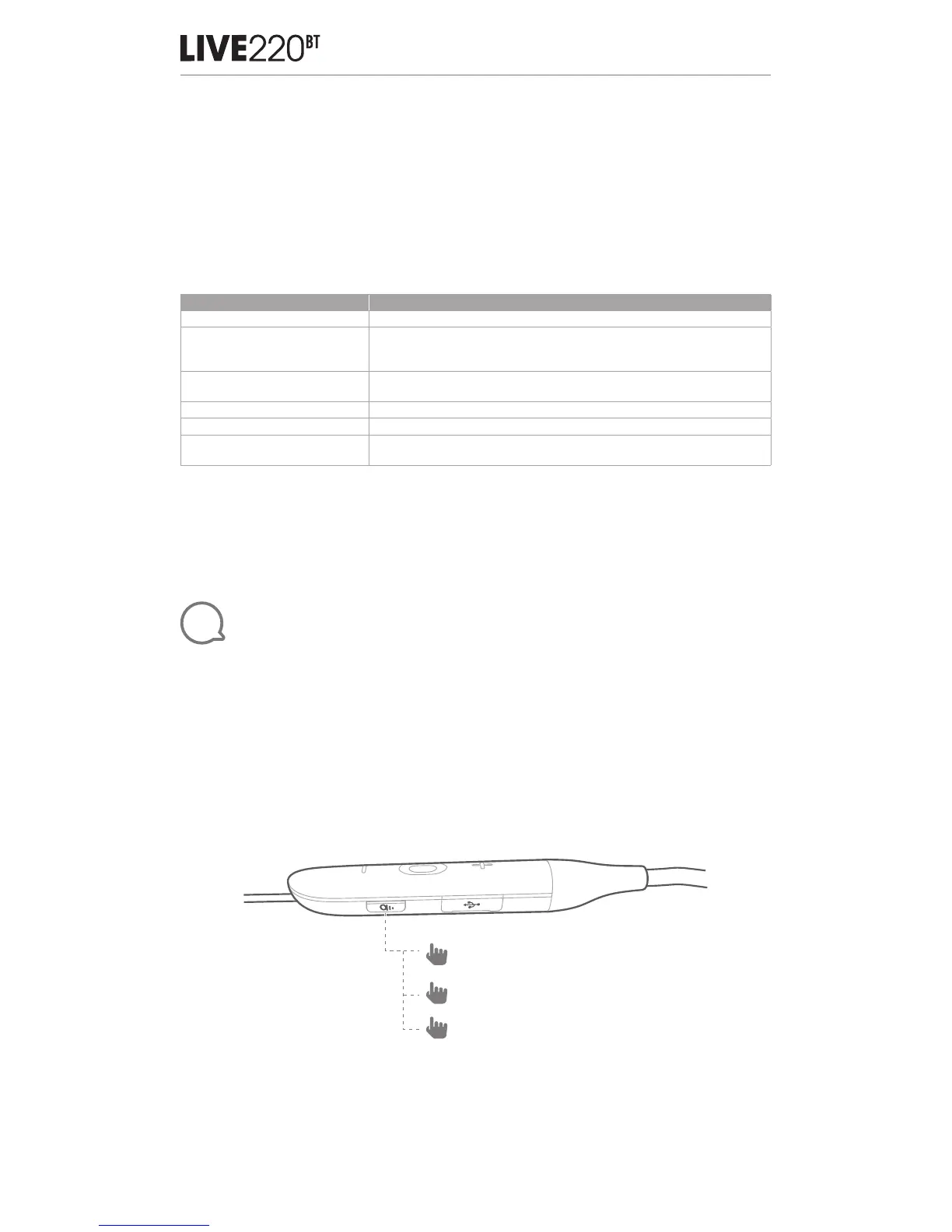
7. これで、Alexaがお持ちのデバイスで使用できるようになりました。 アクション ボタンに タッチし
て、以下の言葉の1つ を お 試 しくだ さ い 。
Alexaでできること 話しかける内容の例
Alexaと話す 「今日の天気は?」
音楽を再生する
「ナイル・ホーランをかけて。」
注:Amazon Musicがデフォルトの音楽サービスとしてセットされています。
デフォルトの音楽サービスを変更するには、Alexaアプリを使用します。
特定の音楽サービスからオーディ
オを再生する
「IheratRadioのNPRをかけて。」
タイマーをセットする 「タイマーを5分セットして。」
より多くの機能を楽しむ 「どれだけ新しいことができるの?」
Alexaを止める
Alexaが話している間にアクションボタンを押して離し、「ストップ」と
言ってください
注:
1. Alexaで試すことの詳細については、www.amazon.com/alexadevices,に ア ク セ ス し て「 Alexaを使
う 」を 選 択 し ま す 。
2. Amazon Alexaをオンまたはオフにしたい場合は、JBL APP(セクション 8をご 覧くだ さい)をダウンロ
ードしてくだ さい 。 Settings>Voice assistant>Amazon Alexaの順に選択することができます。
3. 言 語 や 国 に よって は Alexaが使 用できないこともあります。
11
Ambient Aware & TalkThru
1. Short press once to activate TalkThru, which allows you to clearly hear others
for quick conversations, without removing your headphones. You will hear
your music volume level lower when TalkThru Technology is engaged.
2. Press once more to activate Ambient Aware, which allows you to hear your
surroundings.
3. Press again to turn off TalkThru Technology.
Note: You can also turn on or off the Ambient Aware & TalkThru with our JBL
APP (see Section 8).
x1
TalkThru ON
x1
Ambient Aware ON
x1 OFF
FR
Perception de l’environnement et mode vocal
1. Appuyez brièvement une fois pour activer TalkThru, le mode vocal, qui vous permet
d’entendre clairement d’autres personnes pour de courtes conversations, sans retirer votre
casque. Vous entendez le volume de votre musique diminuer lorsque la technologie TalkThru
est active.


 To Next Page